OXI Instruments walks us through the fundamentals of MIDI connectivity using their OXI ONE MKII performance sequencer. This tutorial focuses on the practicalities of channel assignment, daisy-chaining via MIDI THRU, and syncing drum machines, giving an accessible yet detailed look at how the OXI ONE serves as the control center in hybrid setups. We follow the workflow and architecture of multi-instrument sequencing, from setting up a single synth to managing larger rigs with the OXI Split, all with a clear focus on efficient routing and performance-centric design.
30. July 2026
LYRA
OXI Instruments: Architectural MIDI Connections with the OXI ONE MKII
Novation Peak, OXI ONE MKII, OXI Split, Tonverk, Vermona Perfourmer
The OXI ONE MKII: The Brain of the Setup
The video starts by framing the OXI ONE MKII as the central hub in a hardware or hybrid electronic music setup. OXI Instruments positions the sequencer as the ‘brain,’ not just triggering notes but also keeping every device in time—a critical architectural role for complex rigs.
This approach is beginner-friendly but also highlights a core digital workflow: the sequencer’s ability to coordinate multiple instruments over MIDI. The emphasis is on demystifying initial setup, targeting users who want a clear, reliable path to connecting their gear without the headaches that often plague first-time hardware users.
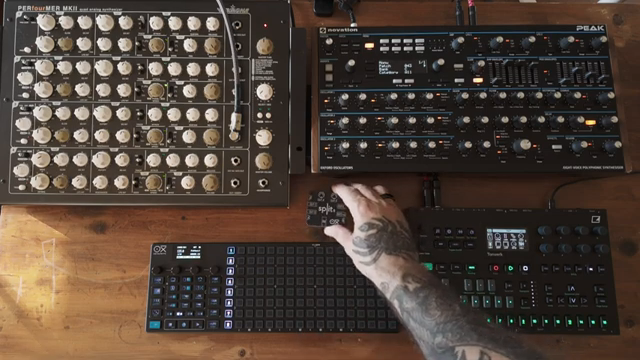
"Think of the sequencer as the brain of your setup."
© Screenshot/Quote: Oxiinstruments (YouTube)
Channels and Connectivity: 96 Ways to Play
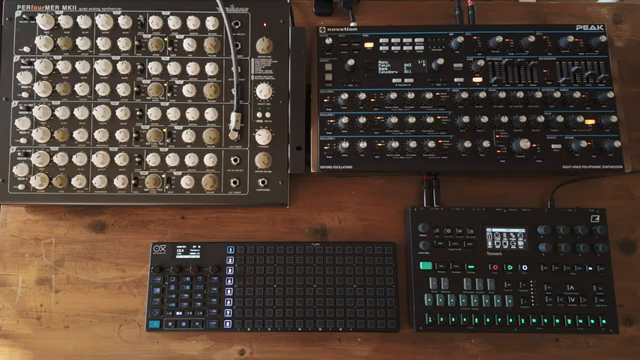
"The Oxyone MK2, through the use of the OxySplit version 2, gives you a total of 6 MIDI ports."
© Screenshot/Quote: Oxiinstruments (YouTube)
The video quickly introduces a key feature: each MIDI port on the OXI ONE MKII handles 16 channels, and with the OXI Split, you can expand up to 96 channels across six ports. This opens a vast landscape for controlling multi-part hardware, from polyphonic synths to modular voices and drum machines, all from one sequencer.
The workflow is demonstrated step by step, starting with connecting a Novation Peak via MIDI OUT (using the correct TRS Type A cable) and ensuring both the OXI and the synth are set to the same channel. The tutorial underlines the importance of channel management—a fundamental but often overlooked part of any scalable digital or hybrid setup.
Daisy-Chaining and Sync: More Than Just Notes
OXI Instruments illustrates how to add more instruments using MIDI THRU. If you lack extra ports, daisy-chaining is a straightforward solution—so long as your instruments offer a THRU port. The video walks through connecting a Vermona Perfourmer after the Peak, routing MIDI through the chain to reach multiple devices.
An important distinction is made between sequencing (sending note and performance data on specific channels) and simple sync operations, where a drum machine like the Tonverk is slaved for start/stop and tempo only. This is a crucial point for live and studio workflows, as it clarifies when you need full sequencing versus just keeping everything locked to the master clock.
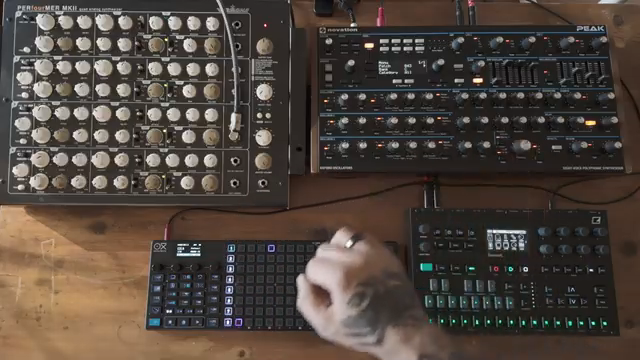
"MIDI through essentially copies whatever comes into the MIDI IN and passes it straight out."
© Screenshot/Quote: Oxiinstruments (YouTube)
Independent Sequences and Live Integration
The tutorial demonstrates building independent sequences for each connected instrument by assigning different MIDI channels. For example, the Novation Peak, Vermona Perfourmer voices, and a drum machine each receive tailored patterns from dedicated sequencer tracks, allowing for complex, layered arrangements.
Performance mode is highlighted, enabling real-time transposition and muting—tools essential for live improvisation or DAWless jamming. The video shows how this channel-based approach lets users craft dynamic setups, where every device has its own role but remains tightly integrated under the OXI ONE’s control.
Scaling Up: OXI Split and Workflow Efficiency
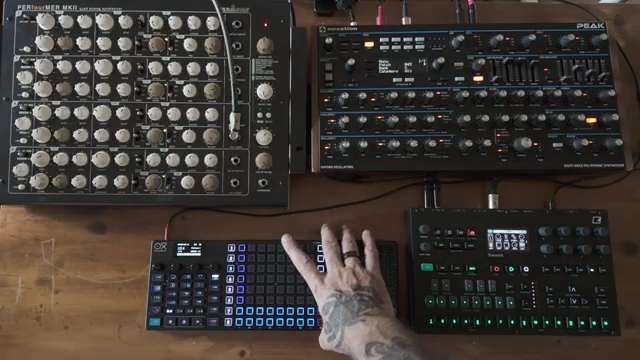
"It helps you avoid long daisy chains, which can inevitably introduce latency."
© Screenshot/Quote: Oxiinstruments (YouTube)
Concluding, OXI Instruments underscores the importance of the OXI Split for larger studios. While daisy-chaining via MIDI THRU works for modest setups, long chains can introduce latency—an architectural bottleneck for complex rigs. Utilizing multiple MIDI ports with the Split is recommended for minimizing lag and keeping workflow snappy.
The same connectivity principles apply whether you’re using MIDI DIN, TRS, USB, or even controlling a DAW. The video wraps up by encouraging users to consider efficient port distribution as essential for reliable, low-latency performance in both studio and live environments.
This article is also available in German. Read it here: https://synthmagazin.de/oxi-instruments-architektonische-midi-verbindungen-mit-dem-oxi-one-mkii/
More articles about these products:
 Summit Stays Supreme: The Midlife Synthesist’s One-Year Verdict
 Starsky Carr’s £15,000 Synth Soup: Analog Royalty, Now in Your Serum
 A Studio of Sonic Memory: synth4ever Journeys through Devin Belanger’s Ambient Sanctuary
 OXI Instruments: Polyrhythmic Grooves with the OXI One mkII’s Decoupled Velocity and Gate
 OXI Instruments OXI One mkII: Mod Lanes Unleashed
 OXI Instruments E16: Dual MIDI Destinations Demystified
 Devin Belanger and the Cinematic Synth: Sculpting Sound into Story
 Sineway’s First Live Set: Gear Glory and Rookie Regrets
 OXI Instruments: Mod Lanes, Pattern Reset and the Hidden Rhythms Within
 OXI Instruments Reinvents Sequencing: Stochastic Mode on the OXI One MKII
 OXI Instruments OXI One MKII: CV & Gate Wizardry for Modular Setups
 OXI Instruments: Saga Mode on the OXI One MKII – Escaping the Grid with Nigrán 2.0
Watch on YouTube:
Latest articles
Watch on YouTube:
Visit the channel:
https://www.youtube.com/oxiinstruments
https://www.youtube.com/oxiinstruments
Links from oxiinstruments:
website: https://oxiinstruments.com
instagram: https://www.instagram.com/oxiinstruments
facebook: https://www.facebook.com/oxiinstruments/
support: https://oxiinstruments.com/support
Sponsored links:
If you purchase via these links, we may earn a small commission – at no extra cost to you. The link opens an Amazon keyword search, and results may vary depending on availability.
Novation Peak
🔗 Check price on Amazon
🔗 Check price on Amazon
OXI ONE MKII
🔗 Check price on Amazon
🔗 Check price on Amazon
OXI Split
🔗 Check price on Amazon
🔗 Check price on Amazon
Tonverk
🔗 Check price on Amazon
🔗 Check price on Amazon
Vermona Perfourmer
🔗 Check price on Amazon
🔗 Check price on Amazon