You thought Koala Sampler was already the king of flipping on your phone? Well, JFilt from Verysickbeats just showed us it got a fresh stem-splitting update, and now it’s slicing samples cleaner than a deli on payday. This isn’t just an upgrade—it’s a workflow glow-up for every mobile beatmaker hustling with an iPhone or iPad. We’re talking high-quality splits, real talk comparisons, and the kind of demo only a true beat head brings. Grab your headphones; there’s some A/B magic in the mix.
28. September 2026
RILEY
Verysickbeats Puts Koala Sampler’s New Stem Splitter to the Street Test
Stem Splitter Upgrade: Next-Level Sample Surgery
Let’s get this out the gate—Koala Sampler just dropped a stem splitter update that turns your mobile into a sample-slicing surgeon. Verysickbeats, aka JFilt, wastes no time showing off the goods, loading up Koala and talking us through this new high-quality stem splitter. No science degree required, just straight-up beatmaking fire for everyone rocking a phone or tablet.
We’re not talking about some small tweak either. This update means you can pull apart drums, bass, vocals, and other elements from any sample you throw at it, right from your device. The best part? You don’t need to wrestle with your laptop or a million plugins—flip it, chop it, and get back to the groove. It’s the kind of upgrade that makes you want to dig even deeper into your sample stash.
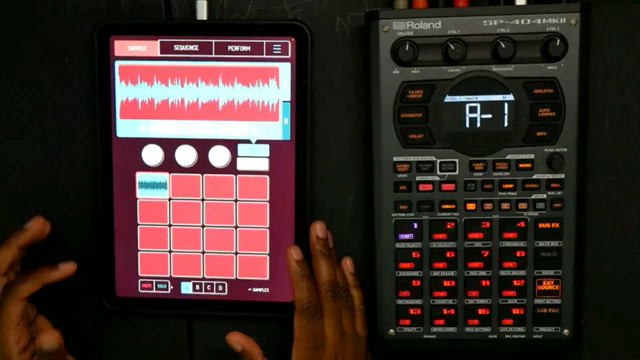
"My favorite beat making app just got better once again this time around stem splitters."
© Screenshot/Quote: Verysickbeats (YouTube)
Old vs. New: Head-to-Head Stem Showdown
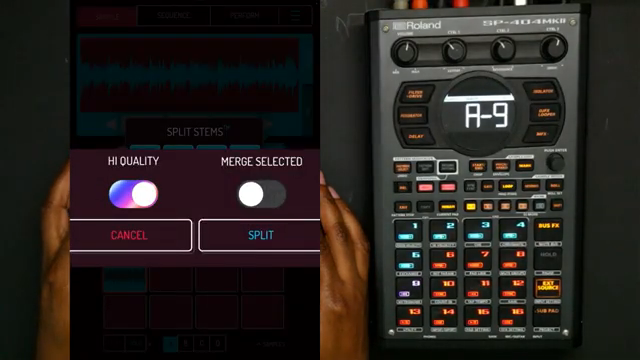
"Look at this high quality that wasn't there before."
© Screenshot/Quote: Verysickbeats (YouTube)
JFilt doesn’t just talk the talk—he runs a real comparison, old school versus new school. First, he splits a sample using the OG stem splitter, then lines up the same chop with the new high-quality mode after updating Koala. You can almost hear the app flexing in the background.
The verdict? The new splitter packs a punch, especially on drums and bass. Even if the vocals in some samples are a little shy, the clarity boost is obvious. If you’re all about crispy drums and thick basslines, this update is like trading your old headphones for a fresh pair—the difference hits you right in the face.
Real-World Beatmaking: Workflow on Turbo
The magic unfolds when JFilt runs through different samples, showing exactly how this update changes the game. He tries out both the regular and high-quality splits, and you can hear the difference in every stem—especially when he flips between original and upgraded drums, vocals, and bass. It’s like going from dollar store headphones to studio monitors.
He even shows little workflow hacks, like normalizing the drums post-split for that extra punch. The bottom line: if you’re the type who wants to cook up beats on the fly, this new stem splitter makes it faster, easier, and way cleaner. No more excuses for muddy stems—just pure, uncut vibe.
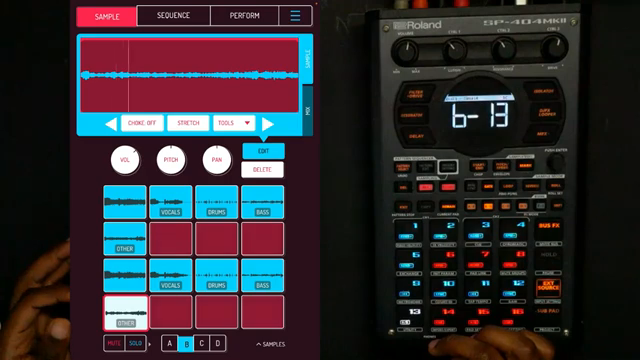
"So yeah it's definitely a difference but I really hear the differences with the drums and the bass so that's cool."
© Screenshot/Quote: Verysickbeats (YouTube)
Don’t Sleep—Hear It for Yourself
Let’s be real, you gotta hear these A/B flips to really catch the difference. JFilt lays it all out, but the real juice is in the sound—so don’t just read about it, hit play on the video. The upgrade isn’t just hype; it’s a real workflow boost that any mobile producer should check out.
This article is also available in German. Read it here: https://synthmagazin.at/verysickbeats-schickt-das-neue-stem-splitter-update-vom-koala-sampler-auf-den-pruefstand/
More articles about these products:
 Verysickbeats Flips Vocals on Pads: Koala + SP‑404MKII Get ‘Fresh!’
 Sampling in the Wild: Lodewijk Vos Turns Jungle Junk Into Bangers
 LNA Does Audio Stuff: Making Beats on the Cheap with Ableton Note—Beach Edition
 sunwarper’s iPad Hack: How to Make Your Sampler Actually Interesting
 Island Beats & Koala Feats: Sunwarper’s Hawaiian Field Trip
 Verysickbeats Schools Us: Why Auto-Tune Can’t Hang With a Vocoder
 Verysickbeats Flips the Script: Koala Sampler Drum Chopping That Hits Like a Freight Train
 Verysickbeats Flips the Script: Koala Sampler’s AUv3 Update Is a Workflow Game Changer
 Sunwarper vs. The DAW: Why Portable Samplers Rule the Studio Streets
 sunwarper Turns Koala Sampler Into a Hardware Beast: MIDI Mayhem Unleashed
 sunwarper’s SP404 MK2: Five Years Deep and Still the Studio Chameleon?
 iPad, Apps & Grooveboxes: Audio Tutorial Experts Turn Your Studio into a Gameboy Factory
Watch on YouTube:
Latest articles
Watch on YouTube:
Visit the channel:
https://www.youtube.com/Verysickbeats
https://www.youtube.com/Verysickbeats
Links from Verysickbeats:
Patreon: https://patreon.com/verysickbeats
Instagram: https://instagram.com/verysickbeats
Twitter: https://twitter.com/jfilt
Twitch: https://twitch.tv/verysickbeats
Discord: https://discord.com
Sponsored links:
If you purchase via these links, we may earn a small commission – at no extra cost to you. The link opens an Amazon keyword search, and results may vary depending on availability.
iPad
🔗 Check price on Amazon
🔗 Check price on Amazon
iPhone
🔗 Check price on Amazon
🔗 Check price on Amazon
Koala Sampler
🔗 Check price on Amazon
🔗 Check price on Amazon
SP404
🔗 Check price on Amazon
🔗 Check price on Amazon