Who needs a tricked-out studio when you’ve got sand in your shoes and an iPad in your hand? LNA Does Audio Stuff takes the whole ‘music anywhere’ thing to the next level, cooking up a full track right on the beach using just Ableton Note and a handful of everyday sounds. This video is like a love letter to the broke beatmaker—proving once again that all you need is some hustle, a mobile app, and the guts to hit record in public. If you’re sick of gear snobs, this one’s for you.
12. August 2026
RILEY
LNA Does Audio Stuff: Making Beats on the Cheap with Ableton Note—Beach Edition
Beach Beats: The Broke Producer’s Paradise
Let’s kick things off with the big flex here—LNA Does Audio Stuff heads out to the beach with nothing but an iPad and Ableton Note, proving yet again you don’t need a spaceship-sized studio to drop a heater. Forget about racks of gear; the only overhead here is the seagulls and maybe the risk of sand in your USB port. The drums kick things off, laying down a groove that’s tighter than your landlord’s Wi-Fi.
From there, it’s all about building on the essentials. The workflow stays lean: record, react, stack. No expensive gadgets, no plugin graveyard. Just real-world inspiration, a quick beat, and the kind of vibe you catch when you’re out in the wild. If you’re already counting pennies for your next upgrade, this video is your permission slip to stop stressing and start sampling whatever’s around you.
Stones, Water, and Straight-Up Texture
You want flavor? LNA’s grabbing field recordings—rocks clacking, water splashing—and flipping them straight into Note’s sampler. That’s how you get a groove with some real dirt under its nails. These aren’t your stock drum sounds; they’re squishy, gritty, and 100% location-specific. Organic textures like these bring a whole other character to the beat, making it feel as fresh as street tacos at midnight. Trust me, you can’t buy this kind of sauce in a sample pack.
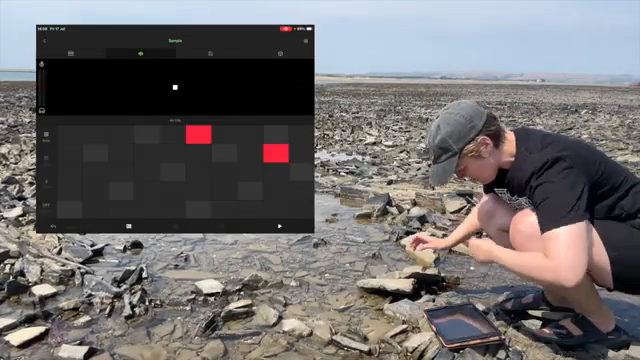
"I absolutely love organic textures in my songs so this was absolute must for me."
© Screenshot/Quote: Lnadoesaudiostuff (YouTube)
Cloud Power: From Sand to Studio
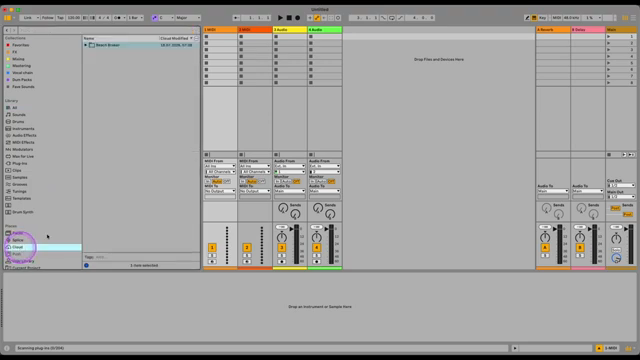
"I can open the same session in Ableton Live using the browser in my studio and carry on exactly where I left off."
© Screenshot/Quote: Lnadoesaudiostuff (YouTube)
Once the sun’s too much for that Nordic skin, it’s back to the studio—no need to email yourself stems or mess with cables. Thanks to Ableton’s cloud magic, LNA pulls up the whole session in Live, right where she left off. Everything’s in sync, ready to get that pro polish without a single headache. This is workflow that actually works—save your brain cells for arrangement ideas, not file management.
In the studio, it’s about taking those raw sketches and giving them some extra color. We’re talking about flipping samples into Arrangement View, throwing on some Erosion and Roar for edge, and even hitting up Wavetable for bass lines with some serious low-end swagger. The blend of mobile and desktop is seamless; if you blink, you’ll miss how easy this handoff is. For my fellow beatmakers always hustling between couch and computer: this is the kind of flexibility that’ll keep your inspiration flowing and your workflow unblocked.
Vocal Vibes: When Life Gives You Broken Cameras
Here’s where it gets real: LNA’s phone camera dies mid-session, but does she pack up? Nah. She switches to the front camera, grabs a lav mic, and spits some vocals on the spot. That’s the kind of improvisation you only get when you’re rolling with the punches, not overthinking it. The lyrics even riff off the tech fail—talk about making lemonade from lemons. This raw, off-the-cuff energy makes the track feel personal and alive, like a mixtape recorded straight to cassette.
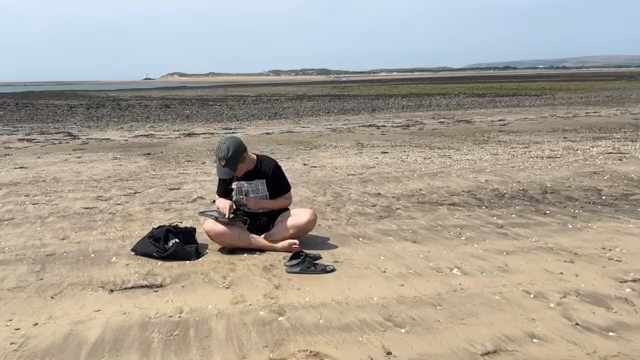
"I'm actually a very much of an improviser so having just broken my phone's camera and being a bit annoyed I made a lyrics inspired by that."
© Screenshot/Quote: Lnadoesaudiostuff (YouTube)
Want All the Nerdy Details? Go Watch the Full Jam
Look, I could break down every automation lane and effect chain LNA touches—but honestly, the sauce is in the video. If you want to see every parameter tweak, every pad chop, every bit of Ableton wizardry, you gotta check out the full-length tutorial on her channel. Sometimes the magic is better seen than described, especially when the groove is this tasty.
This article is also available in German. Read it here: https://synthmagazin.at/lna-does-audio-stuff-beats-bauen-am-strand-guenstig-mit-ableton-note/
More articles about these products:
 Kairos as Living Sculpture: MusicRadar Tech Enters Laura Misch’s Sonic Sanctuary
 Voltage Labs: Berlin’s Sonic Mosaic – Studios, Shadows and the Pulse of Creation
 Architecting Performances: Novation Launch Control and Ableton Live Macro Workflows
 Nebula Machines: Bahadırhan Koçer and the Sonic Physics of Dub Techno
 Pick Yourself’s Hypnotic Bass Hack: Rumble Kicks Are Out, Sliding Grooves Are In
 Mad Moments & Club Tactics: Tom VR Gets Real with MusicRadar Tech
 Bonedo Synthesizers: How to Make Any Synth Scream Acid Like a 303
 Andrew Huang’s Remix Rodeo: Four Producers, One Song, Total Mayhem
 sunwarper’s iPad Hack: How to Make Your Sampler Actually Interesting
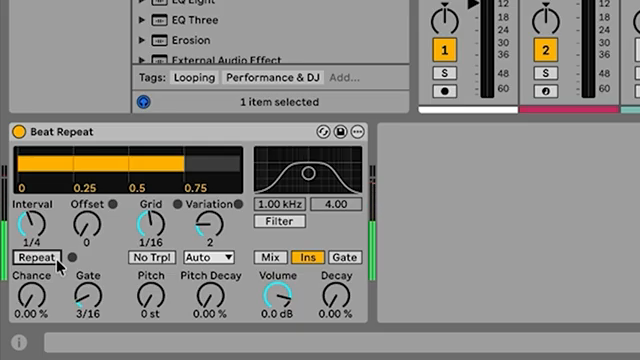 MusicRadar Tech Unleash Ableton Beat Repeat: From Lazy Slicer to Glitch Mayhem
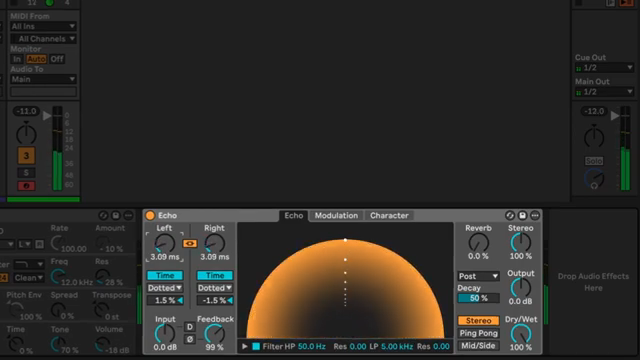 Pick Yourself Makes Echo Bang: Delay as Synth Weapon
 Underdog Electronic Music School: Don’t Let Your Beats Collect Dust
Watch on YouTube:
Latest articles
Watch on YouTube:
Visit the channel:
https://www.youtube.com/LNADoesAudioStuff
https://www.youtube.com/LNADoesAudioStuff
Links from LNADoesAudioStuff:
Instagram: https://instagram.com/lnadoesaudiostuff
Apple Music: https://music.apple.com/gb/artist/lna/1498323070
Webiste (courses): https://lnamusic.com
Faceboook: https://facebook.com/lnadoesaudiostuff
Sponsored links:
If you purchase via these links, we may earn a small commission – at no extra cost to you. The link opens an Amazon keyword search, and results may vary depending on availability.
Ableton Live
🔗 Check price on Amazon
🔗 Check price on Amazon
Ableton Note
🔗 Check price on Amazon
🔗 Check price on Amazon
iPad
🔗 Check price on Amazon
🔗 Check price on Amazon
Lavier Microphone
🔗 Check price on Amazon
🔗 Check price on Amazon