If you’ve ever wanted to drag your Roland S-10 kicking and screaming into the 21st century, Espen Kraft’s got your back. Forget dusty Quick Disks and clunky emulators—this free browser-based editor slices through retro nonsense with MIDI SysEx and a wave of modern swagger. Espen’s no-nonsense, synth-hacker charm shines as he demos a workflow that’s actually fun, even if the S-10 itself is still a lovable basket case. Old-school sample heads, you’ll want to see this in action.

11. September 2026
SPARKY
Espen Kraft’s Roland S-10 Editor: From Floppy Graveyard to Browser Rave
Death to Floppy: Sample Management Reborn
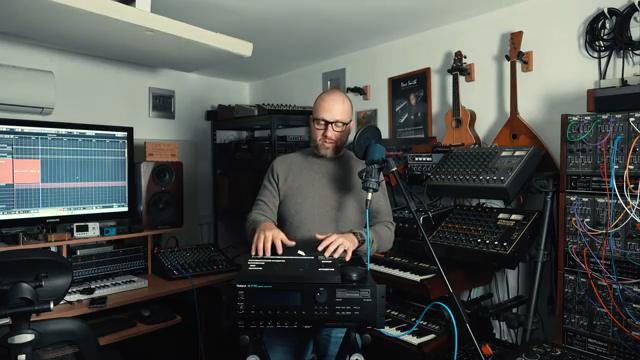
Espen Kraft opens with the truth: this video is for the die-hards still rocking a Roland S-10, and yes, he’s one of them. Instead of wrestling with ancient Quick Disks or dodgy emulators, he drops a browser-based editor that kicks the S-10’s storage woes to the curb. The nostalgia’s thick, but the workflow is pure future—no more floppy swaps, no more hoping your disk doesn’t crumble mid-set.
Unlike the old S-10 Manager, Espen’s tool is all about speed and reliability (well, as much as the S-10 allows). Plug in, open your browser, and you’re in business. He’s clear about the quirks: both the sampler and his editor have bugs, but compared to the pain of vintage storage, this feels like a rave in a box. It’s a free download, and he refuses to hold your hand—classic Espen.

"The S10 itself has bugs, has quirks in its operating system."
© Screenshot/Quote: Espenkraft (YouTube)
Live Tweaks & WAV Drops: Features That Slap
"The loop scan functionality and the envelopes are the most useful things to change in real time."
© Screenshot/Quote: Espenkraft (YouTube)
Now for the meat: real-time parameter editing, straight from your browser. You get instant access to all the S-10’s performance parameters—envelopes, loop scan, arpeggiator, you name it. The editor lets you tweak and twist on the fly, with your changes immediately reflected in both the editor and the S-10’s display. No waiting, no menu-diving—just pure synth control, the way it should be.
And here’s the kicker: you can import your own WAVs directly into those ancient memory slots. Drag, drop, and watch the S-10 chew on modern samples like it’s never seen the outside world. The only limit is the S-10’s tiny memory—try to feed it a marathon-length loop and it’ll just chop off the excess. Brutal, but effective.
Browser Vibes & Instant Feedback: Workflow Magic
Everything here screams streamlined. The editor’s tabs make sense: setup your MIDI, tweak parameters, sculpt waveforms, and monitor SysEx traffic like a synth surgeon. You get visual waveform editing—trim, reverse, fade, even set loop points graphically, all without digging through cryptic menus. This is the S-10 workflow we deserved in 1986 but never got.
Not every edit is lightning-fast (hello, MIDI sample dump), and some changes still need that send-back-to-hardware ritual. But for envelopes, loops, and most tweaks, the response is instant. Watching the S-10 and editor sync in real time is oddly satisfying—like taming a retro beast with a laser pointer. Honestly, if you want to see the magic for yourself, the video does a better job than words ever could.

"You'll see a graphical representation of what's going on here."
© Screenshot/Quote: Espenkraft (YouTube)
Bugs, Quirks & Why It’s Worth It

"There are features and quirks in the S10 that will seem illogical a lot of the times but it is what it is."
© Screenshot/Quote: Espenkraft (YouTube)
Espen doesn’t sugarcoat it: both the S-10 and his editor are quirky, unpredictable, and sometimes illogical. But that’s half the fun. The help tab even lists the weird bits, so you know what you’re up against. Despite the occasional glitch, this tool is a game-changer for S-10 heads—finally, a way to breathe life into a classic without sacrificing sanity or spending hours on dead tech.
See It, Hear It, Hack It: Editor in Action
The last chunk of the video is pure show-and-tell, with Espen importing WAVs, transferring big samples, and flexing the editor’s live editing chops. You see every step, from dragging a drum loop into the S-10 to maxing out the memory banks with classic sounds. If you’re the type who needs to see knobs turn and waveforms morph, don’t skip this part—it’s where this tool’s true street-cred is on display.
This article is also available in German. Read it here: https://synthmagazin.at/espen-krafts-roland-s-10-editor-vom-floppy-friedhof-zum-browser-rave/
More articles about these products:
Watch on YouTube:
Latest articles
Watch on YouTube:
Visit the channel:
https://www.youtube.com/EspenKraft
https://www.youtube.com/EspenKraft
Links from EspenKraft:
Instagram: https://instagram.com/espenkraft
Sponsored links:
If you purchase via these links, we may earn a small commission – at no extra cost to you. The link opens an Amazon keyword search, and results may vary depending on availability.
Roland S-10
🔗 Check price on Amazon
🔗 Check price on Amazon