Ever stared at Ableton’s compressor menu and felt like you’d walked into a rave bunker with six exits? Taylor Fiore, in classic WhosTaylor fashion, slices through the confusion like a samurai with a sidechain. We get a fast, hands-on tour of every stock compressor—Compressor, Glue, Multiband Dynamics, Drum Buss, Limiter, and Color Limiter—with real sound examples and zero fluff. If you want the unvarnished truth about which of these actually slap and which are just there for the ride, this is the only breakdown you need.
24. November 2026
SPARKY
Taylor Fiore’s Ableton Compressor Cage Match: Which One Survives?
Six Compressors Enter the Arena
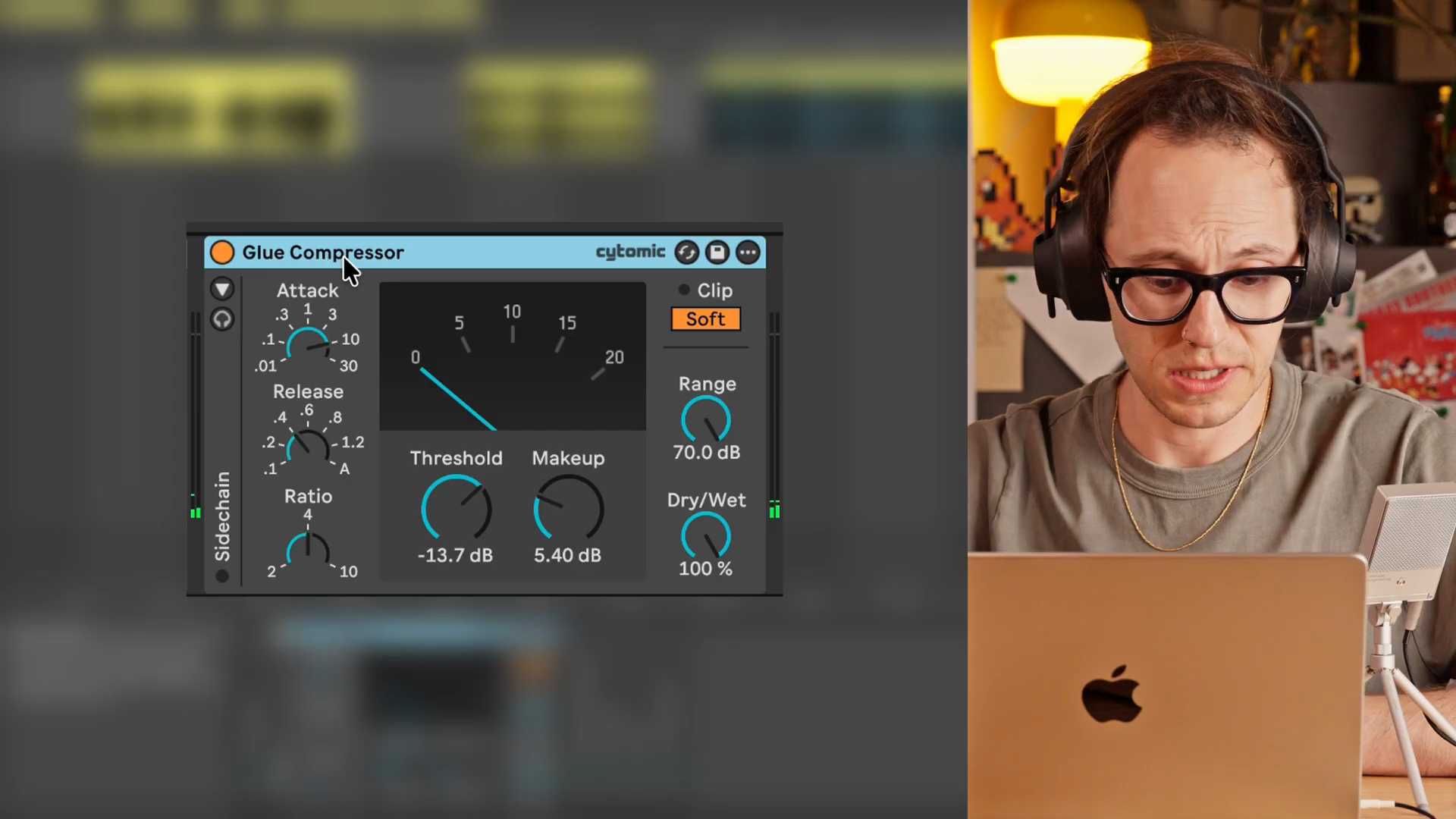
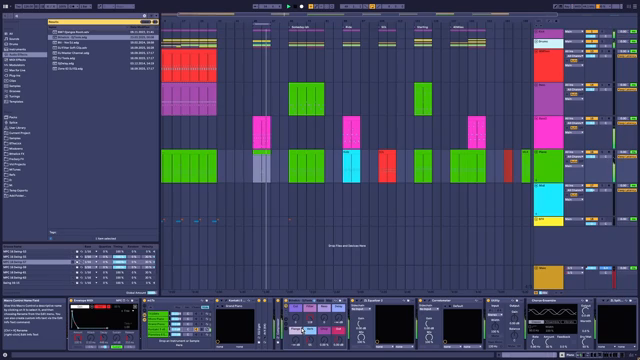
Ableton doesn’t mess about when it comes to giving you options – there are six distinct compressors ready to punch your mix into shape: Compressor, Glue Compressor, Multiband Dynamics, Drum Buss, Limiter, and Color Limiter. Taylor Fiore, ever the sharp-eyed tour guide, lays out their interfaces like a street vendor showing off bootleg synths. Each one has its quirks, from the ultra-clean original Compressor (your bread-and-butter workhorse) to the retro-tinged Glue Compressor, which is clearly gunning for that ‘80s SSL vibe without the price tag.
If you love toggling menus and getting nerdy, you’ll find plenty to geek out over—sidechain options, filter types, dry/wet blends, knee controls, multiple envelope curves, and even collapsing the GUI for that “I know what I’m doing” look. The Glue brings some subtle character and soft clipping to the party, while the basic Compressor plays it straight and clean. This intro sets the scene for a proper sonic shootout, and Taylor’s quick run-through means you’ll never confuse your Glue with your Limiter again.
How Do They Actually Sound? Real-World Smackdown
Taylor goes hands-on, slapping each compressor across drums, bass, and synths, so you get to hear what they’re actually doing—not just what the manuals claim. The standard Compressor stays out of the way, keeping things transparent, but the Glue starts to show its teeth, adding that hint of flavour you need when you want something to stick together in the mix. The difference is subtle, but like a secret sauce, it makes you reach for it every time.
The real magic is in the little details—soft clipping, the way auto gain hits, and just how much the Glue makes drums pop without getting harsh. Taylor runs through A/Bs so you can tell when a device is actually doing something or just flexing its interface muscles. Want to know what slamming a Limiter or pushing a Drum Buss does to your kick? You’ll have to watch the video for the full sonic onslaught. Trust me, no text can replace hearing the crunch live.
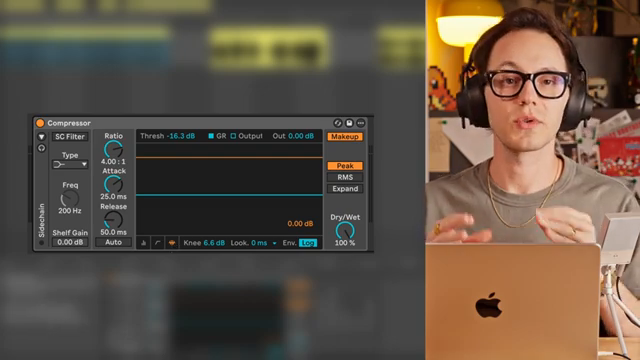
"As far as compressors go, this one is very clean. There is not very much color that this adds and not very much like character texture."
© Screenshot/Quote: Taylorfiore (YouTube)
Multiband Dynamics: Not As Scary As It Looks
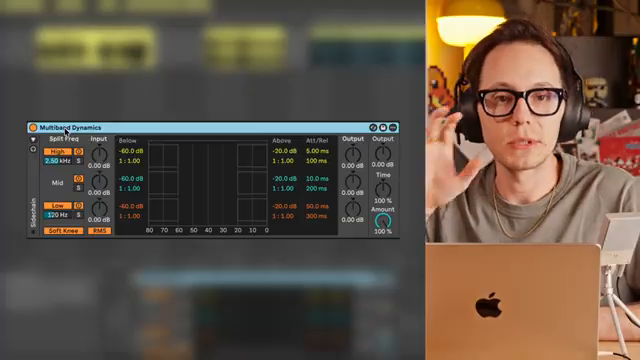
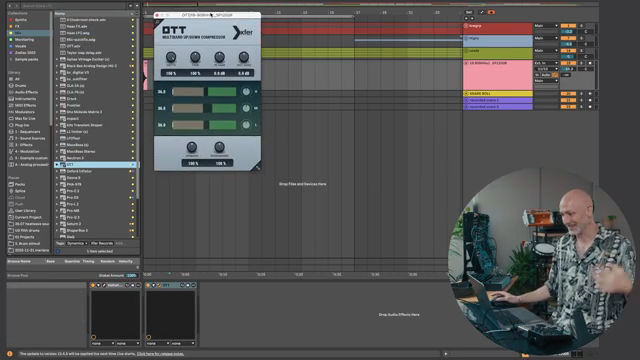
"Now multiband dynamics is the most complex and the most like heady technical of all of the compression and all of the compression dynamic options that Ableton offers."
© Screenshot/Quote: Taylorfiore (YouTube)
Multiband Dynamics looks like it was designed by a committee of modular synth wizards after an all-nighter, but Taylor knocks the jargon down to street level. You get three bands, each with compression and expansion, and the interface lets you solo, EQ, and generally twist your signal into unrecognisable shapes. Yes, it’s complex—six compressors under one hood—but once you get the hang of the above/below threshold logic, it’s less a math exam and more a creative playground.
Taylor’s walkthrough is refreshingly honest about what actually matters. Want to do OTT-style squashing and expansion? The preset’s right there—no need to buy third-party plugins. The real power is in using Multiband to surgically remove annoying frequencies or add beef where you need it. This section’s a goldmine for anyone who’s ever opened Multiband and immediately closed it out of fear.
Drum Buss: Not Just for Drums (But It Sure Loves Them)
Drum Buss is the sonic street weapon in Ableton’s compressor lineup, and Taylor’s quick to point out it’s good for more than just making your kick thump. The drive and crunch controls are pure filth—in the best way—letting you distort, saturate, and generally brutalise your signal. There’s tight transient shaping and boom enhancement for when your low end needs to shake the walls, plus a trim for keeping everything under control after you’ve pushed things too far (which you will).
Taylor goes beyond just drums, showing how you can use Drum Buss to add colour and character to bass or even synths. The interface is deep, but the reward is instant attitude. If you want polite, look elsewhere—this is for producers who want their tracks to punch through a mix like a toaster-fight in a chip shop.
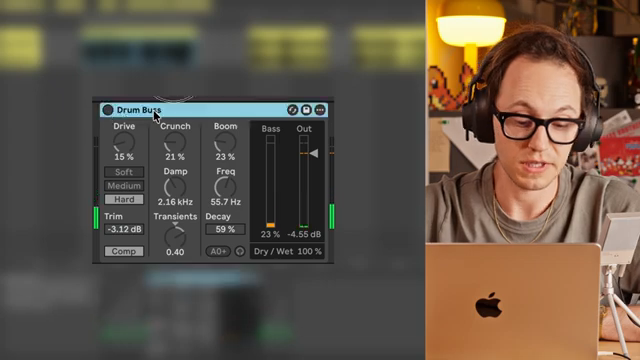
"Like, I think that there's room for this to be used in more ways than just a drum bus, but it's really, really catered to a drum bus."
© Screenshot/Quote: Taylorfiore (YouTube)
Final Thoughts: Pick Your Weapon
Every compressor in Ableton has its moment in the sun, and Taylor’s not afraid to call out their strengths and quirks. Whether you want ultra-clean, vintage glue, multiband mayhem, or just raw drum-busting power, it’s all here. Taylor wraps up by inviting you to get your hands dirty and share which one’s your go-to. The only rule? Use what makes your mix slap. And if you’re doing something wild with these tools, shout about it—because the real magic happens when you break the rules.
This article is also available in German. Read it here: https://synthmagazin.at/taylor-fiores-ableton-kompressor-kaefigkampf-welcher-ueberlebt/
More articles about these products:
Watch on YouTube:
Latest articles
Watch on YouTube:
Visit the channel:
https://www.youtube.com/TaylorFiore
Links from TaylorFiore:
Website: https://whostaylor.com/
Lessons: https://whostaylor.com/lessons
Instagram: https://www.instagram.com/whostaylor/
Threads: https://www.threads.net/@whostaylor
Sponsored links:
If you purchase via these links, we may earn a small commission – at no extra cost to you. The link opens an Amazon keyword search, and results may vary depending on availability.