Ableton Move 2.1 drops in, and Taylor Fiore (aka WhosTaylor) dives straight into the new features. No soft launches here: we’re talking wild time signatures, mono recording for the axe-wielders and a bounce-to-anything workflow. Quality of life? More like quality of rave. Taylor’s style is clinical but never dry – if you want the real street-level take on what’s changed and why it matters, strap in. This isn’t your gran’s firmware rundown.
11. August 2026
SPARKY
Taylor Fiore Goes Deep: Ableton Move 2.1 Update – Time Twists, Mono Mayhem & Workflow Hacks
Time Signatures Unleashed – Rhythmic Anarchy
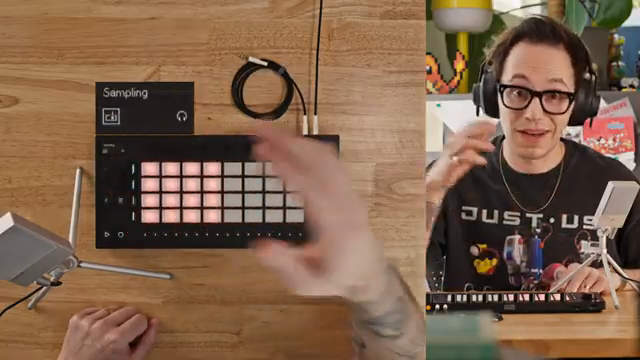
The 2.1 update of Ableton Move kicks off with a feature that’s been on many wishlists: time signatures with proper flexibility. No longer tied to vanilla 4/4, you can dial in anything from one to 99 for the top number—yes, really, 99. Even Taylor raises an eyebrow at that, wondering who’s getting mathematical in their home studio bunker. For the rhythmically adventurous, this is a game-changer, letting you sculpt beats that would make even the most seasoned breakbeat fiend sweat.
But it’s not just about wacky numbers. The Move handles the new time signatures by introducing paged bars when you go beyond the classic four steps, letting you scroll through a bar’s worth of rhythmic mischief. If you’re still stuck in 4/4, it’s business as usual, but once you push beyond, you’re in a new world of page-flipping, step-juggling mayhem. The interface adapts without nuking your old projects, so you can experiment without fear. If you want to see the Move flexing these new muscles, watching Taylor flick through time signatures on video is a must – words don’t do the madness justice.
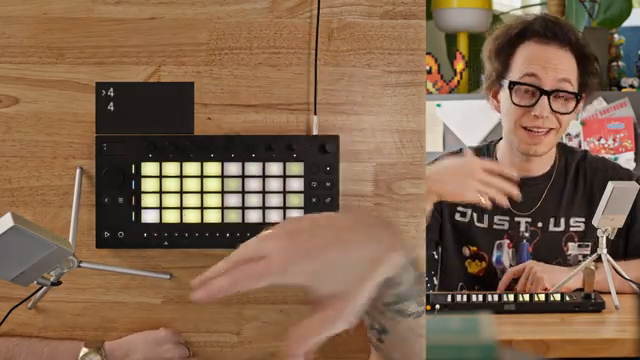
"Now that's crazy, so I probably won't ever use that."
© Screenshot/Quote: Taylorfiore (YouTube)
Mono Recording – Guitarists, Rejoice
"So now the cable that I had mentioned in a previous video for recording guitar, you don't actually need to have a different cable."
© Screenshot/Quote: Taylorfiore (YouTube)
Mono recording: it sounds basic, but for anyone who’s tried to jam a guitar into Move’s input, it’s a small miracle. Forget the cable acrobatics—just set it to mono and you’re off. Taylor’s quick to show how simple it is now, with the usual suspects (line in stereo, resampling, USB-C) joined by a proper mono option. No more hacking around with adapters or praying your unbalanced cable will play nice. It’s a straightforward fix that makes Move friendlier for guitarists and anyone who hates faffing about with extra gear.
Bounce To Drum Pad – Workflow Gets Savage
Now here’s where things get tasty. The new bounce-to-audio feature lets you take anything you’ve cooked up—drum loops, mangled breaks, whatever—and slam it straight onto a drum pad or audio track. Taylor demonstrates the old copy-and-paste ritual, but now with real consequences: your MIDI wizardry can be printed into audio and instantly flipped into a playable pad. Suddenly, those four tracks feel a lot less claustrophobic.
You can chop, fill, and remix your own ideas without hitting a wall. Taylor’s especially keen on how this ‘saves’ the Move from its track limitations, letting you keep the flow going without endless workarounds. For live heads and sample junkies, this is a workflow hack that turns the Move into a proper street weapon. For the full bounce-and-chop spectacle, the video’s hands-on demo is essential viewing—there’s nothing quite like watching a groove get recycled in real time.
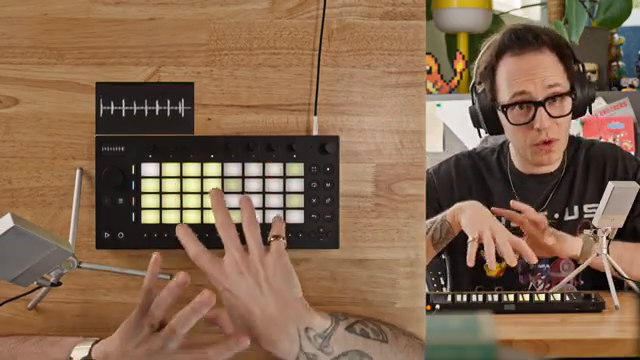
"We get some creative ways to add to our ideas on a four track device."
© Screenshot/Quote: Taylorfiore (YouTube)
Quality of Life Upgrades – Small Tweaks, Big Gains
Sometimes it’s the small things that really flip a groovebox from annoying to addictive. Move 2.1 (plus some sneaky 2.0.x updates) brings a pile of these tweaks. First, no more forced count-in when recording audio—finally. Now you can sample on the fly, no click track ambush. There’s also a visible play head in waveform view, so you’re not flying blind when editing or automating. Step automation on audio tracks is in, matching the MIDI workflow, and the waveform display has gone solid, ditching the weird line-art look for something you can actually read.
Monitoring gets smarter, too: pick a default track for monitoring and stack your effects with less hassle. Taylor doesn’t miss a beat in calling out which improvements are subtle but vital. While these aren’t headline features, they add up to a smoother, less rage-inducing experience. It’s clear the Move team is listening—finally, some polish for a box that used to feel a bit raw round the edges.
Move Keeps Moving – Evolution in Action
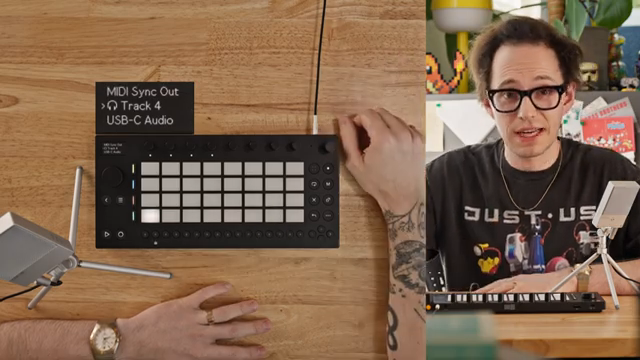
"Ableton keeps really pushing forward with this and really keeps making the move an even more powerful and even more robust creation tool."
© Screenshot/Quote: Taylorfiore (YouTube)
Taylor wraps up by tipping his hat to Ableton for keeping the updates coming. The Move is no longer just a quirky sidekick—it’s morphing into a serious contender for anyone building tracks outside the DAW cave. Each update makes it punchier, faster, and that much more usable. If you’ve slept on it, now’s the time to take a second look—and for all the gritty details, Taylor’s video is pure gold.
This article is also available in German. Read it here: https://synthmagazin.at/taylor-fiore-im-test-ableton-move-2-1-update-taktwechsel-mono-magie-workflow-hacks/
More articles about these products:
 Taylor Fiore Pits Eurorack Rings Against Max for Live: Who Rings Supreme?
 TAETRO’s Sidekick Obsession: Teenage Engineering Finds the Missing Link
 LNA Does Audio Stuff: Shaping Beach Ghosts with Ableton Move
 AudioPilz Unleashes Hacked Mayhem: Classic Synths Invade Ableton Move
 TAETRO Throws Down: Ableton Move vs MPC Sample – Which Groovebox Wins the Street Fight?
 L.Dre Throws Down: Which Portable Sampler Actually Slaps in 2026?
 TAETRO’s Streetwise Hack: Ableton Note + Synido TempoKey W25 vs. Ableton Move
 TAETRO Unleashes the 1010music Bento: Portable Groovebox, Heavyweight Moves
 TAETRO’s Launchpad Deep-Dive: More Than Just Blinky Lights
 Free Beat’s Fireball & SP-404mkII: One Sound to Rule the Rave
 GabeMillerMusic’s Favorite Gear of 2025 – A Streetwise Groove Guide
 Travel-Friendly Synthesis: A Deep Dive with Taetro’s Essential Gear
Watch on YouTube:
Latest articles
Watch on YouTube:
Visit the channel:
https://www.youtube.com/TaylorFiore
https://www.youtube.com/TaylorFiore
Links from TaylorFiore:
Website: https://whostaylor.com/
Lessons: https://whostaylor.com/lessons
Instagram: https://www.instagram.com/whostaylor/
Threads: https://www.threads.net/@whostaylor
Sponsored links:
If you purchase via these links, we may earn a small commission – at no extra cost to you. The link opens an Amazon keyword search, and results may vary depending on availability.
Ableton Move
🔗 Check price on Amazon
🔗 Check price on Amazon