OXI Instruments’ latest E16 firmware update is a substantial leap forward for this already versatile MIDI controller. With a completely reimagined looper, deepened modulation capabilities, and a more streamlined interface, the E16 now offers a much more intuitive and performance-friendly experience. This video from OXI Instruments walks through every major new feature, from scene navigation to DAW mapping and performance macros. For anyone interested in tight, hands-on MIDI control and flexible digital workflows, this update is well worth a deep dive.
An Interface Reborn: The E16’s New Face
The E16 firmware update marks a significant architectural overhaul, starting with a cleaner and more logical user interface. The main page now offers instant access to 16 scenes, neatly divided into two banks accessible via the encoders—making navigation more straightforward for both studio and stage use. This new structure is reflected consistently throughout the interface, reducing menu-dives and supporting a faster, more intuitive workflow.
Configuration has been streamlined as well. Accessing the configuration menu is now a simple shift-press, and scene settings are just a hold-and-shift away. Each scene can be assigned a program change, letting users automate preset loads when switching scenes. This kind of workflow enhancement echoes OXI Instruments’ commitment to making the E16 a flexible brain for hybrid setups. While the video focuses on the user-facing changes, it’s clear the underlying philosophy is about putting performance and fast recall at the center.
Looper Evolution and Workflow Streamlining
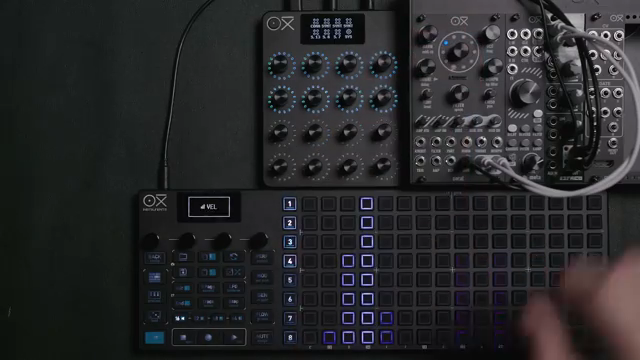
The redesigned looper is the marquee feature in this update. Where the previous firmware offered only an unsynced mode, the new looper introduces three distinct recording modes: No Sync, Free Sync, and Fixed Sync. No Sync keeps things loose for organic automation, Free Sync quantizes loops to bar or beat for grid-tight modulation, and Fixed Sync uses a count-in and fixed-length recording—ideal for precisely structured layers.
Tempo synchronization is now fully integrated, and each encoder gets its own buffer—with up to 8 minutes total recording time and 1 minute per encoder. Overdub, smooth mode, and slope time controls add nuance, making it possible to layer complex, evolving modulations. The ability to combine synced and unsynced loops on different encoders is a clever touch, and OXI’s attention to workflow detail—like clear visual feedback for armed, recording, and playing states—makes the E16 not just powerful, but genuinely playable.
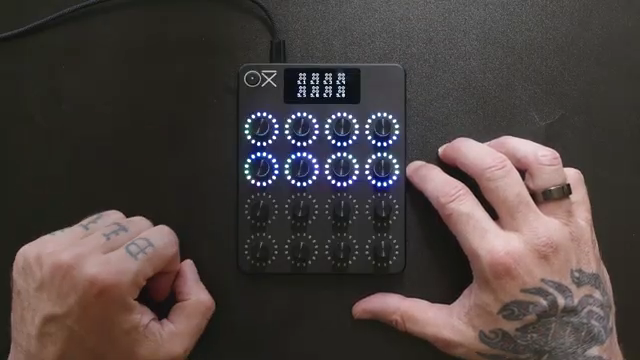
"It now has 3 recording modes and can sync to the tempo."
© Screenshot/Quote: Oxiinstruments (YouTube)
DAW Mapping: Seamless Integration, Real-Time Control
"So the communication is bidirectional, which is great."
© Screenshot/Quote: Oxiinstruments (YouTube)
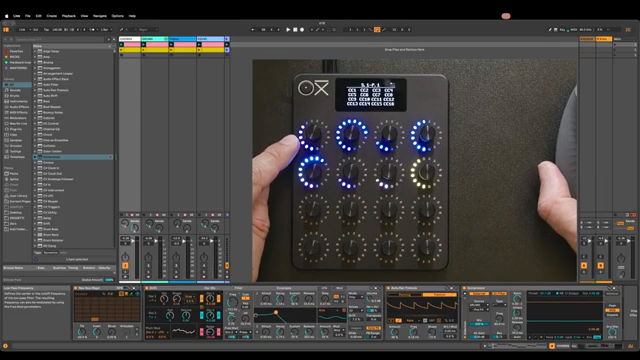
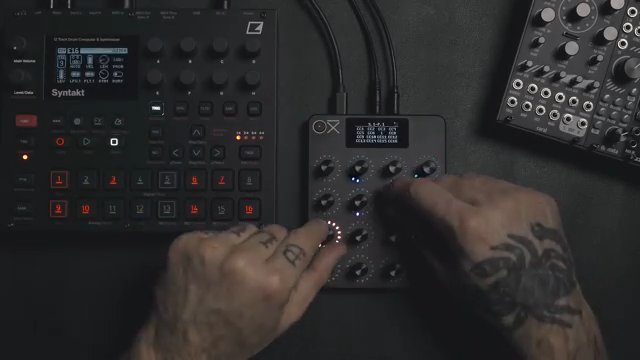
Mapping the E16 to a DAW such as Ableton Live is refreshingly direct. Users simply enter MIDI mapping mode, select a parameter in the DAW, and move the desired encoder on the E16. Bidirectional communication ensures that changes in software are mirrored by LED feedback on the hardware—a crucial detail for live and studio reliability.
The video walks through mapping a variety of parameters: filter cutoff, resonance, oscillator shapes, and effects sends, as well as all volume faders. It even demonstrates how to cap track volume levels to prevent digital clipping, a welcome quality-of-life feature. The E16’s integration with the OXI app also speeds up workflow, allowing for quick renaming of controls, scenes, and pages—an organizational boon, especially for complex projects. The process of dragging scenes between device and computer, editing, and reimporting them is shown in detail, highlighting the flexibility of OXI’s hybrid hardware-software architecture.
Presets and Program Changes: Dynamic Performance Tools
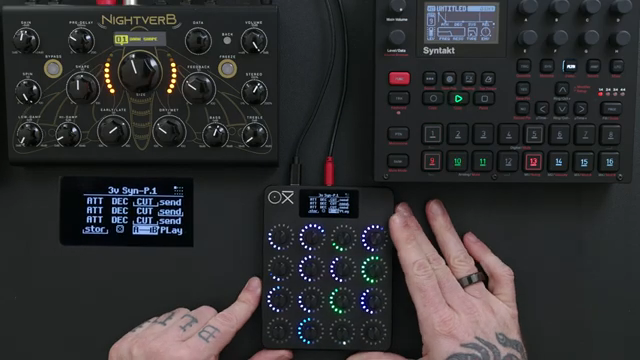
The E16’s new performance tools raise the bar for dynamic control. Program changes can be embedded into scenes, letting users automate changes in presets as part of their live set or studio workflow. The video illustrates how dummy MIDI clips in Ableton can send these changes to the E16, instantly switching scenes and their associated settings—ideal for evolving arrangements without manual intervention.
Presets can now be saved and recalled directly from the hardware, ensuring that each page or scene can bring up a unique configuration on demand. This is a game-changer for live performers who need to recall complex setups quickly and reliably. The ability to use program changes in conjunction with the looper and other E16 features opens up a world of creative possibilities for morphing, snapshotting, and evolving soundscapes in real time.
This article is also available in German. Read it here: https://synthmagazin.at/oxi-instruments-e16-update-looper-neu-gebaut-workflow-verfeinert/
More articles about these products:
Watch on YouTube:
Latest articles
Watch on YouTube:
Visit the channel:
https://www.youtube.com/oxiinstruments
https://www.youtube.com/oxiinstruments
Links from oxiinstruments:
website: https://oxiinstruments.com
instagram: https://www.instagram.com/oxiinstruments
facebook: https://www.facebook.com/oxiinstruments/
support: https://oxiinstruments.com/support
Sponsored links:
If you purchase via these links, we may earn a small commission – at no extra cost to you. The link opens an Amazon keyword search, and results may vary depending on availability.
OXI E16
🔗 Check price on Amazon
🔗 Check price on Amazon