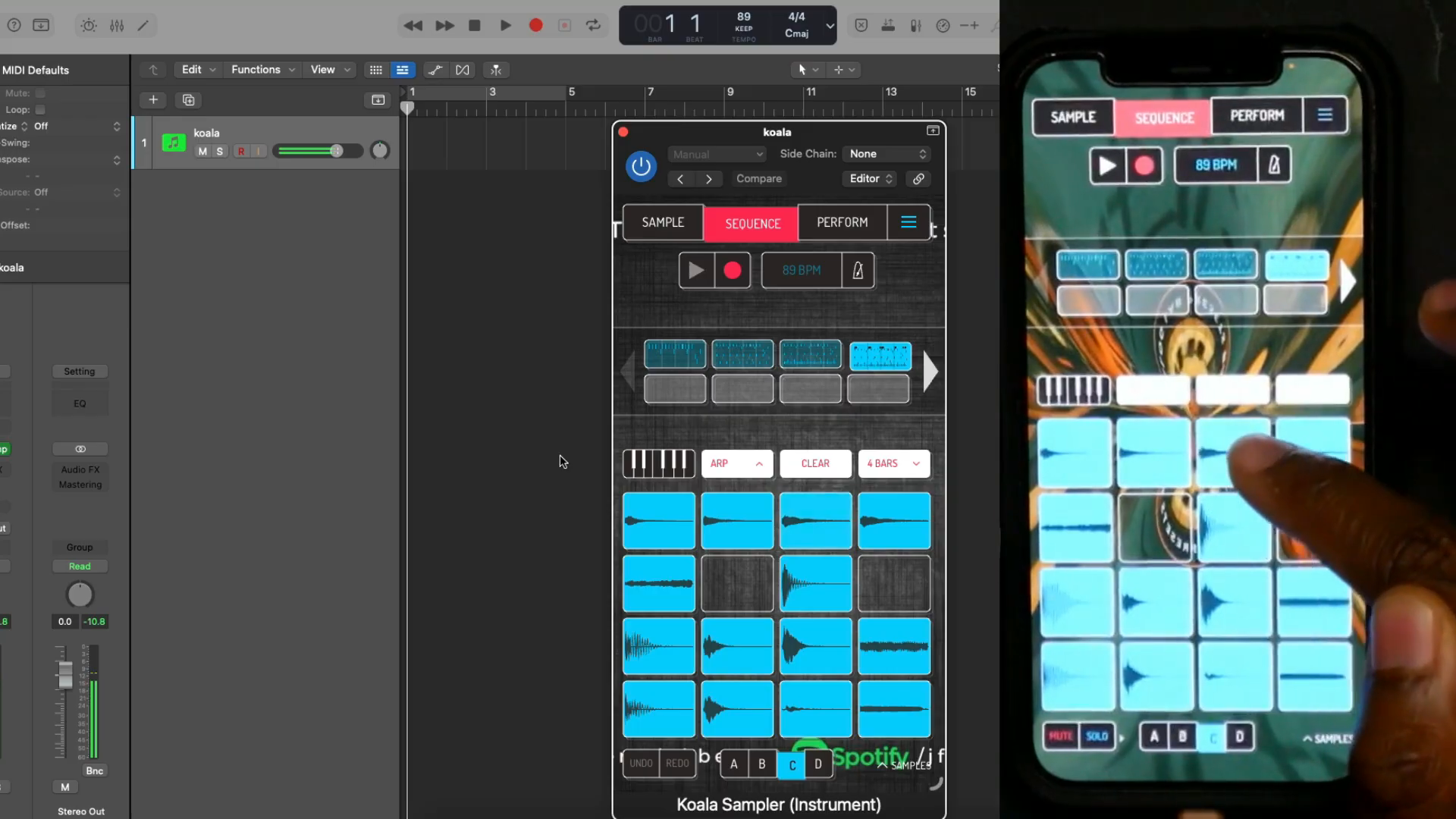
The project has arrived on the computer. Put the iPhone aside? Verysickbeats does the opposite: he keeps playing on it and demonstrates how his input is received by Koala on the desktop. In his video on Koala Connect from November 20, 2026, this is the most appealing moment. Not only does the beat change its workplace; its familiar touch instrument comes along. The demonstration starts with a simple four-bar loop from the iPhone.
Connect Once, Then Keep Playing
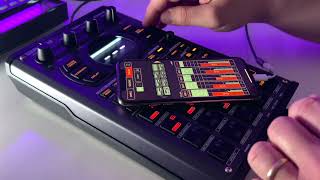
© Screenshot: Verysickbeats (YouTube)
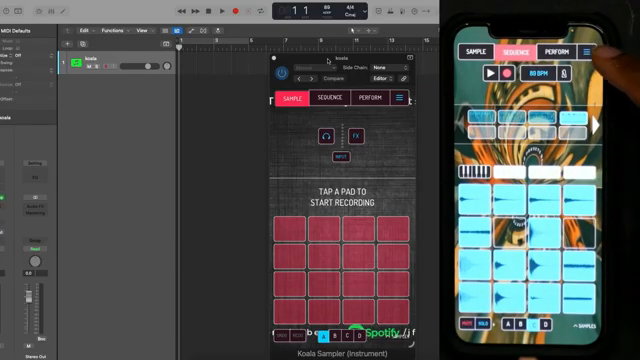
“whatever i do my phone is happening on my desktop”
© Quote: Verysickbeats (YouTube)
Verysickbeats opens Connect in the settings and selects his Mac mini. He explains that devices on the same network can connect. For the transfer, he chooses his own song on the phone; on the computer, he confirms the incoming connection. After that, the desktop Koala receives the project from the iPhone. The method shown works without any prior audio export.
What’s crucial is what happens next: he keeps using the iPhone and now calls it a controller. This shows more than just a convenient file transfer. The mobile interface remains part of the setup, even though Koala is already running as a plug-in in the DAW.
Koala Sampler – Amazon keyword search
Search for this product on Amazon →
This link opens an Amazon keyword search. Depending on availability, other results may be shown.
Advertising – affiliate link. If you buy through this link, we may earn a commission – at no extra cost to you.
A Kalimba Is Just the Beginning
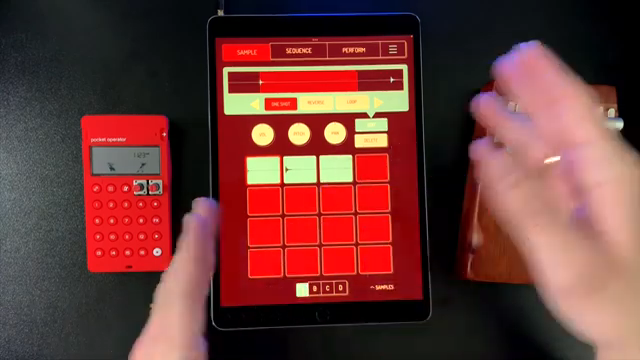
What you can musically bring along is shown by sunwarper in his video from November 8, 2022. His starting material: a cheap kalimba, recorded with Koala. He trims recordings, stretches a section using the Samurai extension, and processes the material with effects. Later, he resamples a loop to capture its sound and free up the effects slots again. Here, the phone is far more than just a musical notepad.
A particularly nice touch is his decision against automatic one-shot playback at one point in the sound design: he wants to determine the duration himself with his finger. A bit of release lets the tone fade after letting go; more attack removes the percussive start and heads toward a synth or pad sound. The recorded instrument becomes a new playable instrument.
© Screenshot: sunwarper (YouTube)
“I like having shorter versions so I can control how long it's held.”
© Quote: sunwarper (YouTube)
Not Just Delivering
© Screenshot: sunwarper (YouTube)
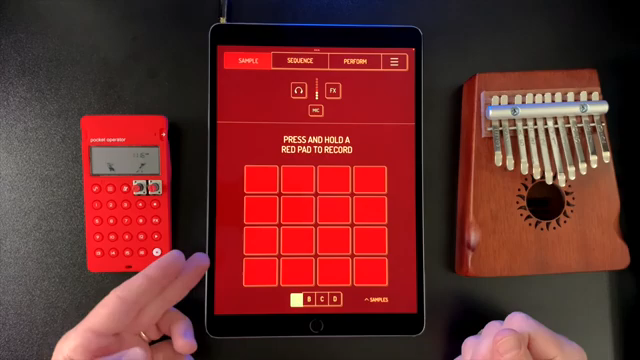
“I've been designing them on koala on my phone and then moving them to my SP.”
© Quote: sunwarper (YouTube)
After connecting, Verysickbeats tries something practical: he records a shaker-like sound with his voice using the iPhone’s microphone and then shows the sample on Bank D on the computer. So, the phone isn’t just useful for triggering existing sounds. In his demonstration, it continues to provide new material.
That mobile sound work doesn’t have to end on the phone is something sunwarper already describes in his earlier video: he creates tracks in Koala on his phone and then brings them to his SP. He doesn’t show the transfer process there. Still, his division of labor is interesting: the small screen is no obstacle for him to work out sounds and musical ideas.
Who Presses Play?
Verysickbeats also tests the transport control in practice: with host sync active, he starts playback via Logic. Then he turns off Host Sync Clock in Koala’s audio settings and demonstrates playback without this coupling. For continued playing, this is an important distinction: should the DAW lead the process, or should Koala start independently?
The connection seems straightforward in this demonstration; no latency measurement or stress test with large projects can be derived from it. And Verysickbeats himself still has a wish: to include audio units on the phone in such a workflow, for example a Model D. He explicitly leaves open whether that would be possible. So his enthusiasm is not proof that any mobile plug-in setup will migrate seamlessly.
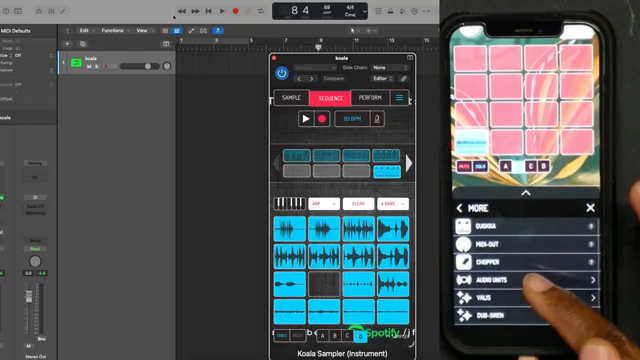
© Screenshot: Verysickbeats (YouTube)
“my only other request now is to be able to use audio units”
© Quote: Verysickbeats (YouTube)
The nicest idea in this demonstration is therefore not just the export that’s been saved. Sunwarper shows how a small recording becomes an independent sound; Verysickbeats demonstrates how the phone can keep playing after the switch to the computer. Apparently, the mobile sketch doesn’t have to automatically lose its playing surface at the studio desk.
Koala Sampler – Amazon keyword search
Search for this product on Amazon →
This link opens an Amazon keyword search. Depending on availability, other results may be shown.
Advertising – affiliate link. If you buy through this link, we may earn a commission – at no extra cost to you.
Videos for this article
All other articles featuring the Koala Sampler
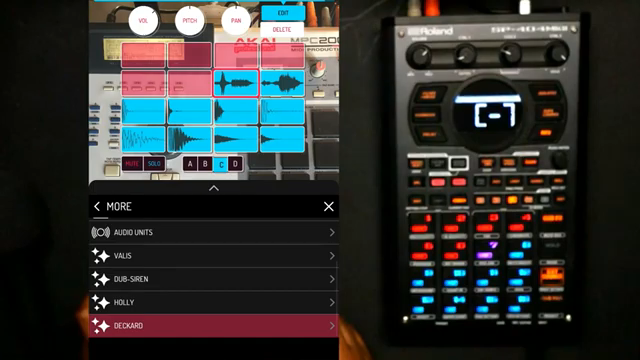 Verysickbeats Flips Vocals on Pads: Koala + SP‑404MKII Get ‘Fresh!’
 Island Beats & Koala Feats: Sunwarper’s Hawaiian Field Trip
 Verysickbeats Flips the Script: Koala Sampler Drum Chopping That Hits Like a Freight Train
 Verysickbeats Flips the Script: Koala Sampler’s AUv3 Update Is a Workflow Game Changer
 sunwarper Turns Koala Sampler Into a Hardware Beast: MIDI Mayhem Unleashed
 sunwarper’s SP404 MK2: Five Years Deep and Still the Studio Chameleon?
 GabeMillerMusic’s MPC One and Koala Sampler Adventure
All YouTube videos featuring the Koala Sampler
Primary – main topic (53)
 Wait... Koala Can Do THIS Now?! (Koala Connect)
 Why Most Koala Sampler Beats Never Get Finished
 Koala Sampler's NEW Update Can Do THIS Now?!
 My 2026 Koala Sampler Workflow: 3 Features That Changed How I Make Beats
 Koala Sampler Is Finally a VST… This Changes Everything
 Koala Sampler’s New Update Just Changed Everything | Pitch Bend & Automation
 The Koala Sampler Update Nobody Is Talking About (Arp Edition)
 Yes, You Can Put Vocals on Pads — I Made the ‘Fresh!’ Sample on Koala + SP‑404MKII
Show all (45 more)
 I Only Brought Koala Sampler to Hawaii and Somehow Made This
 I Put Serato Sample inside Koala Sampler...The Results Got Crazy
 The Drum Break Chopping Hack Koala Producers Need | Koala Sampler
 Koala Sampler Just Changed My Whole Workflow | AUV3 Koala Sampler Update
 This Changes How You Use Koala Sampler
 This Makes Koala Sampler Feel Like Hardware
 Combining the MPC One and Koala Sampler
 Can I Make a Beat with Koala Sampler in Just 10 Minutes?!
 How to Sample ANYTHING in Koala Sampler!
 The #1 Reason I Still Use Koala Sampler in 2025
 Koala Sampler First Impressions: Undeniably Smooth, Insane Value, and Easy to Master!
 My 2025 Koala Sampler Workflow: Sound Design & 3 Beatmaking Tips with Quokka Synth!
 Koala Sampler Quokka FREE Synth UPDATE 1st Look
 KOALA SAMPLER | Making Beats Literally Anywhere!!
 The Best Beatmakers Mobile Production App: Koala and TempoPAD P16 Beginner's Tutorial
 This is my Favorite Portable Beatmaking Setup, Here’s Why | Koala Sampler & SP404 MK2 Workflow
 The Best App For Beatmakers (Koala Beginner's Tutorial)
 4 Dreamy Koala Sampler & SP404 MK2 Beats | How I Made Them with Official Integration
 Koala Sampler & SP404 MK2: This Beatmaking Combo Just Got Even Better with Official Integration
 4 Dusty Koala Sampler & SP404 MK2 Beats (& How I Made Them)
 Koala Sampler Tutorial: 3 MUST KNOW Quick Tips for Beatmaking with the Mixer & FX
 Koala Sampler Mixer Update | Verysickbeats
 Drum Removal Stem Separation Battle | Which Stem Separator is the best? | Verysickbeats
 How to Flip Samples and Finish Beats with Koala Sampler & SP404 MKII | Sampling Workflow Guide
 3 Ways to Use Koala Sampler and SP404 for Live Sets | Sampler Workflow & Performance/Routing Tips
 Koala Sampler and SP404 MKII Live Set | Dusty Sample Flips and Boom Bap Blips
 The Best Grooveboxes for Beginners (2023)
 Beats from 2022 | Circuit Tracks/SP404 MKII/Koala Sampler/PO33 (Continuous Mix)
 Koala Sampler & SP404 MKII Beatmaking Workflow - Sample Chops/Arrangement/Mixing/Mastering
 Budget Beatmaking: Just How Good Can a $5 App Sound?
 Koala Sampler FREE Desktop Workflow
 Koala Sampler Free On Desktop | Turn Any Controller to Sp 404sx
 The Best Sampler App for Android (Koala Sampler)
 Koala Sample Samurai Mode Pt 2
 Koala Sampler Samurai Mode Pt 1
 Koala Sampler How To Make Vocal Synth Pad
 Koala Sampler Snare Tip
 Koala Sampler HiHat Swing Tip
 Koala Sampler | How to do Live Beat Sets
 Koala Sampler | Resample Method
 Koala Sampler | Bootlegged EQ Tip
 Koala Sampler Tip | How To Match Keys from 2 Samples
 Koala Sampler - Vox Delay Tip
 Koala Sampler - Creating Drum Breaks & BPM Matching
 Koala Sampler 1st Look
Substantial coverage (14)
 I Made a Beat on the iPhone Duo (it's kinda awesome)
 Stakes Is High Turns 30: The 4 Other Dilla Mixes in the Vault
 Portable Dawless Beat Making with Synido TempoPAD C16
 5 Apps I Can't Live Without as a Music Producer
 Can You Make PROFESSIONAL Beats on an iPhone in 2025?
 Ranking Every Sampler I Own in 2025 // Standalone Power, Portability and Price
 SEQTRAK beatmaking is pretty dope, once you fix this
 5 Things I Wish I Knew Before Making Beats on the SP404 MK2
Show all (6 more)
 The Roland SP-404MKII v4.04 Update is Here! What’s New?
 Gear that the SP-404 MK2 can Easily REPLACE after Update 4.04
 Roland SP-404MKII 4.04 Update: Explosive Possibilities That Change Everything
 The Crazy Future of Sampling with Stem Separation & 3 Ways To Use It
 HOW TO USE Your iPad for MUSIC PERFORMANCE, PRODUCTION and DJing
 SP404 MKII Beat Breakdown | Boom Bap Blips and a Funky Flip
Mentioned (7)
 Autotune Can’t Do What This Vocoder Does
 SP404 MK2 Almost 5 Years Later… Still Worth It in 2026?
 The App I Recommend To EVERY BEGINNER MUSIC PRODUCER!
 5 Must-Know Underrated Features in the SP404 MK2 4.04 Update // Going Beyond the Looper & Sound Gen
 Roland SP-404 MKII: What I Like & What I Don't Like about it
 Building My Perfect Dawless Setup for 2024 | It's Crazy Powerful... But There's a Catch
 10 MORE Ways to Perform Live Sets with SP404 MK2 | Live Set Guide/Workflow