The Chase Bliss BAD MOOD is no ordinary ambience pedal—it’s a sprawling, unpredictable playground for anyone who lives for sonic exploration. In this official walkthrough, BAD MOOD is presented as a wild, untamed sibling to MOOD, pushing reverb, looping, and modulation into unruly territory. We take a patch-oriented look at how its Soup, Glue, Cross and Radio modes translate into real-world sound mangling, and what kind of creative chaos you can expect at the hands of this pedal. If your rack or pedalboard craves the unexpected, BAD MOOD might be the twist you’ve been waiting for.
31. July 2026
MILES
Chase Bliss BAD MOOD: Where Ambient Pedal Meets Modular Mayhem
BAD MOOD: An Ambient Pedal Off the Leash
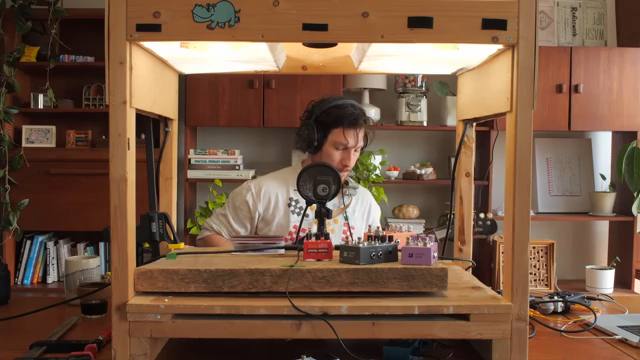
Chase Bliss is never shy about reimagining the ambient pedal, and BAD MOOD is no exception. It positions itself as an ambient device, but don’t expect gentle clouds or polite trails—this is ambience on the verge of collapse. In the video, BAD MOOD is described as the tumultuous little sibling of the original MOOD, with an energy that’s more raw, overwhelming and decidedly less predictable.
The walkthrough wastes no time jumping into sonic experimentation, aiming for more play and less talk. This pedal isn’t about polished presets or restrained sound design; instead, it promises a playground where reverbs, loops, and textures are constantly pushed to the brink. For the modular crowd, it’s the equivalent of patching random CV into your most sensitive inputs and seeing what emerges—a platform for happy accidents and unruly soundscapes.
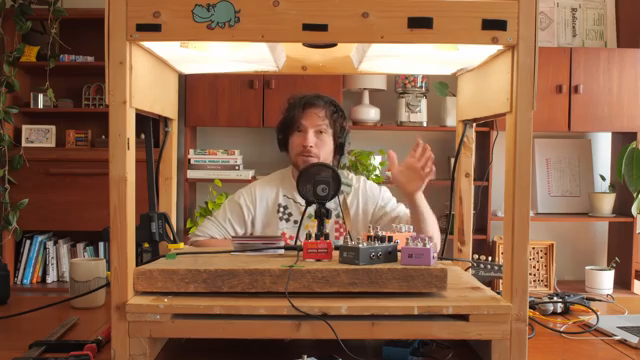
"It uses it to take you to another side of ambience that is more raw and untamed and overwhelming."
© Screenshot/Quote: Chaseblissaudio (YouTube)
Soup, Glue & Cross: Unpacking BAD MOOD’s Signature Modes
"Soup is a reverb made by re-synthesizing your instrument."
© Screenshot/Quote: Chaseblissaudio (YouTube)
First up is Soup mode, a reverb built on re-synthesizing your input through thousands of micro frequency bands. This isn’t your garden variety algorithmic or spring reverb—it’s a synthetic, modulated wash that can be dialed from almost conventional ambience to full-on spectral disintegration using the Modify knob. At lower settings, Soup behaves like a familiar reverb; turn up the modulation and you’re instantly in the territory of malfunctioning tape or spectral shimmer gone rogue. The built-in EQ allows for dramatic sculpting, either pushing the reverb into distant arcade nostalgia or tucking it behind your dry signal.
Glue mode, inherited in concept from the company’s Lost and Found, takes on a more destructive role in BAD MOOD. Here, Glue can be applied to both the wet and dry channels, blending them in a way that ranges from subtle coloration to outright torn-speaker overdrive and bit-crushing. The character is anything but gentle. It’s a tool for those moments when you want your signal to sound like it’s barely holding together, and the video demonstrates how Glue can be used as a signature texture throughout a patch—or switched off entirely for a cleaner pass.
Cross is the wild card: a dynamic effect that actively sabotages frequency and volume in the wet or dry channel. It introduces everything from squiggles and glitches to total dropouts, and importantly, its modulation source can be either the instrument itself or one channel modulating the other. This opens up a world of cross-modulation possibilities, with feedback and interference that would feel right at home in a modular setup. As shown in the walkthrough, Cross can transform the end of a reverb tail into a landscape of stutters and failures, making BAD MOOD feel alive and unpredictable.
Micro-Looping and Burst: Building Soundscapes from Fragments
BAD MOOD’s micro-looping channel is intentionally loose, always recording in the background and ready to grab whatever you just played. Unlike a traditional looper, it’s designed for spontaneous overdubs and abstract layering; you can capture fleeting sounds on the fly, build them up, then mangle them with clock speed or mode changes. The Mask function adds a further layer of control, letting you set thresholds for which parts of a loop are affected—ranging from flowing, smooth textures to noisy, sputtering gates. It’s a technique that brings a touch of generative unpredictability to even the simplest loops.
Burst mode is where rhythmic possibilities come into play. By analyzing unique events in a loop and assigning them to up to eight steps, it turns fragments into patterns that can be manipulated in real time. You can control the speed, introduce fills by playing at the input, and shift between stability and chaos with a twist of the Modify knob. This makes BAD MOOD as capable of producing glitchy, evolving sequences as it is of washing things out in reverb—ideal for anyone who likes their ambient textures to have a pulse or a bit of bite.
Radio Mode: Genre-Shifting Loop Manipulation
Radio mode is arguably BAD MOOD’s boldest feature. It takes a single loop and lets you reinterpret it through five genre-inspired stations: Tape, Ambient, Orchestral, Shoegaze, and Dance. By sweeping the Modify knob, you morph between these modes, each bringing out different aspects of the loop—whether it’s vintage tape warble, stretched ambient soundscapes, multi-voice orchestration, cloud-like repetition, or rhythmic speed shifts. Each station also has a clean version, and you can blend adjacent genres for hybrid effects. The result is a kind of spectral radio dial for your loop, with modulation and filtering that keep things in constant motion.
The walkthrough stresses how much fun it is to navigate these stations, especially when combined with the chaos of other BAD MOOD modes. For modular patchers, Radio feels akin to routing your loop through a stack of genre-specific processors, only with the ability to morph and crossfade between them on the fly. It’s a mode for adventurous creators who want their loops to evolve, fracture, and reassemble in real time.
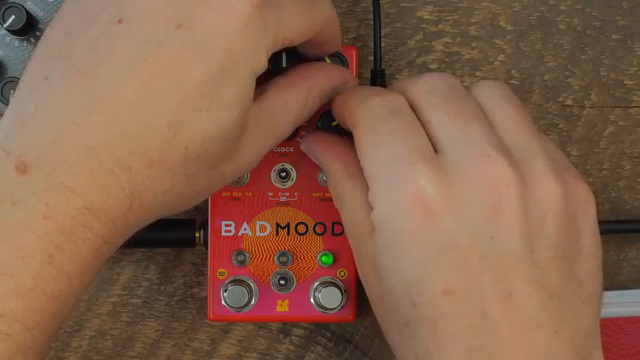
"What Radio mode does is it takes a single loop, and it interprets it through the lens of five different genres."
© Screenshot/Quote: Chaseblissaudio (YouTube)
This article is also available in German. Read it here: https://synthmagazin.at/chase-bliss-bad-mood-wenn-ambient-pedal-auf-modular-chaos-trifft/
Watch on YouTube:
Latest articles
Watch on YouTube:
Visit the channel:
https://www.youtube.com/ChaseBlissAudio
https://www.youtube.com/ChaseBlissAudio
Links from ChaseBlissAudio:
website: https://www.chasebliss.com
instagram: https://www.instagram.com/chasebliss
facebook: https://www.facebook.com/chasebliss
twitter: https://twitter.com/chaseblissaudio
discord: https://discord.gg/chasebliss
Sponsored links:
If you purchase via these links, we may earn a small commission – at no extra cost to you. The link opens an Amazon keyword search, and results may vary depending on availability.
Chase Bliss BAD MOOD
🔗 Check price on Amazon
🔗 Check price on Amazon