Novation steps into the FL Studio ecosystem with the FLpad, its first grid controller purpose-built for hands-on beat creation and sequencing. The brand’s signature focus on workflow and integration is front and center, offering an 8×8 RGB pad grid, velocity sensitivity and deep Channel Rack control. In this official walkthrough, Novation demonstrates how FLpad transforms beat making, editing and performance inside FL Studio, with flexible modes and a tactile, DAW-integrated approach. We break down the features, workflows and options shown—plus what the video leaves to be explored.
2. October 2026
LYRA
Novation FLpad: A Grid Controller Built for FL Studio Workflows
FLpad Arrives: Novation’s Dedicated Grid for FL Studio
Novation’s FLpad marks their first foray into a dedicated grid controller designed exclusively for FL Studio, and the company wastes no time positioning it as a workflow enhancer. The device is engineered to bring a groovebox-like feel to FL Studio’s Channel Rack, a central hub for step sequencing and beat construction familiar to users of the DAW. According to Novation, the FLpad is more than just a pad grid: it’s a hands-on solution for sequencing beats, finger drumming, slicing, and melodic recording directly in key.
From the start, the video underscores the FLpad’s role as a bridge between tactile hardware and the software’s internal pattern building. The focus is on immediate interaction—building patterns, triggering samples, navigating projects, and editing steps, all performed directly from the unit. This approach is consistent with Novation’s broader strategy: enabling musicians and producers to stay in the creative flow, with hardware that feels like a natural extension of the DAW environment.
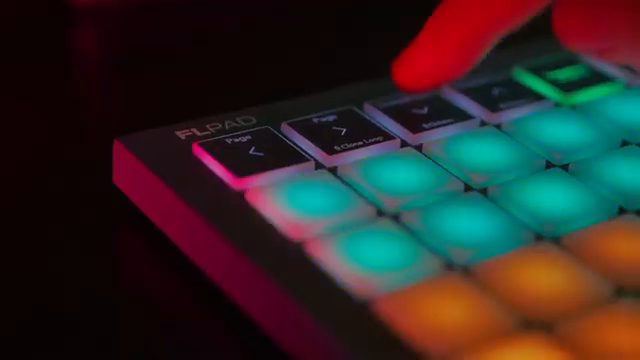
"It is designed to bring a groove-box-like workflow to FL Studio's channel rack."
© Screenshot/Quote: Novationtv (YouTube)
The 8x8 Grid: Velocity, Color and Performance
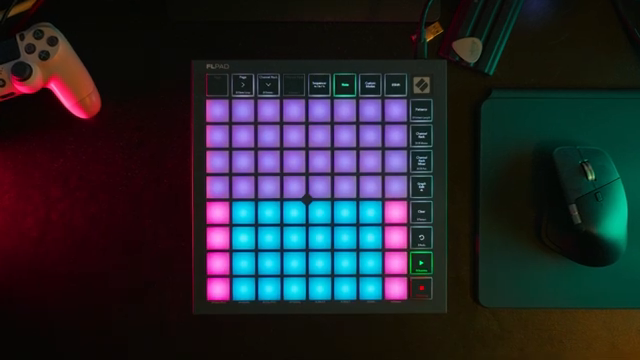
"The centerpiece is an 8x8 grid of RGB pads, fully velocity-sensitive on the full-size model."
© Screenshot/Quote: Novationtv (YouTube)
Central to the FLpad is its 8×8 grid of RGB pads, which are fully velocity-sensitive on the full-size model. These pads respond dynamically, allowing for expressive finger drumming and nuanced sequencing that can reflect both subtle and aggressive playing styles. The grid’s color coding mirrors that of FL Studio, providing instant visual feedback and clear mapping between the software and hardware.
Navigation is streamlined through dedicated performance view buttons, arrow keys for moving around the rack, and transport controls for playback operations. This combination aims for both speed and clarity: users can jump between layouts, adjust patterns, and manage playback without diving into software menus, keeping hands and eyes on the FLpad during fast-paced sessions.
Workflow in Action: Patterns, Editing, and Custom Modes
The video offers a thorough demonstration of workflow with the FLpad, from the initial act of punching in a beat to advanced editing and customization. Sequencing starts with a 16-step grid for the first four channels, immediately reflecting FL Studio’s color scheme. Users can easily manipulate swing and tempo, lengthen sequences to 32 or 64 steps, and duplicate or clone patterns on the fly for building variations. Navigation across the Channel Rack is handled with arrow keys, and locking the rack allows focused editing of selected channels.
Editing is deepened with access to mutes, mixer and panning views—all from the hardware. The full-size FLpad offers pressure-sensitive adjustments, making mixer tweaks responsive to touch. Graph Edit mode enables surgical changes: users can select parameters like note pitch, velocity, or add shifts and repeats directly on individual steps. The Note view adapts the grid for chromatic or scaled layouts, keeping all playing in key, and supports octave shifting and real-time recording with quantize and undo/redo options.
Custom modes are a highlight, allowing users to create personalized layouts to control FL Studio or map the FLpad as a chromatic keyboard. The video shows how these customizations can keep the entire workflow hardware-centric, reducing reliance on the mouse and screen. While the demonstration is comprehensive, it focuses on what’s possible from the surface, leaving questions about deeper macro assignment, menu depth or advanced integration for further exploration.
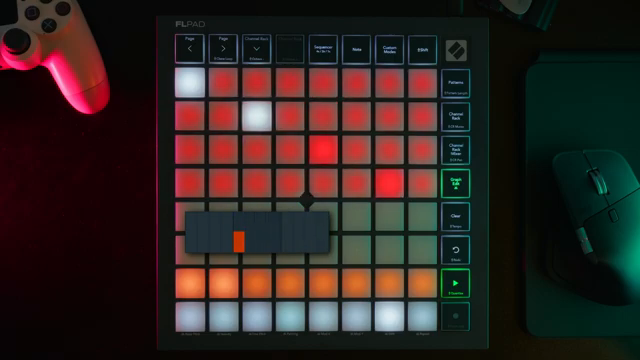
"Switching to note mode adapts the bottom four rows based on your loaded instrument."
© Screenshot/Quote: Novationtv (YouTube)
Channel Rack Integration: Building Beats the Novation Way
A recurring theme is the FLpad’s tight integration with FL Studio’s Channel Rack, streamlining the process of building and arranging beats. The hardware reflects the DAW’s structure, allowing step sequencing, pattern duplication, and instant navigation between channels—all mirrored visually on the pad grid. This direct mapping ensures that users can focus on musical ideas rather than technical translation between controller and software.
By bringing mixer and panning controls, mute states, and even playlist pasting to the hardware, Novation positions the FLpad as a true workflow accelerator for FL Studio users. The approach is about minimizing friction and maximizing immediacy, consistent with the brand’s performance-focused design philosophy.
Full-Size and Mini: Two Takes on the FLpad Formula
Novation wraps up the walkthrough by highlighting the two available versions of the FLpad: the full-size model with velocity-sensitive pads and the compact FLpad Mini with fixed velocity. This dual offering caters to different user priorities—those seeking expressive dynamics versus those valuing portability. Both models aim to deliver the core grid-based workflow Novation is championing for FL Studio.
This article is also available in German. Read it here: https://synthmagazin.at/novation-flpad-ein-grid-controller-fuer-fl-studio-workflows/
Watch on YouTube:
Latest articles
Watch on YouTube:
Visit the channel:
https://www.youtube.com/NovationTV
https://www.youtube.com/NovationTV
Links from NovationTV:
website: https://novationmusic.com
instagram: https://instagram.com/wearenovation
twitter: https://twitter.com/WeAreNovation
facebook: https://facebook.com/NovationMusic
Sponsored links:
If you purchase via these links, we may earn a small commission – at no extra cost to you. The link opens an Amazon keyword search, and results may vary depending on availability.
Novation FLpad
🔗 Check price on Amazon
🔗 Check price on Amazon
Novation FLpad Mini
🔗 Check price on Amazon
🔗 Check price on Amazon