Korg’s KAOSS Replay just received a major 2.0 firmware update, and it’s not just a handful of tweaks—it’s a full-on transformation into a more advanced performance and production hub. With a focus on workflow, expanded effects, and deeper sampling/looping, this update aligns with Korg’s pragmatic, musician-first ethos. The official video walks us through everything from customizable wallpapers to expanded quantization, all while minimizing menu-diving and maximizing hands-on control. Let’s dissect how these new features reshape the KAOSS Replay’s architecture and what they mean for real-world creative workflows.
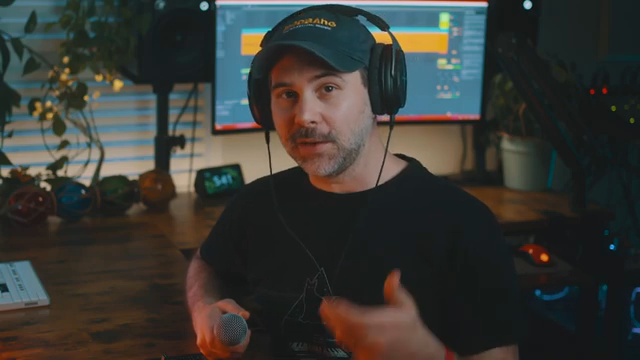
A Firmware Leap: KAOSS Replay 2.0 Arrives
Korg’s KAOSS Replay has always been a flexible live tool, but firmware version 2.0 marks a significant architectural leap. The update is positioned as a holistic upgrade, not just a patch—delivering new performance effects, workflow enhancements, and entirely fresh features. From the outset, the video makes it clear that this isn’t just about more sounds, but about a deeper, more integrated performance experience.
The 2.0 update aims to transform the KAOSS Replay into a more advanced production and performance device. Korg’s approach here is to address both the creative and practical needs of users, with a clear focus on minimizing friction in real-world setups. The enhancements are not just surface-level; they’re woven into the core workflow, promising a more seamless and expressive experience for both studio and stage.
Effects Overdrive: 200+ Programs and Vocoder Refinement
A headline feature of the update is the massive expansion of effects—now totaling 209, with 81 new performance effects spanning every category. This isn’t just a numbers game; the new effects include substantial additions to the vocoder and vocal processing arsenal, as well as playful synthesizer effects that broaden the sonic palette. The video offers a taste of these new programs, though it’s clear there’s much more to explore hands-on.
Korg has also fine-tuned the vocoder programs for smoother integration into music production. All vocal and vocoder effects now use a unified chromatic scale for note input, replacing the previous major scale approach. This subtle but important tweak means users can drop vocal effects into any musical context without scale mismatches, making the KAOSS Replay’s vocal tools more versatile and production-friendly.
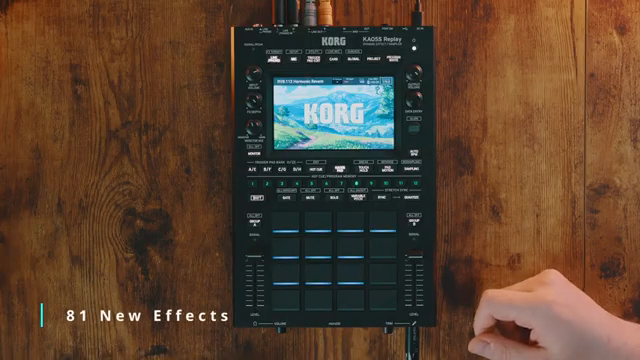
"That's several new effects for every category of effect, including vocoders and vocal effects."
© Screenshot/Quote: Korgofficial (YouTube)
Sampling and Looping: 16 Pads, Quantization, and Beyond
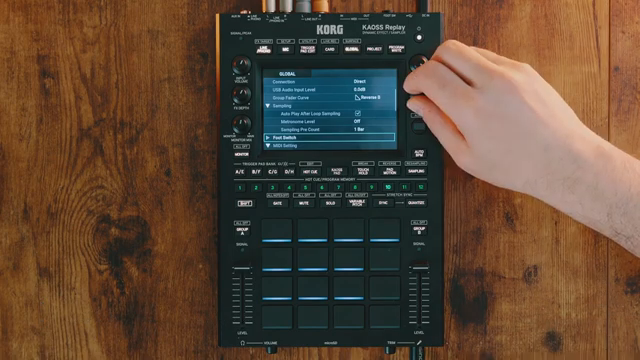
"Below that, you'll see we also have a metronome now included on the chaos replay."
© Screenshot/Quote: Korgofficial (YouTube)
Sampling and looping get a major overhaul in 2.0, with the ability to sample, play, or loop up to 16 pads simultaneously. This expanded polyphony is paired with new quantization settings and a broader range of time signatures, all accessible from the global menu. The update also introduces a sampling pre-count (up to four bars) and a metronome, both routed to the output bus for precise timing—headphones recommended for monitoring.
Workflow improvements extend to sample editing, with new options to reverse, pitch-shift, or normalize samples directly from the utility menu. Users can now set loop lengths up to 64 beats (16 bars) or use free beat mode for variable-length recording. File compatibility has been broadened, supporting 44.1kHz/24-bit and 48kHz/24-bit WAV files, ensuring smoother integration with DAWs and other hardware.
Workflow Streamlined: Hands-On Control, Less Menu Diving
Korg’s video emphasizes a core goal: reducing menu-diving and making the creative process more immediate. Pad details—like bank, pad number, and volume—are now visible at a glance, and users can adjust pad volumes directly without entering submenus. Quick actions, such as holding shift to tweak gate or volume settings without interrupting playback, make live performance and improvisation more fluid.
Other workflow upgrades include a trigger threshold to prevent accidental pad hits (crucial for finger drummers), improved variable pitch targeting, and the ability to pre-assign pads to groups for DJ-style transitions. The Trigger Pad Edit key now remembers your last-used pad, speeding up editing. Auto BPM functions have been refined for faster tempo matching, and users can set gate and play mode parameters in advance—small touches that add up to a much more responsive instrument.
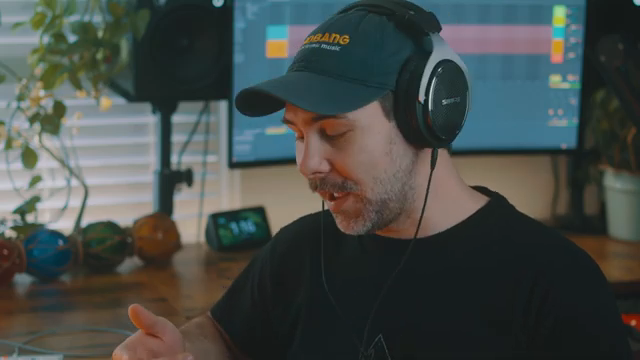
"And now I can select pads and adjust their volume directly without having to go into the trigger pad edit as well."
© Screenshot/Quote: Korgofficial (YouTube)
Personalization and Final Touches
The update isn’t all about deep architecture—Korg has added a customizable wallpaper feature, letting users personalize the KAOSS Replay’s display. While this won’t change your workflow, it’s a welcome touch that acknowledges the importance of user experience and visual comfort in modern performance tools.
This article is also available in German. Read it here: https://synthmagazin.at/korg-kaoss-replay-2-0-ein-digitales-kraftpaket-entwickelt-sich-weiter/
Watch on YouTube:
Latest articles
Watch on YouTube:
Visit the channel:
https://www.youtube.com/KorgOfficial
https://www.youtube.com/KorgOfficial
Links from KorgOfficial:
website: https://www.korg.com
facebook: https://www.facebook.com/KORGusa
twitter: https://twitter.com/KorgUSA
instagram: https://instagram.com/korgofficial
soundcloud: https://soundcloud.com/korg
Sponsored links:
If you purchase via these links, we may earn a small commission – at no extra cost to you. The link opens an Amazon keyword search, and results may vary depending on availability.
Korg KAOSS Replay
🔗 Check price on Amazon
🔗 Check price on Amazon