Elektron’s Outbox 8 is a compact yet versatile breakout box designed to unleash both audio and CV connectivity from compatible Elektron devices and beyond. In this official walkthrough, Elektron demonstrates how the Outbox 8 transforms your studio or live rig by breaking out tracks, routing signals flexibly, and even translating MIDI to CV for modular control. We take a close look at the device’s interface, output routing options, and its seamless integration via the web app—highlighting how this little box can become a powerful link between digital workflows and analog adventures.
10. September 2026
LYRA
Elektron Outbox 8: Expanding Audio & CV Horizons
Meet the Outbox 8: Connectivity, Unleashed
Outbox 8 arrives as Elektron’s latest solution for bridging the worlds of audio and control voltage, crafted for those who thrive on complex routing and dynamic setups. This compact box, minimal in physical interface, is all about expanding the connectivity of compatible Elektron instruments—and, as Elektron hints, a range of other class-compliant devices as well. The device features eight analog outputs, each fully configurable, providing the foundation for a highly versatile signal path.
The introductory walkthrough stays true to Elektron’s style: a dry, quirk-infused narrative that’s light on unnecessary hype but heavy on practical demonstration. From the LED status indicator to the understated branding, the Outbox 8 is designed for users who want streamlined access to advanced routing, not unnecessary flash. Right out of the box, it’s clear this product is aimed at musicians and producers who want their Elektron machines to function as the brain of a flexible, modular setup.

"Outbox 8 is an audio and CV breakout box with 1, 2, 3, 4, 5, 6, 7, 8 fully configurable analog outputs."
© Screenshot/Quote: Weareelektron (YouTube)
Flexible Output Routing: Mono, Stereo, and Beyond
"Send as many tracks as you want to as many outputs as you want."
© Screenshot/Quote: Weareelektron (YouTube)
The heart of Outbox 8 lies in its eight outputs—each capable of transmitting either mono or stereo audio. Elektron’s demo quickly moves beyond theory, showing how users can assign any number of tracks to any number of outputs. Want to group drum tracks to a single output, or split synth layers across multiple channels for external mixing and effects? Both are demonstrated, making it clear that the routing scheme is as modular as you need it to be.
Three audio routing scenarios are highlighted: separating select tracks for individual processing, using a stereo bus for grouped signals, and the more eccentric approach of routing a single track to all eight outputs for multi-amp setups. The hands-on examples are classic Elektron: not just functional, but also designed to spark creative patching ideas. The system encourages experimentation, whether you’re parallel-processing sounds with external gear or simply organizing your mix for live performance.
MIDI-to-CV: Modular Control, Elektron Style
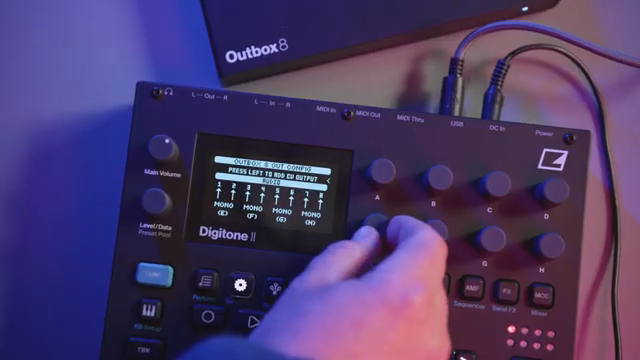
Beyond audio, Outbox 8 steps confidently into the realm of control voltage. Acting as a MIDI-to-CV converter, it translates sequencer data and modulation from your Elektron box into multiple CV formats: volt per octave, hertz per volt, value linear, trig, gate, and clock. The video illustrates Outbox 8 hooked up to a modular system, with a Digitone sequencer and LFOs driving modular voices—demonstrating the kind of integration that can turn a groovebox into a modular command center.
Elektron emphasizes the flexibility: any mix of audio and CV can be routed simultaneously, with the outputs freely assignable for whatever your hybrid setup demands. For modular and DAWless aficionados, this opens up performance and sound-design workflows that were previously locked behind more complex or expensive interfaces. The focus remains on real-world, hands-on control, rather than menu-diving or editor dependency.
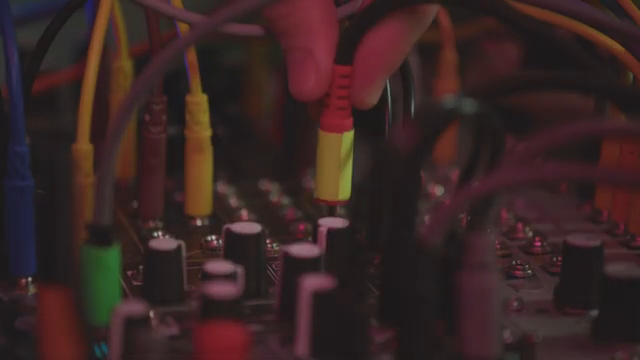
"As a Medi-to-CV converter, Outbox opens up a whole new world of control."
© Screenshot/Quote: Weareelektron (YouTube)
Web App Configuration and Class-Compliant Expansion
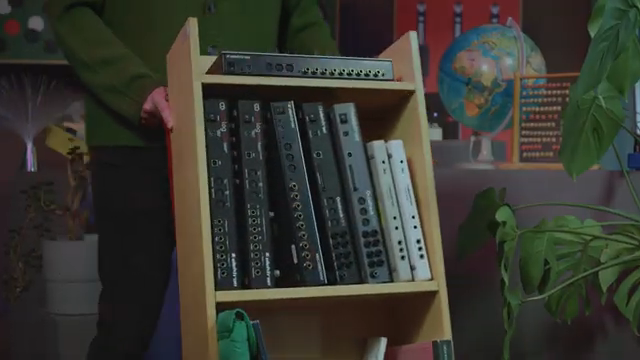
"And can be configured with them using the web app."
© Screenshot/Quote: Weareelektron (YouTube)
Configuration is managed via a dedicated web app, which supports both Elektron’s own machines and a wide array of class-compliant audio and MIDI devices. The video briefly demonstrates how users connect their device to Outbox 8, introduce it to the web app, and then configure outputs as needed. Notably, the level of functionality depends on the connected hardware: some devices support both audio and MIDI-to-CV, while others may only offer MIDI-to-CV. The overall workflow is straightforward—connect, configure, save, and you’re ready to integrate Outbox 8 into your broader setup.
A Versatile Breakout for Modern Hybrid Workflows
Elektron wraps up by showing that Outbox 8 isn’t just another utility box—it’s a bridge for hybrid setups, accommodating audio, CV, and MIDI in a single, flexible chassis. For users with complex rigs or evolving workflows, it promises an adaptable solution for both studio and stage. Whether you’re breaking out tracks for external effects, sequencing modular gear, or mixing both worlds, Outbox 8 is positioned as a quietly powerful expansion for the modern electronic musician.
This article is also available in German. Read it here: https://synthmagazin.at/elektron-outbox-8-audio-und-cv-konnektivitaet-erweitern/
More articles about these products:
 Liam Killen Unleashes the Elektron Outbox 8: The Outs’ Revolution
 Devin Belanger vs. The Laptop: Why Hardware Synths Still Rule
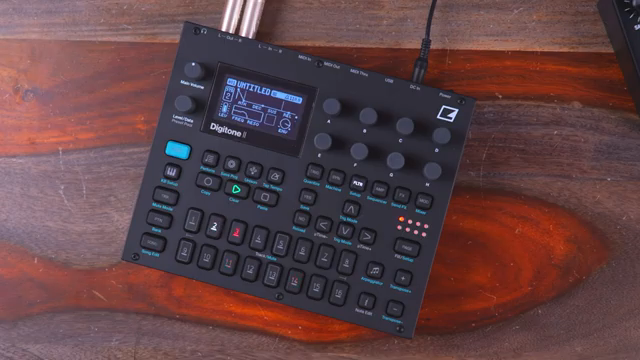 Liam Killen’s Digitone II: More Tracks, More Chaos, More Techno
 True Cuckoo’s Synth Safari: Kids, Chaos & Cheap Headphones in Rural Norway
 AudioPilz Dishes the Dirt: What Your Synth REALLY Says About You
 Kangding Ray: Sonic Architectures and Cinematic Drones – An Interview with Metamyther
 Diving Deep with soulbrixofficial: The Elektron Digitakt Iceberg
 RapidFlow_Shop’s Killer FLOW State Setup
 Tonepusher’s Guide to Industrial Madness
 Gear Gripes and Laughs with AudioPilz: A Clown’s Critique of the Yamaha DX200
Watch on YouTube:
Latest articles
Watch on YouTube:
Visit the channel:
https://www.youtube.com/WeAreElektron
https://www.youtube.com/WeAreElektron
Links from WeAreElektron:
website: https://www.elektron.se
twitter: https://twitter.com/WeAreElektron
facebook: https://www.facebook.com/WeAreElektron
instagram: https://instagram.com/weareelektron
Sponsored links:
If you purchase via these links, we may earn a small commission – at no extra cost to you. The link opens an Amazon keyword search, and results may vary depending on availability.
Elektron Digitone
🔗 Check price on Amazon
🔗 Check price on Amazon
Elektron Outbox 8
🔗 Check price on Amazon
🔗 Check price on Amazon