Ableton Live 13 has arrived—and Audio Tutorial Experts take us on a tour through the new features that unfold the workflow like origami, blending efficiency and creative freedom. If you’ve ever wondered how Drum Synths, Step Sequencer, and Device Browser interlock, or how macro controls now enable even more patch geometry: here’s the analytical overview, garnished with subtle irony and clear assessments. Some details only reveal their full impact in the video itself—but this overview is a feast for all sonic architects.
22. November 2026
RAUMKLANG
Workflow Origami and Sonic Spaces: Audio Tutorial Experts Dissect Ableton Live 13
Familiar Terrain, New Paths
Ableton Live 13 initially feels like an old friend: the interface is familiar, and long-time users or switchers won’t need to relearn a new operating concept. Audio Tutorial Experts emphasize how pleasant it is that the fundamental navigation and arrangement structures have barely changed. Adapting to new versions was often a prime example of forced patience in the past—this time, the workflow remains stable while much changes beneath the surface.
However, the new device slots make patching and organizing effects and instruments much more flexible. The ability to copy, duplicate, or rearrange entire chains of effects in no time will please not only chaos aesthetes. For experimental sound architects, this opens a space where routing and processing almost feel modular—the workflow unfolds rather than getting tangled.
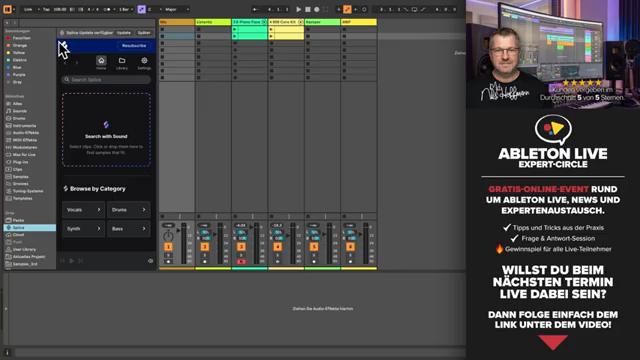
"You really don’t need any time to get used to Live 13."
© Screenshot/Quote: Audiotutorialexperts (YouTube)
Drum Synths & Step Sequencer: Rhythm Meets Geometry
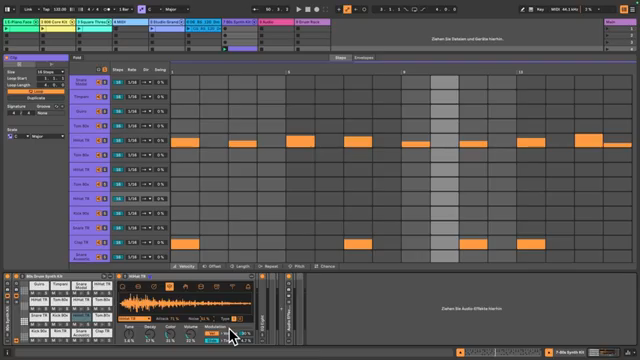
"Most importantly, it sounds very, very good, very assertive, very powerful."
© Screenshot/Quote: Audiotutorialexperts (YouTube)
The new Drum Synths in Live 13 deliver not only punchy, assertive sounds but also offer a pleasantly reduced yet effective parameter structure. Audio Tutorial Experts show how, with just a few tweaks, the sound unfolds like origami between power and finesse. Velocity now influences not just volume but also timbre—an invitation to those who love working with nuances and micro-details.
The Step Sequencer is another highlight: with fold functions, polymetric possibilities, and variable directions, rhythmic and melodic design gains a new patch geometry. Switching clips between classic view and step sequencer happens almost incidentally, and features like probability, note repeat, or swing per instrument make pattern building a playground for the unpredictable. If you want to break the boundaries of grid thinking, you’ll find the right tools here—though some subtleties only reveal themselves in hands-on use, as demonstrated in the video.
Contextual Device Browser: Patching at Speed
The Contextual Device Browser is a feature that noticeably boosts production efficiency. Instead of searching through nested menus, presets, effects, and instruments can now be added directly and contextually—whether via plus buttons between devices, the title bar, or collections. Those who curate their collections will become quick-access champions and save valuable patching time.
Audio Tutorial Experts demonstrate how tagging favorites and quickly loading sounds and effects condenses into a new workflow etiquette. The ability to load plug-ins, Max for Live devices, and user library content with just a few clicks almost makes the browser disappear. A step toward machine ethics: the software adapts to the user, not the other way around.
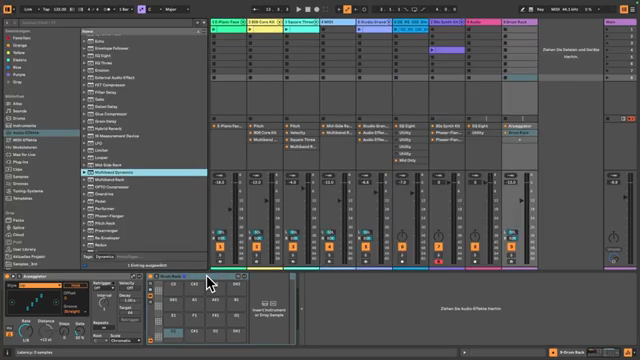
"These can also be plug-ins. So this isn’t just limited to Ableton Live’s own content."
© Screenshot/Quote: Audiotutorialexperts (YouTube)
Automation Captured, Levels in Sight
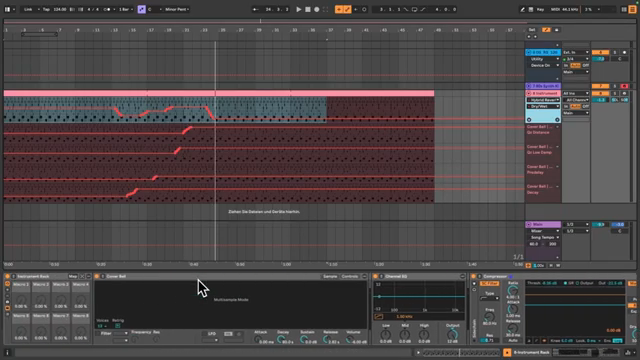
"Now, for the first time, you really have a volume meter inserted between every device."
© Screenshot/Quote: Audiotutorialexperts (YouTube)
The capture function for automation is one of those inconspicuous yet powerful tools: spontaneous parameter moves are now recorded even without active recording and can be viewed and edited afterward. Especially practical: all moved parameters appear directly underneath each other, making it much easier to control complex automation curves.
Another detail that’s worth its weight in gold in mixing: volume meters in racks. Finally, levels can be monitored even within nested effect chains—a blessing for anyone who’s ever wondered where in the chain the level suddenly explodes or drops. These features may be less spectacular than new instruments, but they sharpen the tool for precise sonic spaces and provide more clarity in complex patch landscapes.
New Racks & Effects: Food for Sound Explorers
With multiband and mid/side racks, Ableton Live 13 adds further layers to sonic architecture. Audio Tutorial Experts show how mono and stereo components can be separated and processed individually—a former insider tip, now an official tool. The multiband racks invite you to distort, automate, or destroy each frequency band separately: here, the spectrum becomes a playground for sound designers with a spirit of discovery.
Ableton also steps up with effects: new dynamics tools, transient shaper, clipper, and a revamped phaser/flanger provide fresh textures. The possibilities are so diverse that a full exploration is hardly possible within the video—but the direction is clear: Live 13 is not an update for workflow fetishists, but an invitation to anyone who wants to rethink sonic spaces. To truly grasp the potential of these innovations, you shouldn’t miss the examples and jam scenes in the video.
This article is also available in German. Read it here: https://synthmagazin.at/workflow-origami-und-klangraeume-audio-tutorial-experts-sezieren-ableton-live-13/
Watch on YouTube:
Latest articles
Watch on YouTube:
Visit the channel:
https://www.youtube.com/AudioTutorialExperts
https://www.youtube.com/AudioTutorialExperts
Links from AudioTutorialExperts:
Tutorial Experts Shop: https://tutorial-experts.de
Tutorial Experts bei Amazon: https://amazon.de/DVD-Lernkurs-Software/s?k=DVD%20Lernkurs&rh=n%3A301927
Tutorial Experts bei Thomann: https://thomann.de/de/tutorial_experts.html
Impressum: https://tutorial-experts.de/impressum
Sponsored links:
If you purchase via these links, we may earn a small commission – at no extra cost to you. The link opens an Amazon keyword search, and results may vary depending on availability.
Ableton Live 13
🔗 Check price on Amazon
🔗 Check price on Amazon
Ableton Looplet
🔗 Check price on Amazon
🔗 Check price on Amazon