If you’ve been eyeing the Ableton Move but your wallet’s screaming for mercy, TAETRO’s got a back-alley trick that’ll have you cooking up beats for the price of a cheap lunch. In this video, he flips the script by pairing the Ableton Note app with the Synido TempoKey W25 MIDI controller, showing how you can snag most of the Move’s magic without selling your sneaker collection. Expect a workflow that’s slick, tactile, and way more affordable than dropping cash on the latest hardware. TAETRO’s signature blend of hands-on demos and no-nonsense advice makes this a must-watch for anyone hustling to make music on the go. Trust me, you’ll want to see how far this combo can stretch your creative dollar.
16. February 2026
RILEY
TAETRO’s Streetwise Hack: Ableton Note + Synido TempoKey W25 vs. Ableton Move
Move Over, Ableton Move—Note’s in Town
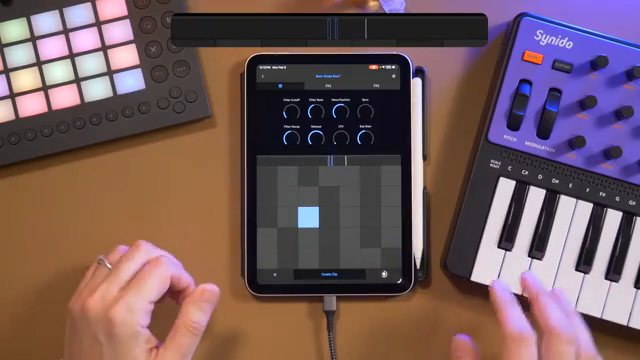
TAETRO kicks things off by laying down the real talk: Ableton Move is dope, but not everyone’s got stacks to drop on new gear. Enter Ableton Note, the app that’s ready to step into the ring as a legit alternative for music creation. With just a MIDI keyboard and your phone or tablet, you can get most of the Move’s vibe without the financial hangover.
He’s not just talking theory, either. TAETRO jumps right into the workflow, showing how Note and a MIDI controller can tag-team to deliver that hands-on, spontaneous beatmaking experience. You get the sense that he’s all about keeping things accessible—no need for a science degree or a second mortgage to get your groove on.
"You can essentially recreate the Ableton Move experience with Ableton Note."
© Screenshot/Quote: Taetro (YouTube)
Hands-On Heat: Capture MIDI and Automation Tricks
"Ableton Note has a fairly unique recording style, where I haven't pressed record at all, but as I play notes, it's kind of taking those notes in."
© Screenshot/Quote: Taetro (YouTube)
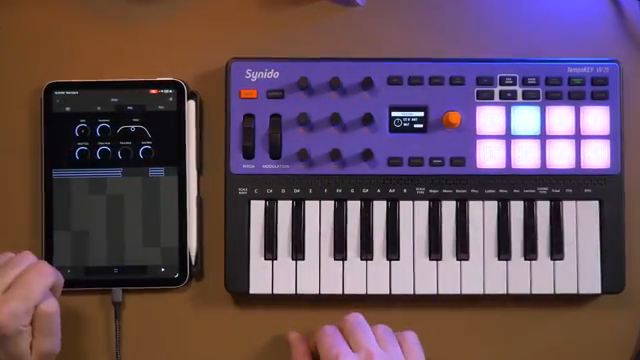
TAETRO dives into the nuts and bolts with the Synido TempoKey W25, showing off how you can build beats and capture ideas on the fly. The Ableton Note app is always listening, so you don’t even have to hit record—just play, vibe, and if you like what you hear, hit create clip. It’s like having a beat tape running in the background, ready to snatch up your best moments.
Automation gets the same streetwise treatment. Twist a knob, tweak a filter, and Note captures your moves without breaking your flow. No more fumbling for record buttons—just pure, unfiltered creativity. TAETRO’s workflow is all about speed and feel, letting you ride the groove instead of wrestling with menus.
Bluetooth MIDI: No Wires, No Worries
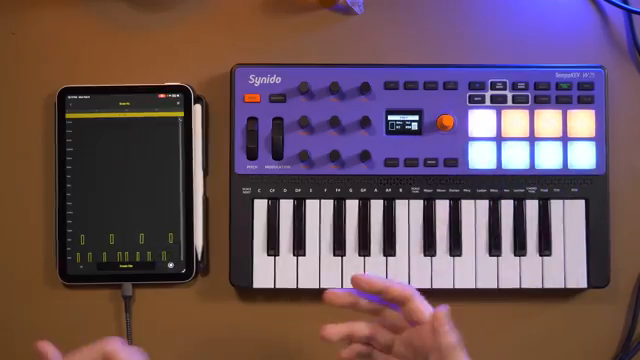
Now, if you’re worried about Bluetooth MIDI lag killing your vibe, TAETRO’s got receipts. He runs the TempoKey W25 wirelessly with Ableton Note and plays tight to a metronome—no latency, no drama. That means you can keep your USB-C port free for audio and still finger-drum like you’re in a cypher. It’s the kind of setup that lets you move around the studio (or your couch) without getting tangled up in cables. If you want to see just how smooth this wireless game is, you gotta peep the video for the real-time action.
"No latency, I can play along just fine."
© Screenshot/Quote: Taetro (YouTube)
Macros, Sound Design, and Custom Flavor
TAETRO shows off how Ableton Note’s macro controls and creative tools let you put your own stamp on every sound. With eight macros mapped to the TempoKey’s encoders, you can jump between instruments, tweak filters, and automate effects—all without lifting your hands off the controller. It’s like having your own mini-mixer in your backpack.
He doesn’t stop at the basics, either. Aftertouch on the pads lets you add subtle dynamics to percussion, while arpeggiators, pads, and floaty bells turn your beat into a full-on vibe. TAETRO even layers in his own voice as an instrument, proving that Note isn’t just for cookie-cutter loops. There’s a ton of customization here, and if you want to see how deep the rabbit hole goes, the video’s packed with sound design gems.
Cloud Sync: From Mobile Jam to Studio Banger
"As soon as the project syncs to your Ableton Cloud, you can open it up on your desktop in Ableton Live."
© Screenshot/Quote: Taetro (YouTube)
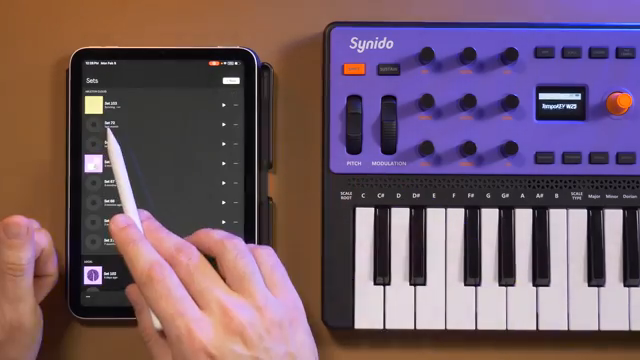
Once you’ve stacked your loops and automation, TAETRO breaks down how easy it is to sync everything to Ableton Live via the cloud. No more bouncing stems or losing your automation—your whole project, synths and all, lands in Live ready for the big leagues. It’s like taking your street corner cypher straight to the main stage.
This workflow means you can start ideas on your phone, then finish them on your desktop with all the pro tools at your fingertips. TAETRO’s all about that seamless transition, making sure your creative spark doesn’t get lost in translation. If you’re serious about turning sketches into finished tracks, this cloud sync trick is pure gold.
This article is also available in German. Read it here: https://synthmagazin.at/taetros-strassenhack-ableton-note-synido-tempokey-w25-statt-ableton-move/
Watch on YouTube:
Latest articles
Watch on YouTube:
Visit the channel:
https://www.youtube.com/Taetro
https://www.youtube.com/Taetro
Links from Taetro:
Instagram: https://instagram.com/taetro
Facebook: https://facebook.com/taetromusic
Bandcamp: https://taetro.bandcamp.com
Sponsored links:
If you purchase via these links, we may earn a small commission – at no extra cost to you. The link opens an Amazon keyword search, and results may vary depending on availability.
Ableton Move
🔗 Check price on Amazon
🔗 Check price on Amazon
Ableton Note
🔗 Check price on Amazon
🔗 Check price on Amazon
Synido TempoKey W25
🔗 Check price on Amazon
🔗 Check price on Amazon