TAETRO’s back in the bunker, pitting two music production rigs head-to-head: a slick MIDI/DAW setup versus a hardware sampler beast. Forget polite gear tours—this is a straight-up face-off, with the XTS Performance Stand flexing under the weight of both workflows. Expect rapid-fire controller swaps, cheeky cable wrangling, and a sampler rig that’s more than just a nostalgia trip. If you’re torn between Ableton Live wizardry and the raw, hands-on chaos of MPC sampling, TAETRO’s got you covered. Spoiler: there’s no single winner—just two street weapons ready for your next sonic throwdown.
1. April 2026
SPARKY
TAETRO’s Setup Showdown: DAW vs Sampler – Which Rig Packs the Punch?
AIAIAI TMA-2, Analog Cases XTS Performance Stand System, Astrolab 37, Bento, Focusrite Scarlett 2i2, iPad Mini, MPC Sample, Novation Launchkey 37 Mk3, Novation Launchpad X, Shure SM58, Synido TempoPAD C16
Two Rigs Enter, One Workflow Leaves
TAETRO wastes no time, slamming down two wildly different setups: one pure MIDI and DAW, the other a hardware sampler fortress. No endless theory here—just a straight-up comparison between the digital flexibility of a laptop and the tactile punch of standalone gear. The DAW rig is all about MIDI controllers and software brains, while the sampler setup ditches the computer for hands-on beat surgery.
He’s not just stacking boxes for show. Each approach gets its own spotlight, with TAETRO daring viewers to pick a side. The stage is set for a workflow brawl, and you can almost smell the solder and spilled coffee. If you’ve ever argued about Ableton versus MPC in a comment section, this is your moment.
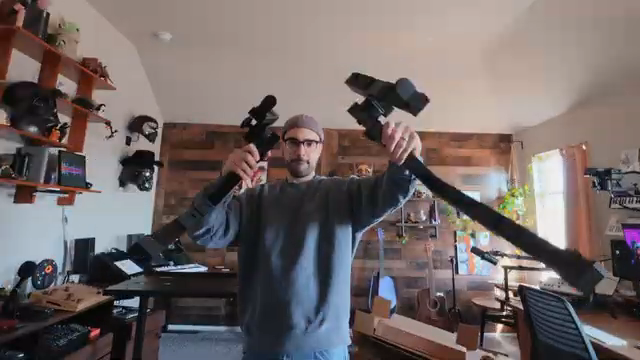
"I'll be curious to know in the end which approach you think is better."
© Screenshot/Quote: Taetro (YouTube)
XTS Stand: The Unsung Hero
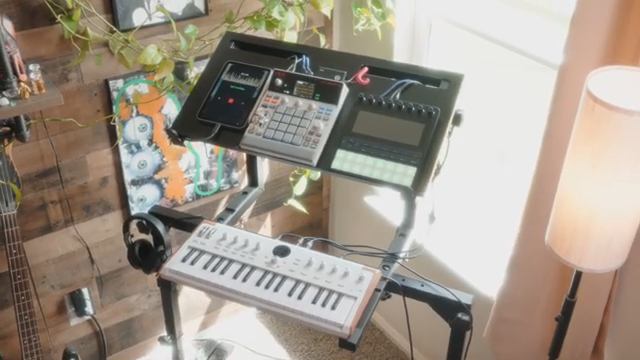
"Essentially it's a stand system that grows with you."
© Screenshot/Quote: Taetro (YouTube)
Before the gear even powers up, the XTS Performance Stand System gets its flowers. TAETRO’s clearly chuffed with how this thing adapts—no more wrestling with stands built for one synth and a prayer. The XTS flexes with shelves, bolts, and enough modularity to keep your ever-mutating setup off the floor. Bonus: cable management that doesn’t make you want to quit music. If your studio looks like a snake pit, you’ll want to see this in action.
DAW Setup: Controller City
The DAW setup is a controller playground: Launchkey 37 for note input, Launchpad X for clip launching, and a Tempopad C16 for performance FX. TAETRO’s philosophy is clear—dedicated gear for dedicated jobs, no menu-diving mid-gig. The Focusrite Scarlett 2i2 handles audio duties, and Ableton Live sits at the centre, orchestrating the chaos with typical software swagger.
This rig is all about flexibility and performance. Want to swap from keys to clips to wild FX? It’s all mapped and ready, no awkward mode-switching. TAETRO’s approach is surgical: each controller has a job, and the workflow never gets bogged down. If you’re a fan of live tweaking and instant recall, this setup’s got the muscle.
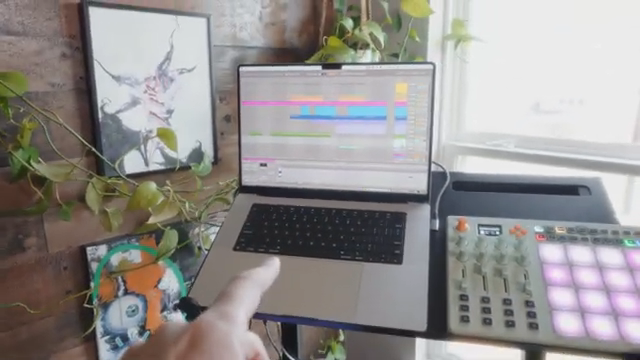
"Ableton Live on a MacBook is the brains of this operation."
© Screenshot/Quote: Taetro (YouTube)
Sampler Setup: Hardware Mayhem
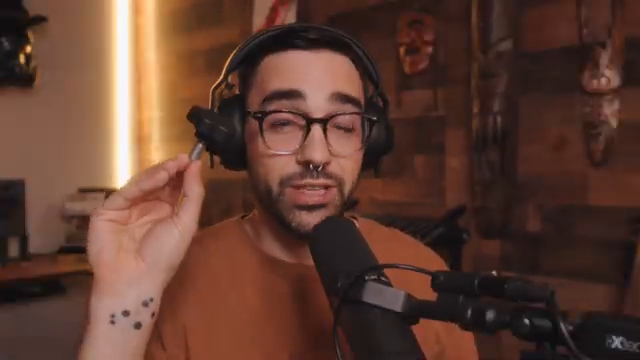
"You're only limited by what you can sample into it."
© Screenshot/Quote: Taetro (YouTube)
Now for the sampler setup—a portable MPC sample at its core, flanked by the Astrolab 37 and a cheeky iPad Mini. TAETRO’s love for samplers is obvious: sample anything, mangle everything. The Astrolab brings a warehouse of retro synth sounds to the table, and the iPad’s there for quick sample grabs or extra layers. No computer in sight, just hands-on sound design.
He throws in the Bento by Ten10Music for mixing and granular sampling—because why stop at normal? The Bento acts as both a mixer and a weirdo sound-mangler, filling gaps the MPC can’t. This setup is about limitation as inspiration: fewer options, but more unique results. If you want to get weird and wild, this is your playground.
Pick Your Poison: Workflow Wars
TAETRO doesn’t crown a winner—he throws the question back at you. The DAW rig is unbeatable for performance flexibility, letting you map, tweak, and layer to your heart’s content. But the sampler setup? That’s where the real sound design sorcery happens, with limitations pushing you into stranger, more original territory.
Bottom line: it’s not about which setup is objectively better, but which one fits your creative habits. If you want to see the real differences—especially the sound mangling and live jams—you’ll need to watch the video. Some things just can’t be explained in text, no matter how many words I throw at them.
This article is also available in German. Read it here: https://synthmagazin.at/taetros-setup-showdown-daw-vs-sampler-welches-rig-hat-mehr-wumms/
Watch on YouTube:
Latest articles
Watch on YouTube:
Visit the channel:
https://www.youtube.com/Taetro
https://www.youtube.com/Taetro
Links from Taetro:
Instagram: https://instagram.com/taetro
Facebook: https://facebook.com/taetromusic
Bandcamp: https://taetro.bandcamp.com
Sponsored links:
If you purchase via these links, we may earn a small commission – at no extra cost to you. The link opens an Amazon keyword search, and results may vary depending on availability.
AIAIAI TMA-2
🔗 Check price on Amazon
🔗 Check price on Amazon
Analog Cases XTS Performance Stand System
🔗 Check price on Amazon
🔗 Check price on Amazon
Astrolab 37
🔗 Check price on Amazon
🔗 Check price on Amazon
Bento
🔗 Check price on Amazon
🔗 Check price on Amazon
Focusrite Scarlett 2i2
🔗 Check price on Amazon
🔗 Check price on Amazon
iPad Mini
🔗 Check price on Amazon
🔗 Check price on Amazon
MPC Sample
🔗 Check price on Amazon
🔗 Check price on Amazon
Novation Launchkey 37 Mk3
🔗 Check price on Amazon
🔗 Check price on Amazon
Novation Launchpad X
🔗 Check price on Amazon
🔗 Check price on Amazon
Shure SM58
🔗 Check price on Amazon
🔗 Check price on Amazon
Synido TempoPAD C16
🔗 Check price on Amazon
🔗 Check price on Amazon