ROLI’s Seaboard RISE 2 is no ordinary MIDI controller—it’s a digital instrument designed for deep, multidimensional expression. In this official video, electronic producer OBLVYN (Catherine Bliemel) walks through her essential tips and tricks for mastering the RISE 2’s unique interface and expressive potential. From optimizing glide settings for fast melodic runs to creative expression mapping and seamless plugin integration, the video offers a practical, workflow-focused look at what makes the Seaboard RISE 2 stand out in modern electronic production. As always with ROLI, the emphasis is on tactile nuance and software integration, but OBLVYN’s real-world advice keeps things grounded in actual music-making.

26. July 2024
LYRA
ROLI Seaboard RISE 2: OBLVYN’s Workflow Tips for Expressive Digital Performance
OBLVYN’s Essential RISE 2 Playbook
The video opens with electronic music producer OBLVYN introducing her approach to the ROLI Seaboard RISE 2, immediately framing it as a tool for expressive, nuanced performance. She addresses a common challenge for players who favor fast melodic runs: the default glide settings can make notes bend unintentionally, especially with monophonic sounds or when playing in a shredding style. This is a practical concern for anyone using the RISE 2 as a lead instrument in electronic production, where pitch accuracy and expressive bends must be carefully balanced.
OBLVYN demonstrates how adjusting the glide sensitivity—either via the ROLI Dashboard app or directly on the hardware’s first fader—can dramatically improve playability. By dialing the glide down from its default maximum, she finds a sweet spot that allows for both in-tune fast runs and controlled vibrato or pitch bends. This hands-on tip is a reminder that the RISE 2’s performance feel is highly configurable, but requires some user calibration to match individual playing styles.
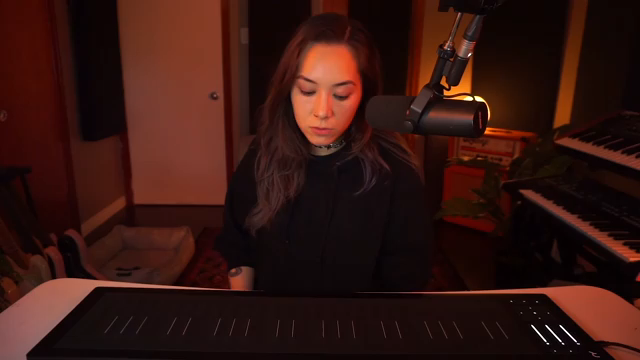
"The easiest way to solve this is by adjusting the glide settings, either in the Rolly Dashboard app or right on the seaboard here on the first fader, which controls the glide sensitivity."
© Screenshot/Quote: Weareroli (YouTube)
Five Dimensions, Infinite Nuance
"Another cool thing you can do with pitch, because it is MPE, you can play chords and bend individual notes in the chord without it affecting other notes within the chord."
© Screenshot/Quote: Weareroli (YouTube)
A core strength of the Seaboard RISE 2 is its five dimensions of expression: slide, glide, strike, lift, and press (aftertouch). OBLVYN highlights how these dimensions enable intricate melodic phrasing, from sliding into or out of notes using the ribbons to adding vibrato by rocking a finger. The ability to bend into notes or add grace notes—either a semitone or a whole tone away—brings a level of articulation rarely found in conventional MIDI controllers.
Perhaps most striking is the demonstration of MPE (MIDI Polyphonic Expression) in action. OBLVYN shows how individual notes within a chord can be bent independently, a feature that’s nearly impossible on traditional keyboards. Using a pad patch in Equator 2, she illustrates how the RISE 2’s architecture supports truly polyphonic expression, making it a powerful tool for both solo lines and complex harmonic textures.
Plugin Integration: Beyond Equator 2
The RISE 2’s versatility is further underscored by its compatibility with third-party plugins. OBLVYN notes that while the instrument ships with Equator 2—a synth designed from the ground up for MPE and multidimensional control—it can also be integrated with a wide range of external plugins. Preset browsing in Equator 2 is streamlined, with clear MPE capability indicators, allowing users to quickly find sounds that respond to all five dimensions of touch.
For other plugins, some setup is required to enable full MPE compatibility, but once configured, the RISE 2 opens up expressive possibilities across any sound engine. This flexibility positions the Seaboard as not just a proprietary controller, but a universal interface for expressive digital synthesis, provided users are willing to invest a bit of time in initial configuration.
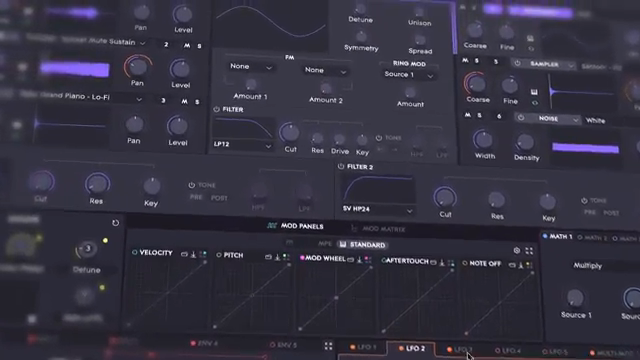
"With other third party plugins, there are a couple extra steps that you have to take to make it compatible with the seaboard."
© Screenshot/Quote: Weareroli (YouTube)
Expression Mapping: Sculpting Sound in Real Time
Expression mapping is where the Seaboard RISE 2’s digital architecture truly shines. OBLVYN contrasts traditional modulation sources—LFOs, automation, envelopes—with the direct, performative control offered by the Seaboard’s multidimensional touch. By mapping gestures like slide to parameters such as sync frequency modulation in Serum, she demonstrates how players can sculpt sound in real time, bypassing static automation for dynamic, hands-on control.
She also explores more advanced mappings, such as using expression to bring in a secondary synth layer only when a specific gesture is engaged. Editing a patch in Equator 2, OBLVYN shows how sliding up can fade in a pad layer, adding emotional depth or suspense to a performance. These examples highlight the RISE 2’s potential as a sound design instrument, not just a controller, giving users granular control over timbre and texture on the fly.
Maintenance Matters: Keeping the Surface Responsive
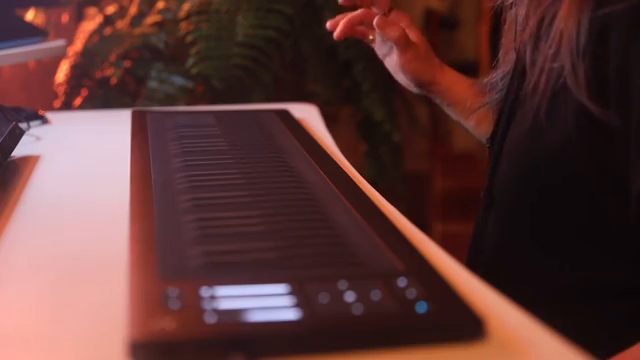
"Oils and dirt and particles build up over time and it actually adds resistance when you're trying to move or glide around."
© Screenshot/Quote: Weareroli (YouTube)
The final tip is refreshingly practical: regular cleaning of the Seaboard’s surface is essential for maintaining responsiveness. OBLVYN explains that oils and debris can build up over time, increasing resistance and making it harder to glide or slide smoothly. Her advice is straightforward—power down the device, use a damp (not wet) rag, and gently wipe the keys to restore their matte finish. This simple maintenance routine ensures that the RISE 2’s tactile interface remains as expressive and playable as intended.
This article is also available in German. Read it here: https://synthmagazin.at/roli-seaboard-rise-2-oblvyns-workflow-tipps-fuer-ausdrucksstarkes-digitales-spiel/
More articles about these products:
Watch on YouTube:
Latest articles
Watch on YouTube:
Visit the channel:
https://www.youtube.com/WeAreROLI
https://www.youtube.com/WeAreROLI
Links from WeAreROLI:
website: https://roli.com
instagram: https://www.instagram.com/we.are.roli
twitter: https://twitter.com/WeAreROLI
facebook: https://www.facebook.com/ROLI
Sponsored links:
If you purchase via these links, we may earn a small commission – at no extra cost to you. The link opens an Amazon keyword search, and results may vary depending on availability.
ROLI Equator 2
🔗 Check price on Amazon
🔗 Check price on Amazon
ROLI Seaboard Rise 2
🔗 Check price on Amazon
🔗 Check price on Amazon
Xfer Serum
🔗 Check price on Amazon
🔗 Check price on Amazon