Reverse echoes with stereo movement
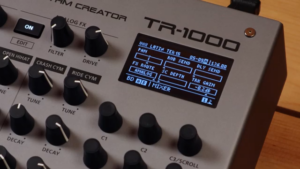
A backward-running echo that moves across the stereo field gives Roland’s free TR-1000 Rhythm Creator firmware 1.50 update an immediate hook. The official walkthrough, published October 21, 2026, calls it Reverse Pan Delay; the support page lists Rev Pan Delay. According to the presentation, the delay and panning LFO have independent timing controls. Processing does not have to cover the whole kit, either. Roland demonstrates assigning selected tracks to the MFX through their routing. That makes it possible to reserve the moving repeats for particular instruments rather than sending the entire beat into the same reverse effect.
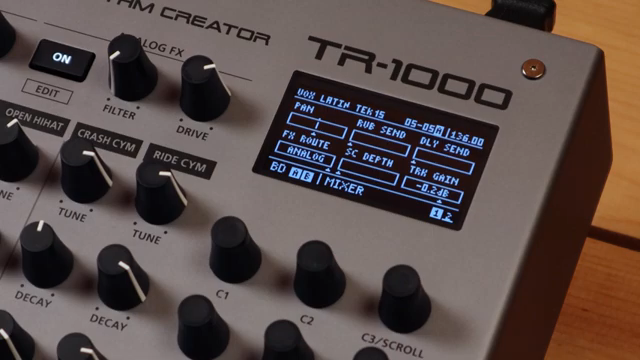
“The first new effect is reverse pan delay. Now this is a unique effect that applies a reverse delay along with panning to the delay signal.”
© Screenshot/Quote: RolandChannel (YouTube)
Roland TR-1000 Rhythm Creator – Amazon search
Search for this product on Amazon →
No verified direct product link was available. This link opens an Amazon keyword search; results may vary.
Advertising – affiliate link. If you buy through this link, we may earn a commission – at no extra cost to you.
An earlier criticism provides historical context
“The absence of a chromatic mode is something that's been mentioned by a lot of other reviewers, so if a firmware update is on the way, I would expect this to be high on the list of things to get in here.”
© Screenshot/Quote: The Midlife Synthesist (YouTube)
The sequencer changes may have a greater impact on everyday writing. For historical context, The Midlife Synthesist criticized the absence of a chromatic mode in a video published February 28, 2026, before version 1.50. His example involved setting individual pitches for a sawtooth oscillator, a process he described as cumbersome. His comments about a possible firmware update expressed an expectation, not a feature available at that time. Roland now addresses this area with NOTE data and Keyboard Mode. That does not establish that every earlier limitation has disappeared: the manufacturer specifies compatible sound generators rather than support for every sound.
Step buttons become a playable keyboard
Version 1.50 adds the NOTE step parameter and KEYBOARD play option for compatible GENs. In Roland’s demonstration, the step buttons become a keyboard for playback and recording. Notes can be played in real time and captured using Instrument Record. That provides a more direct route from a melodic idea to a sequence than adjusting pitches individually. Roland also demonstrates Root Step, which shifts the keyboard’s position. The short row of buttons is not suddenly a full-size keyboard, but it gains a clear melodic purpose for users developing bass lines or other pitched parts inside the rhythm machine.
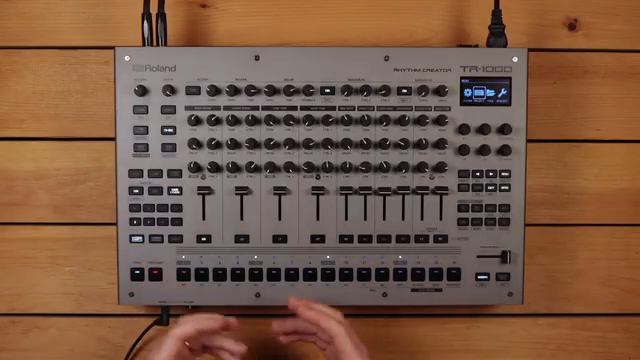
“With the new note parameter, we've also introduced keyboard mode as a new instrument play option.”
© Screenshot/Quote: RolandChannel (YouTube)
Separate control of analog and USB paths
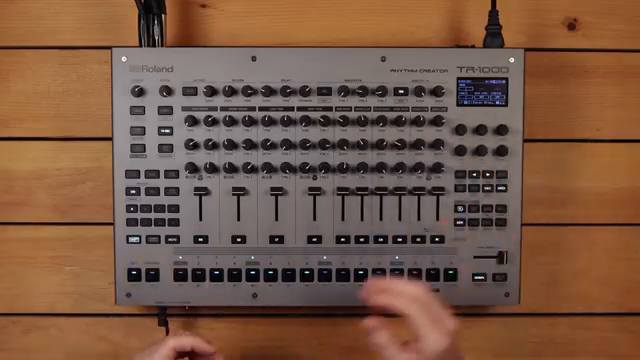
“We can route any track or the external input through the analog effects, MFX, or bypassing them completely.”
© Screenshot/Quote: RolandChannel (YouTube)
The routing discussion requires a distinction between the existing architecture and newly documented settings. Roland explains that tracks and the external input can pass through the analog effects or MFX, or bypass them. New options include MIX+ANA and ANALOG for the AFX section’s FX-ROUTE parameter. ANALOG sends the AFX signal exclusively to its designated output. INDV OUT also gains MIX ONLY, which suppresses a track’s signal at the corresponding individual analog output while keeping its digital audio output available over USB. This gives users more specific control when arranging analog connections alongside USB recording.
Keeping effects intact across kit changes
KEEP KIT EFX & EXT IN targets a potentially disruptive point in an arrangement: switching kits. When enabled, it retains the current settings for Ext In, Reverb, Delay, Mod, MFX, and AFX during the change. Roland says reverb, delay, and the external input signal continue without interruption. The operating principle matters here. This preserves existing effect and input settings; it does not arbitrarily merge every property of two different kits. Even with that distinction, it offers a practical tool for connected transitions, where an effect tail should not necessarily end just because the next kit has been selected.
More FM instruments and modulation targets
Reverse Pan Delay is not the only effect addition. The update history also lists Roll, Roll 2, and SBF-325 as new MFX types, with SBF-325 additionally available as an IFX. A feature list alone cannot establish how those effects will sound on a user’s material. The instrument expansion is more directly measurable: Roland brings 50 FM instruments from the TR-8S instrument library to the TR-1000. All FM GENs also receive a COARSE parameter. New modulation targets include PAN for Layers A and B and TIME for the IFX delay. The latter can also be assigned through KNOB ASSIGN.
Smaller changes to selection and preparation
Interface updates include clearer encoder assignments in Song Mode, a larger BPM display with tempo-nudge indicators, and a graphical representation of the EQ type in the filter. TUNE and DECAY OFFSET appear as inverted bar graphics above the relevant GEN parameter. With PATTERN SELECT MODE set to MANUAL, a pattern selected using the encoder is not applied until ENTER is pressed. Sample Auto Adjust matches imported sample levels to the target preset category. AUTO TRACK SELECT can automatically change tracks when step buttons are pressed during INST PLAY/REC. These changes concern navigation and preparation as much as presentation.
Free installation, with a backup first
Roland’s support lists System Program 1.50 for October 2026, and the official explainer video appeared on October 21. The update is free and, according to support, can also be installed through the TR-1000 app. The documented USB method requires a drive formatted in the TR-1000 with a maximum capacity of 64 GB. Roland recommends a backup beforehand, allowing about 20 minutes for that process and approximately three minutes for the update itself. Power must not be interrupted during installation. Overall, 1.50 expands melodic input, transitions, and signal organization. Reliability when combining these features in demanding live use still requires independent assessment.
Video used in this article
All other articles featuring the Roland TR-1000 Rhythm Creator
 Liam Killen Throws Down: TR-1000 vs TR-8S – Which Drum Machine Rules the Rave Bunker?
 AudioPilz Dishes the Dirt: What Your Synth REALLY Says About You
 Liam Killen’s TR-1000: Three Months in the Drum Matrix
 Bonedo Synthesizers Unleash the Roland TR-1000: Analog Thunder Returns
 Jorb Twists the OBNE Parting: Glitch, Grit, and Lo-Fi Mayhem
 Andrew Huang’s 2025 Gear Picks: Grooveboxes, Glitch and Gearhead Gold
 Geo Beats: Jon Makes Magic with the Roland TR-1000
 SanjayC’s Top Gear Picks for 2025
 Scott’s Synth Stuff Storms Sweetwater: 2025’s Top 20 Synths Get the Rave Bunker Treatment
 SanjayC Unleashes the Synth Slap at Synth Expo 2025
 SanjayC Drops a Synth Bomb: Akai’s MPC Live III and More
 RolandChannel’s TR-1000 Rhythm Creator: Hybrid Powerhouse for Modern Beat Architects
All YouTube videos featuring the Roland TR-1000 Rhythm Creator
Primary – main topic (24)
 TR-1000 and Techno with FJAAK | Inside Rhythm | Roland
 Inside Rhythm with Nadia Struiwigh | Roland TR-1000
 Roland: TR1000 firmware 1.2 - Superbooth 2026
 TR-1000 vs Every Other Analog Drum Machine in 2026
 TR-1000 vs TR-8S // Which one is right for you ?
 The Incredible TR 1000: Love it, Don't Need it
 Get the TR909 upfront presences from the TR1000 ... or anything else for that matter!
 Jeff Mills Drum Tutorial on Roland TR1000
Show all (16 more)
 3 months with the TR-1000 // Here’s what I think now
 Roland TR-1000 - Five Minutes With Demo - Ultimate Drum Machine?
 NAMM 2026: Roland TR-1000 Demo and Interview
 Roland TR-1000 and eurorack | Hypnotic dance
 Gear of the Year 2025 – Part 1: The best synths, samplers, controllers and music tech hardware
 BEST SYNTHS & MUSIC PRODUCTION GEAR 2025
 What the hell is this lol
 I tried out the TR-1000 // It blew my mind as expected
 Molten Music Monthly October 2025
 Hands-on with Roland's TR-1000: How to use sequencing, sampling, Morph and more
 Roland TR 1000 Akai MPC LIVE 3 MIDI 2.0 Fiedler Audio Mastering Console Eventide Deal der Woche
 Roland TR-1000 Rhythm Creator | Everything You Need to Know
 Review: Roland TR-1000 // The analog drums, new sampling features, and morph // tutorial
 TR-1000: Roland's Return to Analogue Drums
 Roland TR-1000 Rhythm Creator - Next Generation - SonicLAB Presentation
 Roland TR-1000 - Roland's First Analogue Drum Machine in Over 40 years!?
Substantial coverage (6)
 The OXI Playbook #5 — From Simple Seeds to Complex Patterns
 “Nobody knows what's going to happen”: Speedy J breaks down his live improv sets in the STOOR studio
 OBNE Parting // An Innovative Approach to Lo-Fi Effects
 10 Must-Have Music Gear in 2025
 I went to the SYNTH EXPO...these BLEW me away!
 Akai just changed MPC FOREVER!

