If you reckon your Eurorack needs a digital jolt, DivKid’s deep-dive into the Music Thing Workshop Computer will have you grinning like a kookaburra at a sausage sizzle. This 8HP module is a digital Swiss army knife for audio and CV, packing everything from random sequencers to tape-style loopers in a case smaller than your average stubby. With a stack of wild program cards—some from RYK, some from the community—this little box is as unpredictable as Melbourne weather. DivKid’s signature style keeps things cheeky, clear, and full of patching mischief, making this video a must-watch for anyone keen on modular chaos or just after some new tricks for their next outdoor rave.
20. March 2026
TAS
DivKid’s Workshop Computer: A Modular Toolbox Wilder Than a Roo at a Bush Doof
Meet the Workshop Computer: Small Size, Big Punch
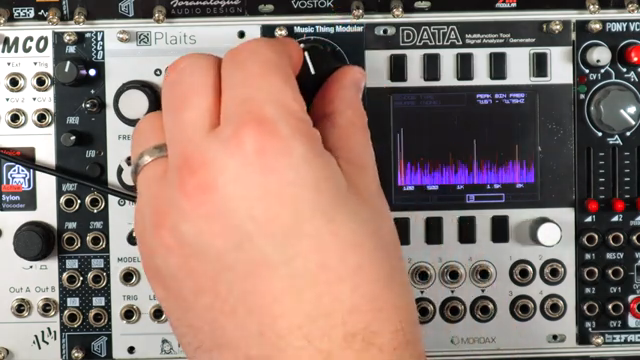
DivKid kicks things off by introducing the Music Thing Workshop Computer, a compact 8HP Eurorack module that’s basically a digital toolbox for both audio and CV. This little ripper breaks out from the larger Workshop System and lands in your rack as a standalone utility, ready to stir up your patch like a possum in your picnic basket. It’s affordable, quirky, and designed to be as experimental as you like, with a nod to the early days of digital music computing.
The panel layout is as straightforward as a Bunnings sausage sizzle: two audio/CV ins and outs, extra dedicated CV and pulse connections, and a big friendly knob with mini pots for X and Y control. Program cards slot in with a satisfying click, and loading new functions is as easy as dragging files over USB. DivKid’s approach is all about hands-on exploration, and he makes it clear that this module is built for tinkerers, not just menu-divers. If you’re after a device that can wear a dozen hats and still fit in your gig bag, this one’s a fair dinkum contender.
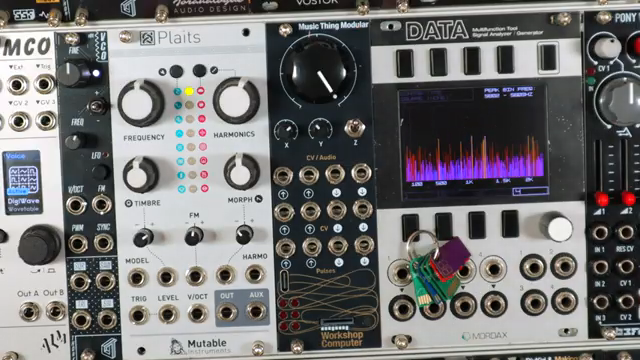
"It's often quirky, can be lo-fi and Tom encourages seeing it as an experimental digital platform with plenty of CV and gate modulation options."
© Screenshot/Quote: Divkid (YouTube)
RYK Cards: Pitch Shifting, Vocoding, and Lo-Fi Mayhem
"It's too much fun but this is also a delay where the y sets the delay time."
© Screenshot/Quote: Divkid (YouTube)
The new program cards from RYK are where things get truly bonkers. DivKid dives into pitch-shifting delays that’ll make your synths shimmer, tape-style loopers that mangle audio like a BBQ gone wrong, and a vocoder that transforms signals into robotic choirs or dub techno stabs. The 910 Pitched Delay card, for example, lets you pitch-shift and delay anything from voices to sitars, serving up everything from lush harmonies to 80s drum smush. The feedback and mix controls are ripe for abuse, and the lo-fi character is as crunchy as a burnt snag.
Then there’s the 355 Pitch to Voltage and 350 Vocoder cards, which turn guitars into synths and beats into spectral madness. The pitch tracking is glitchy in all the right ways, and envelope following opens up wild modulation options. The vocoder’s internal chord generator means you can conjure up everything from classic robot voices to dubby chord stabs, all with that signature RYK unpredictability. If you like your effects a bit left of centre, these cards are a playground for sonic mischief.
Creative Chaos: Experimental Audio and CV Playground
The Workshop Computer isn’t just about effects—it’s a breeding ground for creative patching and experimental control. DivKid shows off how MIDI and CV can talk both ways, letting you sequence analog gear from your DAW or send modular voltages back to your computer for hybrid madness. This two-way street is perfect for anyone who wants to blur the lines between hardware and software, or just automate their next bush doof set from Ableton while the kangaroos dance.
Beyond MIDI wizardry, cards like SlowMod offer quad LFOs with cross-modulation, while Reverb+ brings everything from tight gated rooms to cavernous ambient washes. The interface stays simple, but the results are as wild as a storm at Meredith. Modulation, feedback, and randomisation are all on tap, making this module a launchpad for happy accidents and off-the-wall patches. DivKid’s playful style keeps things approachable, but you’ll want to watch the video to catch the full scope of patching antics and modulation tricks.
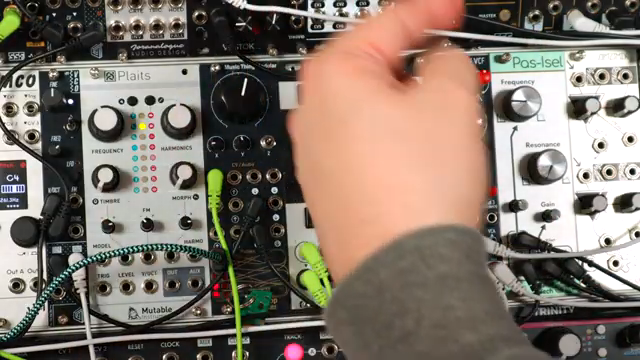
"It's really powerful two-way bit of communication."
© Screenshot/Quote: Divkid (YouTube)
Community Cards: The Heart of the Workshop
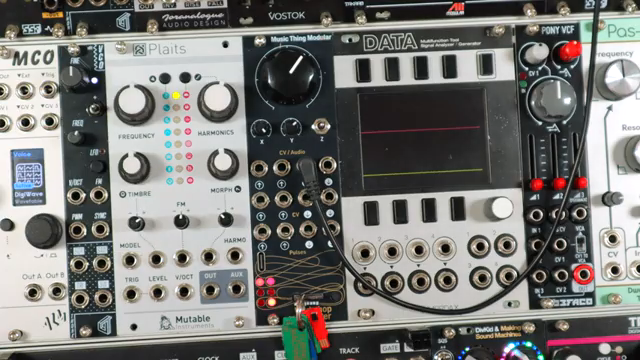
"You can download them or you can now choose two of them and run them as a pair with the left and right side of the module."
© Screenshot/Quote: Divkid (YouTube)
What really sets the Workshop Computer apart is its thriving community of card creators. DivKid highlights how users like Chris J have cooked up hundreds of program cards, from Buchla-inspired wavefolders to five-step sequencers and random voltage generators. There’s even an Uber Card that lets you combine functions for a modular playground wilder than a New Year’s Eve on St Kilda beach. Loading new cards is a breeze, and the open platform means the module keeps evolving as the community dreams up new sonic mischief. If you’re the type who likes to tinker, swap cards, and share discoveries, this is your scene.
Sound Demos: From Rainstorms to Tape Loops
DivKid doesn’t just talk the talk—he walks the walk with a stack of sound demos that show the Workshop Computer in action. From tape-style loopers that capture drones and layer melodies, to field-recorded rain turned into crunchy digital noise, the sonic palette is as broad as the Nullarbor. The module shines in both subtle processing and full-blown experimental chaos, letting you sculpt everything from shimmering pads to glitchy textures and robotic chords.
But mate, words barely do justice to the wildness on offer here. If you want to hear backyard rain morph into vocoder chords, or see how a single oscillator can become a three-note chord machine, you’ll need to watch the video. DivKid’s patching is as inventive as ever, and the Workshop Computer proves itself as a must-have for anyone chasing modular mayhem or just a few new tricks for their next warehouse party.
This article is also available in German. Read it here: https://synthmagazin.at/divkids-workshop-computer-ein-modular-toolbox-wilder-als-ein-kaenguru-auf-dem-rave/
Watch on YouTube:
Latest articles
Watch on YouTube:
Visit the channel:
https://www.youtube.com/DivKid
https://www.youtube.com/DivKid
Links from DivKid:
Patreon: https://patreon.com/divkid
Website: https://divkidvideo.com
Instagram: https://instagram.com/divkidvideo
Twitter: https://twitter.com/divkid
Facebook: https://facebook.com/Sir.DivKid
Sponsored links:
If you purchase via these links, we may earn a small commission – at no extra cost to you. The link opens an Amazon keyword search, and results may vary depending on availability.
Music Thing Workshop Computer
🔗 Check price on Amazon
🔗 Check price on Amazon
RYK Program Cards
🔗 Check price on Amazon
🔗 Check price on Amazon