Arturia’s official walkthrough of the MiniFreak 5.0 update spotlights a significant leap for both hardware and software users. With a fresh sound bank of 23 presets, sample and wavetable import, and robust content management, MiniFreak takes a major step toward user-driven sound design. We examine how these new features reshape the workflow and open creative doors, while remaining grounded in the actual hands-on processes shown in the video.
16. September 2026
LYRA
Arturia MiniFreak 5.0: Sample Power and Library Control Unleashed
A Fresh Bank: 23 Presets in the Spotlight
The MiniFreak 5.0 update launches with a newly crafted sound bank, containing 23 presets that leverage both the sample-based and wavetable engines. Arturia’s approach here is to showcase the expanded sonic palette that these engines can deliver, providing users with a direct taste of the instrument’s evolving character. The new presets demonstrate how samples and wavetables can be used for diverse timbres, from percussive hits to lush pads, immediately accessible after updating.
A key workflow detail: when auditioning these presets, associated samples and wavetables are loaded into the hardware’s volatile memory, allowing users to preview sounds without filling up permanent storage. This preview content is wiped on power-off, so only what you intentionally transfer becomes permanent. To keep specific sounds, simply drag and drop them from MiniFreak V onto the hardware—a clear nod to an organized and non-destructive browsing experience.
User Content Import: The Game Changer
Version 5.0’s headline addition is the ability to import your own samples and wavetables directly into MiniFreak V. This opens up the instrument to personalized sound libraries, letting users inject field recordings, unique sample packs, or custom wavetables into their creative setup. Only the sample-based and wavetable engines support user content, ensuring that import remains focused and manageable within the instrument’s architecture.
The process is designed for accessibility: select a compatible engine, tap the sample name field, and use the import function in the content browser. MiniFreak V automatically converts and trims audio to the required 12-bit, 32 kHz format, with a maximum length of 6 seconds per sample. There’s no manual prep needed—just drag, drop, and play. User content is clearly marked with a “USR” prefix, streamlining navigation and highlighting your custom additions.
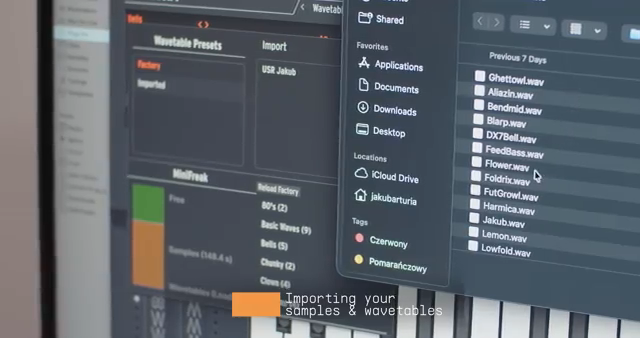
"Thanks to the update 5.0, Minifreak now allows its users to import their own samples and wavetables."
© Screenshot/Quote: Arturiaofficial (YouTube)
Managing Your Library: Hardware and Software in Sync
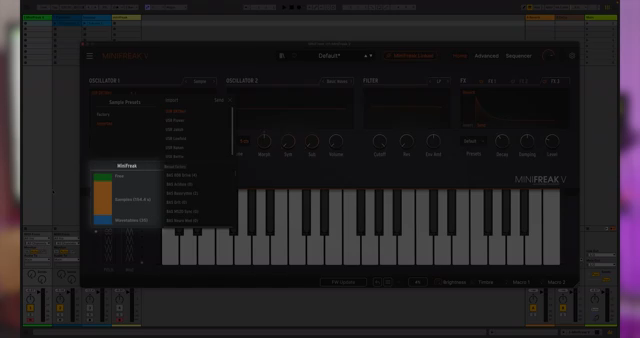
"Here you can see how much memory is used, how many samples and wavetables are stored and how much free space remains."
© Screenshot/Quote: Arturiaofficial (YouTube)
With MiniFreak 5.0, Arturia puts comprehensive user content management front and center. Imported samples and wavetables live in MiniFreak V by default, giving users the option to curate what gets sent to the hardware. When the MiniFreak hardware is connected, a dedicated management panel lets you monitor memory usage, view all stored user and factory content, and see exactly how much space remains for new material. Transferring content is straightforward—simply drag and drop or click send, and a transfer widget reveals the file size and progress.
Browsing your custom content on hardware is handled through a familiar logic: select the appropriate engine, then use shift plus the type control to scroll through available samples or wavetables, with all user content tagged for easy identification. Removing content is equally direct: right-click to remove, with the system alerting you if any presets rely on that sample. This ensures you don’t inadvertently break sounds in your library.
If your device feels cluttered, the reload factory function wipes all user content and restores the hardware to its original state. This reset option is a practical addition for users who want to refresh their instrument or clear out experimental material, keeping the system clean and organized for future sessions.
Creative Tips: From Percussive Hits to Sonic Mutations
The video wraps up with practical inspiration for making the most of the new import features. Users are encouraged to bring in short percussive hits or vocal snippets for rhythmic textures, expanding the MiniFreak’s range beyond traditional synth sounds. The ability to import wavetables from other instruments means the character of MiniFreak is now limited only by your imagination—and your sample library.
Combining imported content with MiniFreak’s modulation system and performance controls unlocks a new world of sound design potential. It’s a workflow that supports both meticulous planning and quick, experimental sessions, highlighting the dual appeal of the updated instrument for studio producers and live performers alike.
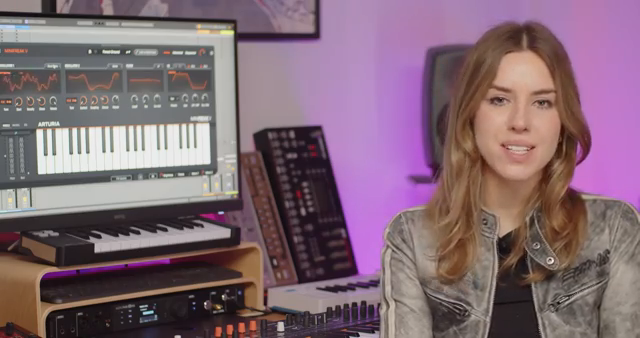
"Try importing short percussive hits or vocal snippets and using them with the sample-based engines for rhythmic textures."
© Screenshot/Quote: Arturiaofficial (YouTube)
This article is also available in German. Read it here: https://synthmagazin.at/arturia-minifreak-5-0-sample-power-und-bibliothekskontrolle-entfesselt/
More articles about these products:
Watch on YouTube:
Latest articles
Watch on YouTube:
Visit the channel:
https://www.youtube.com/ArturiaOfficial
https://www.youtube.com/ArturiaOfficial
Links from ArturiaOfficial:
website: https://www.arturia.com
instagram: https://instagram.com/arturia_official
twitter: https://twitter.com/ArturiaOfficial
soundcloud: https://soundcloud.com/arturia-official/albums
Sponsored links:
If you purchase via these links, we may earn a small commission – at no extra cost to you. The link opens an Amazon keyword search, and results may vary depending on availability.
MiniFreak
🔗 Check price on Amazon
🔗 Check price on Amazon
MiniFreak V
🔗 Check price on Amazon
🔗 Check price on Amazon