WaldorfMusicChannel delivers a methodical walkthrough of the Iridium Core, the latest addition to their Quantum/Iridium family, aimed squarely at synth enthusiasts who crave deep digital architecture and hands-on performance. This official tutorial doesn’t just skim the surface—it systematically explores global settings, patch management, modulation workflows, and the flexible synthesis engines that define the Iridium Core’s identity. With a focus on real-world usability, the video demonstrates how to navigate its layered architecture, performance macros, and MIDI integration, while also highlighting the importance of firmware updates and preset management. For anyone curious about how Waldorf’s digital DNA translates into workflow and sound design, this video is a solid primer.
31. August 2024
LYRA
WaldorfMusicChannel’s Iridium Core: Digital Powerhouse for Modular Minds
Iridium Core: A Digital Synthesis Statement
The Iridium Core is introduced as a formidable entry in Waldorf’s Quantum/Iridium lineup, promising a synthesis platform built for both versatility and depth. Right from the start, the video positions the instrument as a tool for users who want more than just presets—they want a gateway into complex sound design and performance. Waldorf’s approach is to make the initial experience approachable, with a guided start screen and reminders about keeping the system updated.
The tutorial sets expectations: this is not a superficial demo, but a structured overview of functions that will be explored in even greater detail in future videos. The Iridium Core is presented as a digital synthesizer that balances immediate playability with the potential for deep architectural exploration, fitting neatly into Waldorf’s tradition of sound-designer-focused instruments.
Global Settings, Mod Matrix, and Patch Management
Diving into the global settings, the video demonstrates how users can tailor the Iridium Core’s behavior to their workflow. From choosing which preset loads at startup to adjusting display and LED brightness, Waldorf provides a range of options that cater to both studio and stage environments. Potentiometer behavior is configurable, with a recommended ‘catch’ mode to prevent abrupt parameter jumps—a thoughtful touch for live tweaking.
The modulation matrix is a central pillar of the Iridium Core’s architecture. Up to 40 modulation routings can be created, with an intuitive interface that allows quick assignment of sources and targets. The video highlights how modulation sources like pitch bend, aftertouch, and velocity are readily available, and how the MOD button provides direct access to the matrix. This is classic Waldorf: deep, but not needlessly convoluted.
Patch management is equally robust. With over 1500 factory presets, users can browse, select, and load programs efficiently. The process of calling up patches, entering program numbers, and using macro and pad controls is designed for both exploration and performance. The four rotary encoders below the display are assignable, supporting both default and user-defined mappings, and can be linked to modulation destinations for hands-on control.
Workflow in Action: MIDI, Performance Tools, and Favorites
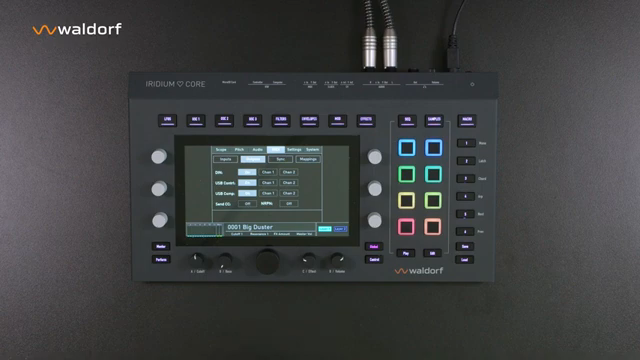
The tutorial moves into practical territory by showcasing how the Iridium Core integrates with external MIDI devices. Users can connect keyboards or controllers via USB, configure MIDI channels, and enable MPE for expressive control. The video also covers synchronization via MIDI clock and the mapping of MIDI CCs, making it clear that the instrument is designed to slot into both DAW-based and hardware-centric rigs.
Performance tools are front and center: the arpeggiator, sequencer, and pad functions are demonstrated with real patch examples. The latch and control buttons facilitate creative play, while the perform page offers access to modulation, pitch, aftertouch, and pad velocity—even when no keyboard is attached. The inclusion of an XY pad as a modulation source adds another layer of expressive potential.
Favorites management is a thoughtful addition for live performers. Users can store their go-to sounds in six banks of twenty slots each, with quick recall via the interface or program change messages. This system is clearly designed for fast access during gigs or complex studio sessions, reinforcing the Iridium Core’s role as a performance-ready instrument.
"In the MIDI menu you can activate the desired inputs and outputs, set MIDI channels or activate the MPE function if required."
© Screenshot/Quote: Waldorfmusicchannel (YouTube)
Five Synthesis Engines: The Heart of Customization
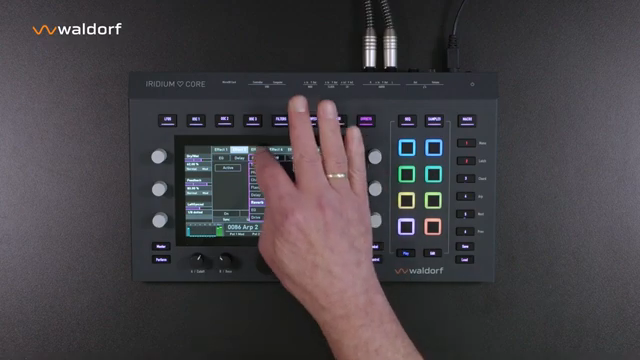
"One out of the five available synthesis forms can be assigned to each oscillator."
© Screenshot/Quote: Waldorfmusicchannel (YouTube)
A highlight of the Iridium Core is its ability to assign one of five synthesis forms to each oscillator: wavetable, classic waveforms, particle (sampling and granular), resonator, and kernel (FM). The video demonstrates how each engine is color-coded for clarity, and how users can quickly swap synthesis types to radically reshape a patch. Each engine comes with its own folder of pre-made settings and templates, streamlining the process of sound creation.
This flexibility is not just theoretical—the tutorial shows real-world patch examples where different engines are layered and mixed. Users are encouraged to experiment, save their own templates, and explore the sonic breadth that these engines provide. For sound designers, this architecture is a playground for both subtle tweaks and wild transformations.
Updates, Presets, and the Evolving User Experience
Waldorf emphasizes the importance of keeping the Iridium Core’s firmware up to date, with clear instructions on accessing OS updates via the myWaldorf portal. The video notes that update reminders are built into the start screen, and that detailed manuals and FAQs are available for users who want to dig deeper.
The wealth of factory presets and sound templates is positioned as both a creative resource and a learning tool. By exploring these presets and saving custom templates, users can quickly build a personalized sound library. The video closes by inviting users to embark on their own journey through the Iridium Core’s expansive sonic landscape, with the assurance that there is always more to discover.
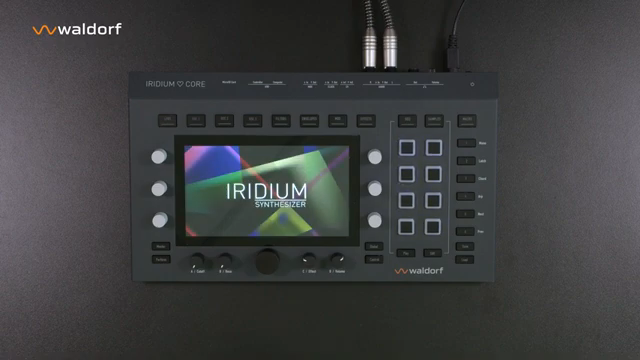
"A start screen will appear with a message to keep the synthesizer up to date, with regular updates."
© Screenshot/Quote: Waldorfmusicchannel (YouTube)
Watch on YouTube:
Latest articles
Watch on YouTube:
https://www.youtube.com/WaldorfMusicChannel
Links from WaldorfMusicChannel:
Sponsored links:
If you purchase via these links, we may earn a small commission – at no extra cost to you. The link opens an Amazon keyword search, and results may vary depending on availability.
🔗 Check price on Amazon