WaldorfMusicChannel dives deep into the Blofeld Plugin’s new Preset Browser, offering a digital workflow that extends the classic Blofeld hardware into a modern, organized sound design powerhouse. This official tutorial walks through group management, search filtering, sample and sound set import, and the plugin’s approach to multi-part layering—all with Waldorf’s signature focus on evolving textures and detailed synthesis. For both Blofeld veterans and newcomers, the video highlights how the plugin’s architecture supports complex, dynamic soundscapes while keeping user experience at the forefront. If you’re curious about how digital sound management can transform your synth workflow, this is a must-watch.
18. December 2024
LYRA
WaldorfMusicChannel Blofeld Plugin: Preset Browsing and Sound Management, Reimagined
Blofeld Plugin: Expanding the Digital Frontier
The Blofeld Plugin is introduced as a significant evolution for Waldorf’s digital synthesis ecosystem, building on the legacy of the Blofeld hardware. The video positions the plugin not just as a virtual version, but as a tool that enhances sound design and organizational capabilities beyond what the hardware alone offers.
WaldorfMusicChannel sets the stage by acknowledging the familiarity many users have with the Blofeld’s core synthesis features, then pivots to the Preset Browser as a new centerpiece. The emphasis is on workflow: the plugin’s digital environment is designed to streamline patch management and make deep sound exploration more accessible.
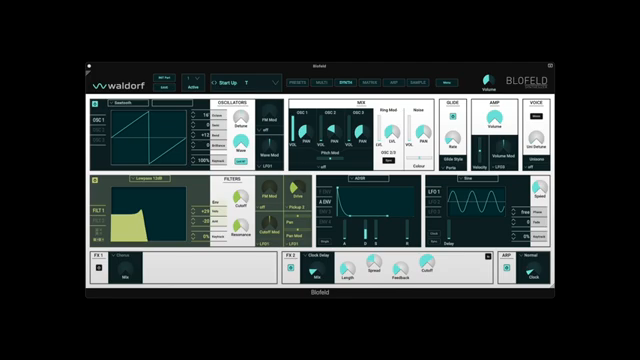
"However, the Preset Browser, a powerful tool with many possibilities, is a new feature."
© Screenshot/Quote: Waldorfmusicchannel (YouTube)
Preset Browser Deep Dive: Groups, Filters, and Customization
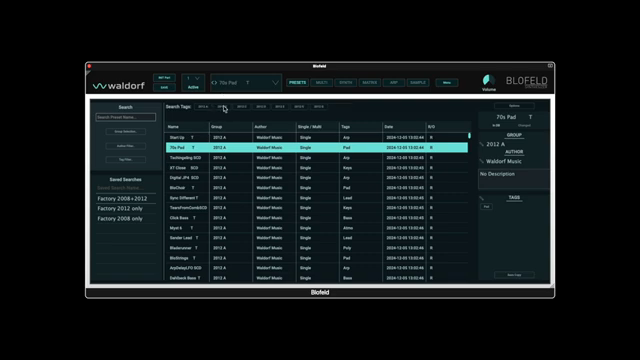
"The browser in the center therefore always shows the result that has been set in the search functions."
© Screenshot/Quote: Waldorfmusicchannel (YouTube)
The heart of the video is a thorough walkthrough of the Preset Browser, which leverages a robust database to organize, search, and manage sounds. Users can create and manage groups, making it easy to keep track of imported sound sets or banks from connected Blofeld hardware. The left-hand search area allows for granular filtering by group, author, tags, and more, with active filters clearly displayed and easily toggled.
Customization is a strong suit here: users can rename, create, or delete groups directly from the browser, and even save complex search queries for instant recall. Editing preset metadata—such as name, group, and author—is straightforward, with changes applied via intuitive double-click actions. The system automatically generates new groups or authors as needed, ensuring organization evolves with your library.
Sorting and options menus add further depth, letting users quickly reorder presets by name or date, and manage write-protected factory sounds with clear visual cues. The browser’s flexibility is designed to support both quick browsing and detailed sound curation, a clear nod to Waldorf’s sound-designer-centric philosophy.
Importing Sound Sets and Managing Samples: Streamlined Integration
The plugin’s import workflow is engineered for efficiency, allowing users to bring in sound sets from both Waldorf’s shop and external sources. Before importing, it’s recommended to create dedicated groups for new sound banks, ensuring a tidy library. The process accommodates both standard presets and those requiring sample sets (WPC files), with clear steps for linking samples to their corresponding patches.
Sample management is handled with care: the plugin distinguishes between templates (multi-sample programs) and individual samples, and provides tools for importing, viewing, and organizing these assets. The video notes the importance of loading the correct WPC files for sample-based sound sets, as internal linking is crucial for proper playback. The system also supports importing and exporting user-created presets and banks, making it easy to share or back up your work.
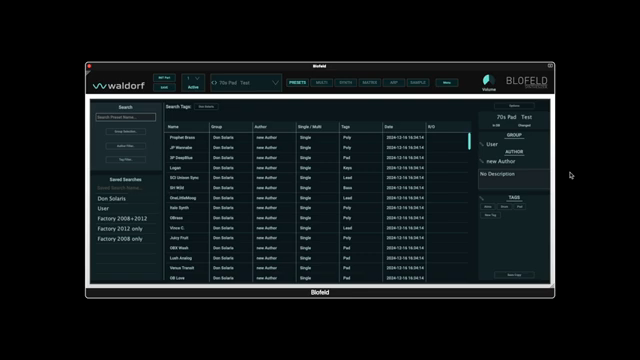
"The import of a required WPC file for a sound set, which uses samples is always necessary."
© Screenshot/Quote: Waldorfmusicchannel (YouTube)
Multimode and Layered Soundscapes: Building Complexity
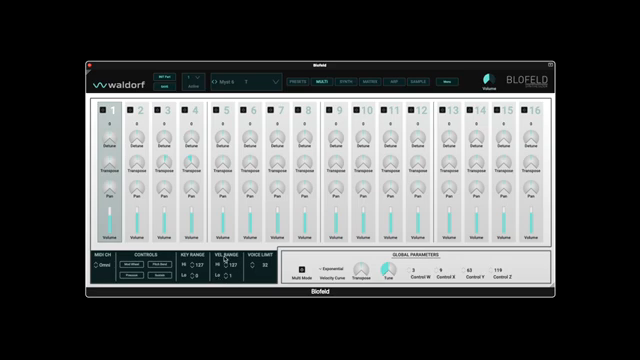
"The use of key and velocity zones per part makes it possible to create interesting multi-layer sounds."
© Screenshot/Quote: Waldorfmusicchannel (YouTube)
The Blofeld Plugin’s multimode is highlighted as a powerful feature for constructing layered, dynamic sounds. Up to sixteen parts can be activated, each with its own key and velocity zones, enabling intricate multi-layered patches. While DAW users might simply open multiple plugin instances, the integrated multimode offers a more cohesive approach to complex sound design within a single environment.
Assigning presets to different parts is straightforward, and the video demonstrates how layering identical patches with varied transpositions can quickly yield rich, stab-like textures. The absence of a separate memory area for multis (as found in the hardware) is noted, but the plugin compensates by visually grouping active parts and tags, streamlining the process for users seeking deep, performance-ready setups.
A Comprehensive Digital Sound Environment
In summary, the Blofeld Plugin emerges as a robust environment for both newcomers and experienced Waldorf users. Its blend of advanced preset management, sample integration, and multi-part layering reflects a thoughtful approach to digital sound architecture. While the video focuses on organizational and workflow features, it’s clear that the plugin is designed to support creative exploration and efficient sound design in modern production contexts.
This article is also available in German. Read it here: https://synthmagazin.at/waldorfmusicchannel-blofeld-plugin-preset-browsing-und-sound-management-neu-gedacht/
Watch on YouTube:
Latest articles
Watch on YouTube:
Visit the channel:
https://www.youtube.com/WaldorfMusicChannel
https://www.youtube.com/WaldorfMusicChannel
Links from WaldorfMusicChannel:
website: https://waldorfmusic.com
product_quantum_mk2: https://waldorfmusic.com/quantum-mk2
facebook: https://www.facebook.com/WaldorfMusic
twitter: https://twitter.com/WaldorfGmbH
Sponsored links:
If you purchase via these links, we may earn a small commission – at no extra cost to you. The link opens an Amazon keyword search, and results may vary depending on availability.
Blofeld Hardware-Synthesizer
🔗 Check price on Amazon
🔗 Check price on Amazon
Blofeld Plugin
🔗 Check price on Amazon
🔗 Check price on Amazon