Sanjay C is back with a deep dive into the Novation Launch Control 3—a MIDI controller that’s more compact than your average sandwich but promises to turbocharge your DAW workflow. Forget endless mouse-clicking: this pint-sized slab of knobs, screen, and LEDs is all about tactile control, fast mixing, and hands-on plugin tweaking. Sanjay’s signature style—clear, practical, and just a bit gear-nerdy—cuts through the fluff, showing why this controller might be the missing weapon in your studio arsenal. If you’re tired of plastic toys and want a controller that feels like it means business, this one’s worth a look.
8. March 2026
SPARKY
Sanjay C Unleashes the Novation Launch Control 3: Small Box, Big Moves
Tiny Box, Massive Workflow Upgrade
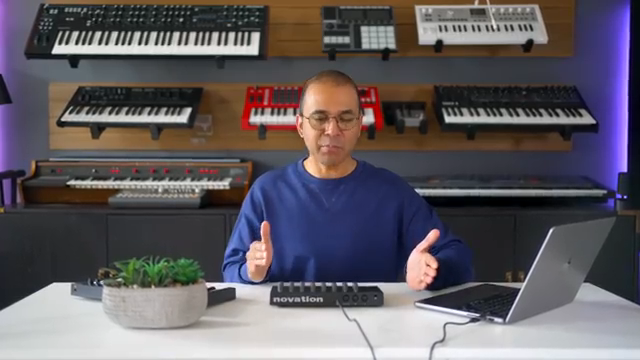
The Novation Launch Control 3 lands on your desk looking like a toy, but don’t be fooled—it’s a compact MIDI controller built to give you hands-on command over your DAW, plugins, and even hardware synths. Sanjay C wastes no time showing how this thing is designed for producers who want to ditch the mouse and actually touch their sound. With 16 endless rotary encoders and eight assignable buttons, you’re set for real-time tweaking without menu-diving or trackpad gymnastics.
Plug it in via USB-C or full MIDI, and you’re ready to control everything from Ableton to hardware boxes. The OLED screen and track buttons mean you can mute, solo, and arm tracks without ever reaching for your mouse. Sanjay’s approach is all about making the studio feel more like an instrument and less like a spreadsheet—exactly what this controller is built for.
Knobs, Screen, and a Rave in the Dark
What sets the Launch Control 3 apart? For starters, those 16 endless encoders are mapped to plugin parameters, so you can twist your way through filter cutoffs, EQ bands, and more without parameter jumps or confusion. Sanjay points out that these knobs are smooth and the build quality punches above its price—finally, a controller that doesn’t feel like it’ll snap in half during a late-night jam.
But the real kicker is the OLED display and RGB LED feedback. The screen shows parameter names and values as you turn, so you’re never guessing what you’re actually controlling. And when the lights go down, those LEDs under each encoder light up in different colours, making it dead easy to see what’s what—even in a bunker-level dark studio. It’s a small touch that makes a big difference, especially when you’re in the zone.
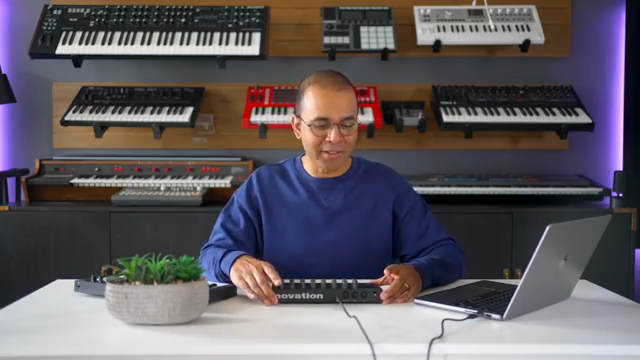
"This thing feels premium. It feels more expensive than it really is."
© Screenshot/Quote: Sanjayc (YouTube)
Mixing Without the Mouse: Ableton and Beyond
Sanjay shows how the Launch Control 3 isn’t just for plugin tweaking—it’s a legit mixing tool, especially in DAWs like Ableton Live. With a dedicated mixer mode, you can control track levels, panning, and sends across multiple tracks. One row of encoders handles levels, the other pans or sends, and the OLED screen keeps you locked in on what you’re adjusting.
No more endless clicking or screen-staring—just grab a knob and ride the mix. The LED feedback even reflects pan positions with colour changes, so you can see at a glance where things are sitting. It’s a workflow boost for anyone who wants to keep their hands on the music and off the mouse, whether you’re in the studio or on stage.
Launch Control 3 vs XL MK3: Size, Value, and Desk Real Estate
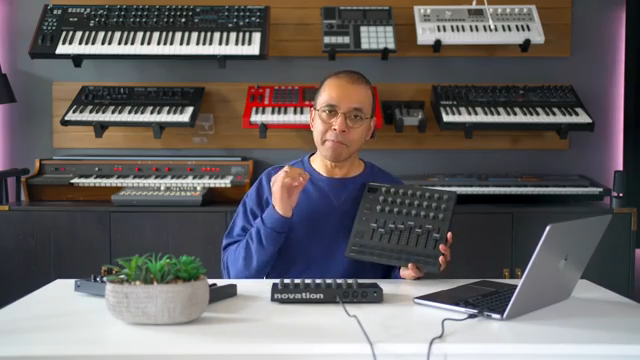
"The XL might actually be a better value for the money if you have the desk space for it."
© Screenshot/Quote: Sanjayc (YouTube)
Here’s where things get spicy: Sanjay lines up the Launch Control 3 against its bigger sibling, the Launch Control XL MK3. The XL brings eight more encoders, eight faders, and dedicated transport controls—making it a monster for those who want maximum control. If you’ve got the desk space, the XL is actually better value per control, coming in at about four bucks a knob, compared to five for the smaller version.
But the Launch Control 3 fights back with its compact footprint. If your studio is more shoebox than spaceship, or you need something portable for live gigs, the smaller box wins. Sanjay’s breakdown is clear: go XL for full-on mixing and fader action, stick with the 3 if you want a street-smart, space-saving controller that still packs a punch.
Missing Touches: Where the Launch Control 3 Falls Short
Of course, nothing’s perfect. Sanjay calls out the lack of touch-sensitive encoders—if you want to preview a parameter, you’ve got to hold shift and wiggle, which isn’t exactly slick. There’s also no on-device MIDI learn, so mapping controls means diving into your DAW or Novation’s software. And if you’re a fader fanatic, you’ll miss them here—this box is knobs-only territory.
Still, for the price and build, it’s hard to complain too much. Sanjay points out alternatives like the Akai MIDI Mix and Korg Nano Control Studio, but neither nails the combination of endless encoders, screen, and integration like the Launch Control 3. If you want faders, go XL; if you want a compact, tactile controller that feels premium and gets the job done, this one’s a proper contender. For the full sound and workflow demo, you’ll want to check the video—some things just hit harder when you see (and hear) them in action.
This article is also available in German. Read it here: https://synthmagazin.at/sanjay-c-entfesselt-den-novation-launch-control-3-kleine-kiste-grosse-moves/
Watch on YouTube:
Latest articles
Watch on YouTube:
Visit the channel:
https://www.youtube.com/SanjayC
https://www.youtube.com/SanjayC
Links from SanjayC:
Instagram: https://www.instagram.com/sanjayc/
Sponsored links:
If you purchase via these links, we may earn a small commission – at no extra cost to you. The link opens an Amazon keyword search, and results may vary depending on availability.
Novation Launch Control 3
🔗 Check price on Amazon
🔗 Check price on Amazon
Novation Launch Control XL MK3
🔗 Check price on Amazon
🔗 Check price on Amazon