RolandChannel’s latest walkthrough puts the GO:KEYS 3 front and center as a beginner-friendly launchpad for pop song creation. With a focus on intuitive controls, built-in speakers, and a streamlined interface, the video aims to demystify the process of composing and performing a full track—no prior experience required. The highlight is the Arranger function, which transforms a simple keyboard into a one-stop songwriting station. We dive into how the video demonstrates melody building, sound selection, and performance tweaks, all while keeping the workflow accessible and fun for newcomers.

21. November 2024
LYRA
RolandChannel’s GO:KEYS: Pop Song Creation for Beginners, Streamlined
GO:KEYS—Designed for Effortless Beginnings
RolandChannel opens with the GO:KEYS 3, emphasizing its mission: to make music creation approachable for absolute beginners. The keyboard’s streamlined design and touch-sensitive keys are positioned as core strengths, allowing users to jump in without a steep learning curve. Built-in speakers mean there’s no need for external gear, and the option to use headphones ensures private practice sessions.
The video’s presenter frames the GO:KEYS as a tool that removes intimidation from the songwriting process. By focusing on ease of use and immediate musical gratification, Roland aims to unlock creativity for users at any stage. The message is clear: you don’t need to be a seasoned player to start making music that feels rewarding.
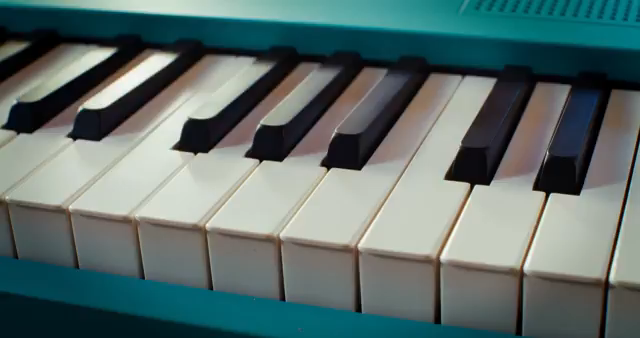
"That might sound intimidating, but Go Keys actually makes it quite simple."
© Screenshot/Quote: Rolandglobal (YouTube)
Arranger Function: Instant Song Architect
"So essentially, it'll change the groove and it'll drop out different elements of the song."
© Screenshot/Quote: Rolandglobal (YouTube)
A standout feature in the GO:KEYS workflow is the Arranger function, which the video spotlights early on. With just a few button presses, users can select from a variety of musical styles—ranging from up-tempo pop grooves reminiscent of The Weeknd or A-ha to other genre templates. The Arranger button cycles through four variations, each altering the groove and dropping out different elements for dynamic arrangement control.
This feature is designed to let beginners build entire tracks without deep menu diving or programming. The ability to adjust tempo on the fly further supports practice and performance, making it easy to slow down complex sections and gradually build up speed. The Arranger is positioned as both a creative partner and a practice tool, lowering the barrier to entry for song construction.
Building Blocks: Melody, Bass, and Sound Customization
The tutorial moves into hands-on territory by guiding users through melody creation. The presenter demonstrates how to craft a simple top line—the part you’d typically sing or hum—and then walks through selecting a suitable synth sound. The process is direct: scroll through categories, audition sounds like the D50 Fantasia, and lock in a tone that fits the chosen vibe.
Next, the video explores keyboard splitting to add a bass line. By activating split mode, users can assign a synth bass (such as PR-128 Glitter Wheelie) to the lower register, expanding the arrangement’s depth. The workflow is kept intentionally simple, with clear steps for layering sounds and toggling features like the arpeggiator on the upper part for rhythmic complexity.
Throughout, the interface is presented as logical and beginner-friendly, with tactile controls and minimal menu navigation. The focus remains on musical results rather than technical hurdles, reinforcing GO:KEYS as a versatile, accessible instrument for new creators.

"So we want to put this on split mode."
© Screenshot/Quote: Rolandglobal (YouTube)
Performance Tools: Effects and Dynamic Control
Performance flexibility is a recurring theme, with the video demonstrating how to mute individual backing track elements. The mute section allows users to isolate or remove parts—like muting the bass—to tailor the arrangement in real time. This hands-on control supports both practice and live play.
Effects are another highlight: the presenter showcases built-in options like reverb, filter, flanger, phaser, chorus, delay, and a lo-fi compressor. These are described as highly customizable, enabling users to shape their sound and keep performances engaging. The ability to tweak effects directly from the front panel is a nod to GO:KEYS’ commitment to immediacy and creative spontaneity.
Persistence and Play: The Joy of Learning
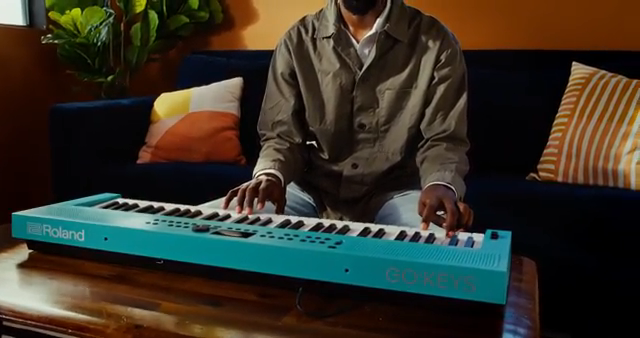
"So don't be discouraged if it feels challenging at first."
© Screenshot/Quote: Rolandglobal (YouTube)
The tutorial closes with a gentle reminder: learning an instrument is a journey, not a sprint. The presenter encourages viewers to embrace the process, emphasizing that challenges are part of the experience and improvement comes with time.
Above all, the message is to have fun—whether you’re learning favorite songs or composing originals. GO:KEYS is positioned as a companion for creative exploration, making music-making accessible and enjoyable regardless of skill level.
This article is also available in German. Read it here: https://synthmagazin.at/rolandchannel-und-das-gokeys-pop-song-erstellung-fuer-einsteiger-kompromisslos-einfach/
Watch on YouTube:
Latest articles
Watch on YouTube:
Visit the channel:
https://www.youtube.com/rolandglobal
https://www.youtube.com/rolandglobal
Links from rolandglobal:
website: https://www.roland.com
roland_cloud: https://www.roland.com/global/promos/about_roland_cloud
instagram: https://instagram.com/rolandglobal
Sponsored links:
If you purchase via these links, we may earn a small commission – at no extra cost to you. The link opens an Amazon keyword search, and results may vary depending on availability.
Roland GO:KEYS 3
🔗 Check price on Amazon
🔗 Check price on Amazon