Qu-Bit Electronix, never ones to rest on their cosmic laurels, have just launched a substantial firmware update for their Stardust tape looper. Version 1.1.0 brings two of the most-requested features to the table: multi-loop file handling and hands-on Frippertronics decay control. In this official walkthrough, Qu-Bit guides us through the new workflow, showing how Stardust’s digital heart now beats with even more flexibility for sonic explorers. If you’re keen on complex looping, evolving textures, or just want to see how a digital looper can fit into a modular rig, this update is worth a closer look.
8. October 2025
MILES
Qu-Bit Stardust v1.1.0: Loops, Decay, and a Fresh Orbit for Tape Manipulation
A New Orbit: Stardust’s Updated Capabilities
Stardust, Qu-Bit’s so-called cosmic tape looper, has just received a significant firmware update, bumping it to version 1.1.0. This update is not just a minor tweak but brings features that users have been clamouring for since the module’s release. The focus here is on expanding the looper’s flexibility and deepening its creative potential, rather than simply patching bugs or adding cosmetic changes.
The video wastes no time in outlining the two headline features: multiple loop file handling and variable Frippertronics decay. Both are designed to make Stardust more adaptable in a modular setup, whether you’re building evolving soundscapes or want tighter control over your looping workflow. It’s a move that aligns with Qu-Bit’s ethos of pushing digital modules into new, performance-friendly territory.

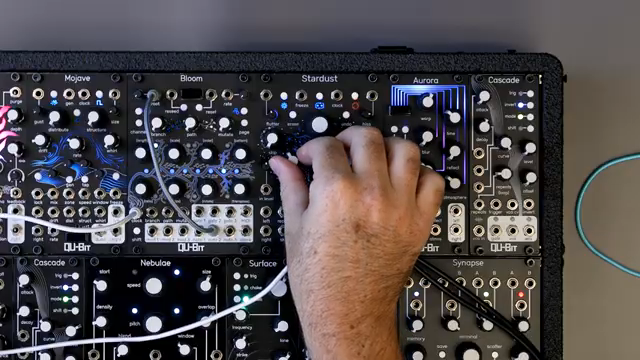
"The ability to save and load multiple loop files and control over the Perpetronix mode decay amount."
© Screenshot/Quote: Qubitelectronix (YouTube)
Looping Unleashed: Multiple Files, No More Limits
"Using the USB drive, Stardust can work with 32.wav files to save and recall into the looper."
© Screenshot/Quote: Qubitelectronix (YouTube)
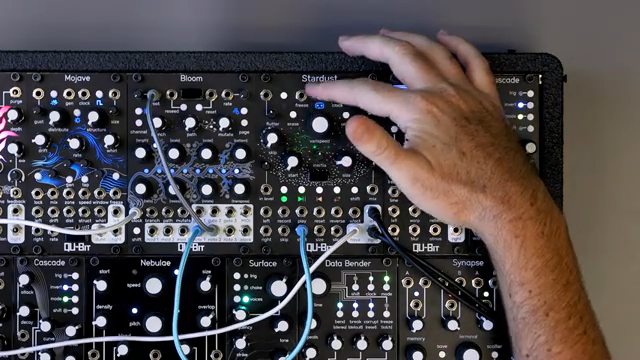
One of the most substantial changes in Stardust v1.1.0 is the ability to save and load multiple loop files. Gone is the restriction to a single loop.wav file—now, users can store up to 32 WAV files on a USB drive, each accessible from within the module. This means you can prepare a whole set of loops for a live show or studio session and recall them on the fly, without reaching for a computer.
The process is straightforward: loop files can be named freely, and Stardust will organise them alphabetically. The module’s file handling button combinations have been repurposed to support this new system, making it easy to navigate between files. If you exceed the 32-file limit, extra files are still saved to the USB drive, but you’ll need to manage them externally to access them from the module. This approach keeps the workflow modular and manageable, even as your loop library grows.
Navigating the Cosmos: The Improved Loop Menu
The updated loop menu is central to Stardust’s new workflow. By holding shift and pressing play, users enter a dedicated menu where up to 32 loops are displayed in eight banks of four files each. Navigation is handled via the varispeed encoder, which scrolls between banks, while the starfield LEDs provide visual feedback on your current position. Once in the desired bank, selecting and loading a loop is as simple as pressing one of the four transport buttons.
This menu system is not only intuitive but also scales gracefully—if you have fewer than 32 files, only the populated banks are shown. Saving and overwriting loops is equally flexible: you can choose to overwrite an existing file or save a new one, with Stardust automatically naming and incrementing new files. The module also now accepts mono WAV files and files with DAW metadata, reducing the need for tedious file prep. It’s a thoughtful update that makes loop management less of a chore and more of a creative tool.
"They're organized alphabetically by file name."
© Screenshot/Quote: Qubitelectronix (YouTube)
Decay in Orbit: Frippertronics Control Arrives
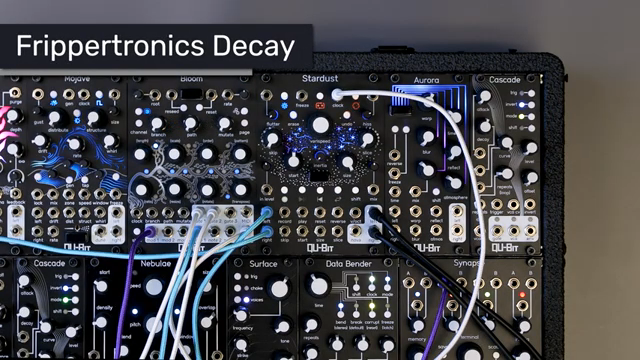
"Stardust Frippertronics mode is a decaying loop mode that, in the original firmware, had a fixed decay rate."
© Screenshot/Quote: Qubitelectronix (YouTube)
The second major addition in this update is the Frippertronics decay control. Previously, Stardust’s Frippertronics mode—named after the classic tape looping technique—had a fixed decay rate, limiting how quickly old audio faded from the loop. Now, by holding shift and turning the start knob, users can dial in the exact decay amount, from 0% (infinite repeats) to 100% (rapid fade-out), with the default setting at the centre.
For those who want even more modulation, the start CV input can be reassigned to control the Frippertronics decay amount. This opens up the possibility for dynamic, voltage-controlled decay changes, letting you automate evolving textures or sudden dropouts. The update even includes a new narwhal setting for this feature, demonstrating Qu-Bit’s willingness to respond to user feedback and keep the module’s creative potential wide open.
Creative Horizons: What the Update Means for Patchers
With these enhancements, Stardust v1.1.0 becomes a far more versatile tool for modular loopers and experimentalists alike. The ability to juggle multiple loops and sculpt decay rates in real time means more complex, evolving soundscapes are within reach—without menu-diving or external editing. Qu-Bit’s update is a clear nod to the needs of hands-on performers and studio tinkerers, making Stardust a more compelling centrepiece for anyone chasing cosmic textures or tape-inspired manipulation in their rack.
This article is also available in German. Read it here: https://synthmagazin.at/qu-bit-stardust-v1-1-0-loops-decay-und-eine-neue-umlaufbahn-fuer-tape-manipulation/
Watch on YouTube:
Latest articles
Watch on YouTube:
Visit the channel:
https://www.youtube.com/QuBitElectronix
https://www.youtube.com/QuBitElectronix
Links from QuBitElectronix:
Sponsored links:
If you purchase via these links, we may earn a small commission – at no extra cost to you. The link opens an Amazon keyword search, and results may vary depending on availability.
Qu-Bit Stardust
🔗 Check price on Amazon
🔗 Check price on Amazon