Polyend’s Tracker Plus takes center stage in this workflow-driven tutorial, where the focus is on building an entire track from one-shot samples and a curated palette of sounds. As is typical for Polyend’s artist-focused approach, the video walks through hands-on sequencing, sound sculpting, and live performance tools, all within the Tracker Plus’s hybrid architecture. From intuitive sample previewing to real-time pattern manipulation, this guide offers a clear look at how Tracker Plus aims to streamline the creative process for both studio producers and live performers. If you’re curious about how digital sampling, flexible pattern editing, and performance macros come together in a modern groovebox, this is a solid introduction.
3. September 2024
LYRA
Polyend Tracker Plus: Digital Sample Crafting in 15 Minutes
One-Shot Simplicity: Building Blocks of a Track
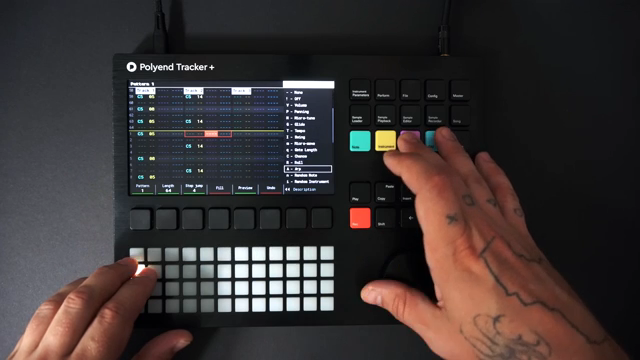
The video opens with a promise: constructing a full track in just 15 minutes using the Polyend Tracker Plus, with a spotlight on one-shot samples as the foundational material. The presenter wastes no time, loading a set of instruments into the project to serve as a sonic palette. This approach underscores the Tracker Plus’s workflow philosophy—get your sounds in, and you’re ready to compose.
Previewing instruments is as immediate as holding the instrument button and tapping the pads, allowing for rapid auditioning without entering record mode. The kick drum is selected and quickly shaped using the instrument parameter controls, with a high-pass filter and resonance dialed in for extra punch. This sets the tone for a workflow that prizes immediacy and hands-on sound shaping, rather than menu-diving or preset surfing.
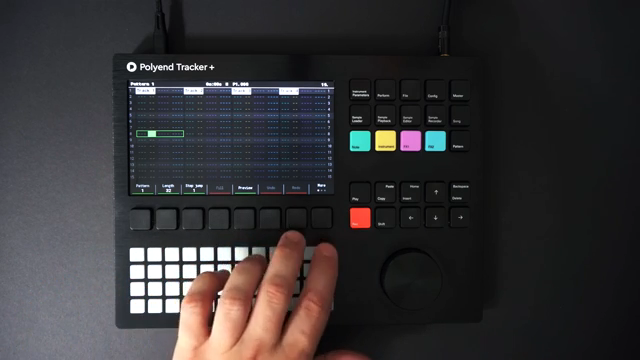
"While the instrument button is selected but not in record mode, I can preview all the sounds of my instruments on the pads."
© Screenshot/Quote: Polyend (YouTube)
Sound Sculpting: Filters, Effects, and Instrument Control
Tracker Plus’s core features come into focus as the presenter demonstrates how to adjust instrument parameters in real time. Tuning, filtering, and resonance are all accessible from dedicated controls, making it straightforward to sculpt each sound to fit the track’s evolving vibe. The workflow is tactile, with parameter tweaks happening as part of the creative flow, not as a separate programming step.
Effects are woven into the process early on. The high-pass filter on the kick is just the beginning—reverb, delay, and other FX are shown as integral tools for shaping the sonic character of both drums and melodic elements. The ability to preview and adjust these parameters on the fly is central to the Tracker Plus’s design, reinforcing its identity as a performance-ready, sound-morphing groovebox.
Pattern Play: Drums, Melodies, and Live Recording
"This is a global effect, so all tracks will now be swung."
© Screenshot/Quote: Polyend (YouTube)
The workflow shifts to sequencing, where drums are punched in live using the pads and step jump features. Patterns are stretched to 64 steps, and hats are quickly added with step jump set to 4, efficiently populating the offbeats. Swing is introduced via a global effect, instantly imparting groove to all tracks—a nod to the Tracker Plus’s focus on both speed and musicality.
Melodic and bass elements are layered in using live recording, with the presenter toggling between chromatic and scale-filtered grid modes. The process is fluid: select an instrument, hold record, and play notes directly onto the grid. Pattern duplication and step editing are demonstrated as core tools for evolving the arrangement, showing how the Tracker Plus supports both improvisational and structured workflows.
Automation and Fill: Dynamic Sound Design in Action
Automation is introduced as a key sound design tool, with LFOs assigned to parameters like fine-tuning and panning for evolving textures. The process is direct: double-tap instrument parameters, select the modulation source, and assign it to the desired destination. This brings subtle movement and variation to otherwise static samples, expanding the expressive range of the Tracker Plus.
Fill mode is showcased as a fast way to populate patterns with hi-hats and other elements. By selecting steps and applying fills with specific instruments and FX, the workflow becomes both efficient and creative. Volume variation is added via step FX, demonstrating how dynamic changes can be programmed without breaking the flow. These automation and fill tools are clearly designed for rapid iteration and experimentation.
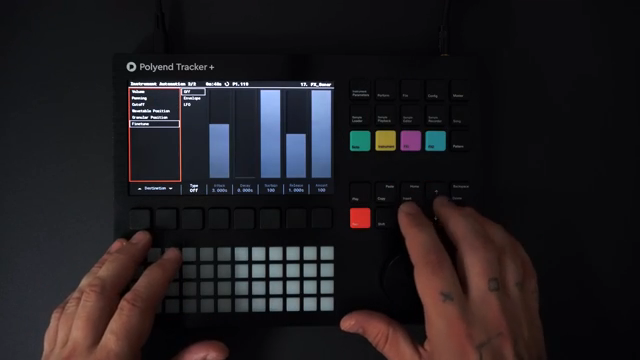
"I'm adding a triangle wave LFO to the fine-tuning to add pitch variation and panning."
© Screenshot/Quote: Polyend (YouTube)
Performance Power: Live Tools and Creative Expression
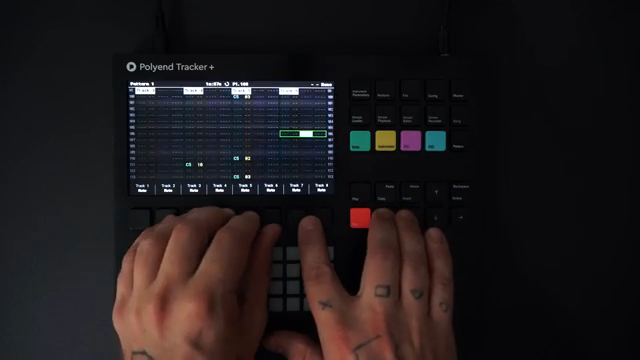
"Selected tracks are highlighted in red and effects are punched in with four options for each effect on the pads underneath."
© Screenshot/Quote: Polyend (YouTube)
The final segment highlights the Tracker Plus’s performance-oriented features. Selected tracks are visually highlighted, and effects can be triggered live using the pads, each offering four options for instant manipulation. This setup encourages hands-on interaction, making it easy to punch in changes and respond to the music in real time.
The video wraps up by emphasizing how these live tools—track selection, FX punching, and visual feedback—are designed to empower creative expression on stage or in the studio. While the tutorial focuses on a single workflow, the underlying architecture suggests a device built for both structured production and spontaneous performance, with a UI that keeps the most important controls within immediate reach.
This article is also available in German. Read it here: https://synthmagazin.at/polyend-tracker-plus-digitale-sample-konstruktion-in-15-minuten/
Watch on YouTube:
Latest articles
Watch on YouTube:
Visit the channel:
https://www.youtube.com/Polyend
https://www.youtube.com/Polyend
Links from Polyend:
website: https://polyend.com
instagram: https://instagram.com/madeinpolyend
facebook: https://www.facebook.com/polyend
twitter: https://twitter.com/madeinpolyend
soundcloud: https://soundcloud.com/polyend
Sponsored links:
If you purchase via these links, we may earn a small commission – at no extra cost to you. The link opens an Amazon keyword search, and results may vary depending on availability.
Polyend Tracker Plus
🔗 Check price on Amazon
🔗 Check price on Amazon