Nu-Trix The Synth Guy is back, and this time he’s tossing his own vocals into the AI meat grinder with IK Multimedia’s ReSing plugin. Forget cloud-based privacy nightmares—this beast runs everything local, keeping your dodgy vocal takes safe from prying ears. Nu-Trix isn’t just swapping voices; he’s bending harmonies, blending models, and even feeding basslines through the AI for wild new textures. If you’re after a plugin that’s more than just a karaoke cheat code, and you care about ethics as much as you do about crunchy sound design, this demo is your next pit stop. Grab a cuppa, because things get weird in the best way.
19. November 2025
SPARKY
Nu-Trix The Synth Guy Throws ReSing Into the Rave Bunker: AI Vocals Get Real
AI in the Rave Bunker: Local, Locked Down, and Ready
Nu-Trix The Synth Guy kicks things off by making it clear: ReSing isn’t your average cloud-snooping AI plugin. Everything happens right on your machine, so your embarrassing vocal takes aren’t going anywhere. That’s a proper win for privacy and session security—no random servers, no data leaks, just you and your CPU sweating it out together.
But there’s a catch: you’ll need a decent computer, preferably with an NVIDIA GPU if you want to train your own models without waiting for the next ice age. Nu-Trix runs it on a MacBook Pro M1 and survives, but warns that heavy-duty modeling can drag. Still, for most users, the local processing means you keep control and don’t have to worry about your creative gold ending up in some AI training set for the next pop robot.
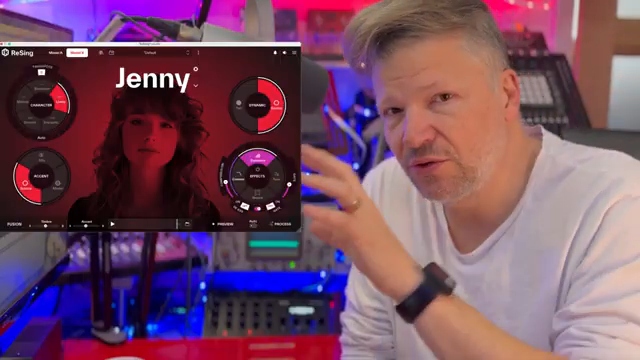
"Everything stays in your computer, so you've got that security, all your voices and project stays in your computer."
© Screenshot/Quote: Nu Trix (YouTube)
Voice Model Mayhem: Swap, Stack, and Harmonise
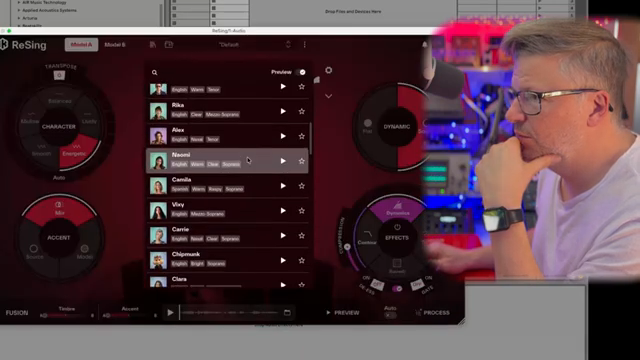
"So, let's say you want to create harmonies and stuff like that. So, you could take her voice here and transpose and bring it... These are semitones."
© Screenshot/Quote: Nu Trix (YouTube)
ReSing isn’t just about making you sound like someone else—it’s about total vocal flexibility. Nu-Trix shows how you can swap your own voice for a model, create harmonies, or even build a whole backing choir from your dodgy iPhone takes. The plugin lets you pick from a line-up of human and cartoon voices, and even a few instruments, so you’re not stuck with the same old presets.
You can tweak everything from the range (auto-transposing to fit the model) to the energy and accent, and even blend between the original source’s phrasing and the model’s delivery. Want your backing vocals to sound like a chipmunk or a soul diva? No problem. The plugin’s controls let you dial in just how much of the model’s character you want, so you can stack harmonies or build a Frankenstein’s monster of vocal timbres.
Drag, Drop, and Don’t Crash: The Ableton Workflow
Nu-Trix walks us through the nuts and bolts of using ReSing in Ableton Live 11, and it’s all about drag-and-drop. You can’t process in real time—this is strictly offline territory—so you’ll be bouncing files back and forth between the plugin and your DAW. He drops in his iPhone-recorded vocals, converts them to WAV, and gets to work previewing and processing with different models.
There’s a bit of a learning curve: drag the wrong file type and you might crash the plugin, so stick to WAVs if you want to avoid a toaster-fight with your DAW. Nu-Trix suggests prepping all your clips in advance and batch-processing them for maximum efficiency. The plugin spits out new files for every model you try, so you can quickly build up a library of alternate takes, harmonies, and wild experiments.
The workflow isn’t flawless—occasional glitches and mispronunciations pop up, especially if your source material isn’t clean. But for those who like to tinker, the process is fast enough to keep the creative flow going. And let’s be honest, watching Nu-Trix juggle files and voices is half the fun—some things you just have to see in the video to get the full chaos.
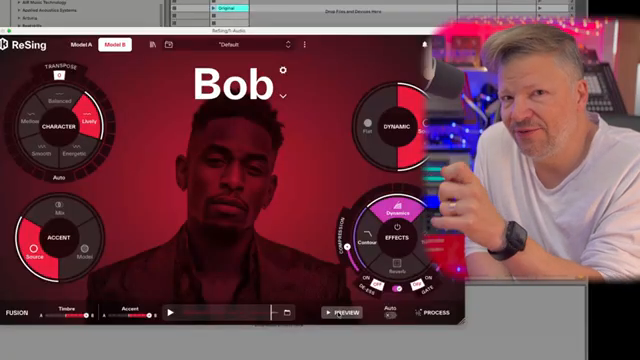
"So at some time I dragged a MIDI file, sometime I dragged another type of file, and then just went 'I don't know what it is' and everything crashed."
© Screenshot/Quote: Nu Trix (YouTube)
From Basslines to Wavetables: ReSing as a Sonic Street Weapon
Here’s where things get spicy. Nu-Trix doesn’t just stick to vocals—he throws in bass loops, guitars, and even weird beats to see what ReSing spits out. The results? Glitchy, organic textures that beg to be chopped, mangled, and fed into a sampler. This isn’t just a vocal tool; it’s a sound designer’s playground.
He even floats the idea of using ReSing’s output as wavetables for synths, opening up a whole new world of hybrid sounds. If you’re the kind of producer who likes to turn toaster noise into techno, this is the bit you’ll want to watch. The video’s got plenty of sonic mayhem that words just can’t do justice—trust me, your ears need the experience.
Ethics, Ownership, and the One-Time Payment Miracle
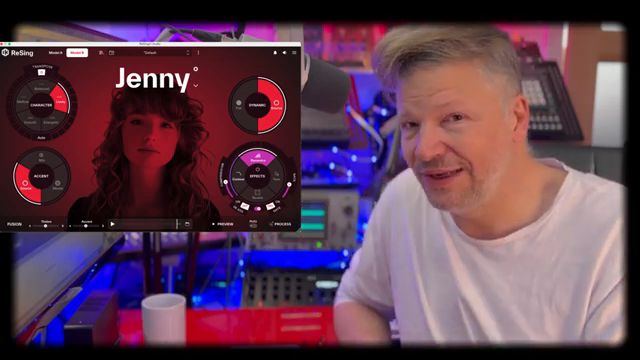
"I like the fact that you pay once you don't have a monthly fee and it stays in your computer and the people who decided to use their voice for this got paid by iQIYI Multimedia and they approve of their use."
© Screenshot/Quote: Nu Trix (YouTube)
Nu-Trix wraps up by tackling the big questions: is this AI tool ethical, and do you actually own your creations? ReSing keeps everything local, pays voice model contributors, and ditches the subscription model for a one-time buy. That’s a rare combo in the AI world—no monthly bleed, and no mystery data harvesting.
Most importantly, the plugin keeps the artist in the loop. You still need a real performance to drive the AI, so it’s not just spitting out soulless clones. For producers who care about both creativity and ethics, ReSing lands in the sweet spot. If only more plugins played this fair.
This article is also available in German. Read it here: https://synthmagazin.at/nu-trix-the-synth-guy-wirft-resing-in-den-rave-bunker-ki-vocals-auf-dem-pruefstand/
Watch on YouTube:
Latest articles
Watch on YouTube:
Visit the channel:
https://www.youtube.com/Nu-trix
https://www.youtube.com/Nu-trix
Links from Nu-trix:
website: https://www.nu-trix.com
facebook: https://www.facebook.com/nutrixmtl
instagram: https://www.instagram.com/nutrixsynthguy
twitter: https://twitter.com/nutrixmtl
patreon: https://www.patreon.com/nutrix
Sponsored links:
If you purchase via these links, we may earn a small commission – at no extra cost to you. The link opens an Amazon keyword search, and results may vary depending on availability.
Ableton Live 11
🔗 Check price on Amazon
🔗 Check price on Amazon
IK Multimedia ReSing
🔗 Check price on Amazon
🔗 Check price on Amazon