Novation’s Launchpad Pro steps into the spotlight as a powerful MIDI controller aimed at transforming static, grid-locked drum patterns into vibrant, humanized grooves. In this official walkthrough, Novation’s own Dylan demonstrates five practical techniques for injecting life and nuance into your beats—no DAW menu-diving required. The video is a hands-on showcase of how swing, velocity, layering, and scene chaining can elevate your workflow, all within the Launchpad Pro’s sequencer. For producers seeking to move beyond robotic MIDI drums, this is a deep dive into the architecture and performance tools that make the Launchpad Pro a compelling centerpiece for electronic music creation.
19. December 2025
LYRA
Novation Launchpad Pro: Humanizing Drum Beats with Digital Precision
Launchpad Pro: The Digital Drum Humanizer
The video opens with Novation positioning the Launchpad Pro as more than just a grid controller—it’s a sequencer designed to breathe life into four-on-the-floor drum patterns. The focus is on moving beyond the mechanical rigidity of MIDI drums, which often default to identical velocities and perfectly quantized hits. Instead, the Launchpad Pro’s sequencer is presented as a tool for infusing energy, dynamics, and a sense of real performance into your beats.
Novation’s approach is workflow-centric: rather than relying on post-production tweaks or deep DAW editing, the Launchpad Pro enables immediate, tactile manipulation of drum patterns. The device’s integration with Ableton Live is mentioned, but the emphasis is squarely on hands-on sequencing—finding grooves, adjusting parameters, and building patterns that feel alive right from the hardware.
"We're going to look at using swing, velocity, different pattern lengths, and a few other tricks to really bring life to your drums and give your track energy and dynamics."
© Screenshot/Quote: Novationtv (YouTube)
Swing, Velocity, and Scene Chaining: Core Tools for Groove
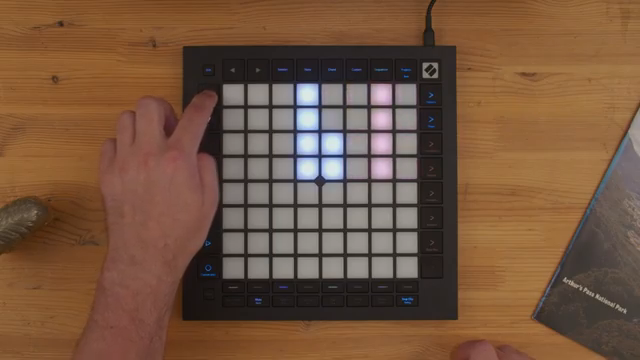
"As I turn the swing up it really starts to shuffle."
© Screenshot/Quote: Novationtv (YouTube)
Swing is the first technique demonstrated, showing how shifting offbeat notes away from the grid can transform a stiff rhythm into something that shuffles and breathes. The video details how the swing parameter, set at 50 for straight timing, can be increased to delay every other beat, especially affecting hi-hat flourishes and offbeat accents. This subtle timing shift is a classic trick in both jazz and electronic music, and the Launchpad Pro makes it accessible directly from the sequencer.
Velocity adjustments are then explored as a way to move beyond uniform, robotic hits. By varying the strength of individual drum hits—especially hi-hats and kicks—Dylan demonstrates how to create patterns with push and pull, dynamic accents, and evolving energy. The workflow involves using the Launchpad’s controls to set different velocities per step, introducing organic variation without leaving the hardware environment.
Scene chaining is highlighted as a performance feature, allowing users to link multiple patterns and create longer, evolving drum phrases. By duplicating and modifying patterns, then chaining them into scenes, the Launchpad Pro enables arrangements where fills, turnarounds, and subtle changes can be sequenced in advance. This is a key tool for building tracks that ebb and flow, rather than loop endlessly.
Layering and Filtering: Sculpting Drum Textures
Layering is presented as a fast, creative way to add depth and variation to drum grooves. Instead of relying on a single kick or snare, Dylan demonstrates how multiple drum samples—each with their own filter settings—can be sequenced together to create richer patterns. High-pass and low-pass filters are used to carve out space and emphasize different frequency ranges, all without the need for complex automation or DAW editing.
The adaptability of the Launchpad Pro’s sequencer shines here: by simply selecting different samples and layering them across the grid, users can quickly introduce new textures and sonic changes. This approach minimizes the need for external sound design or computer-based editing, making it easy to experiment and iterate directly on the hardware.
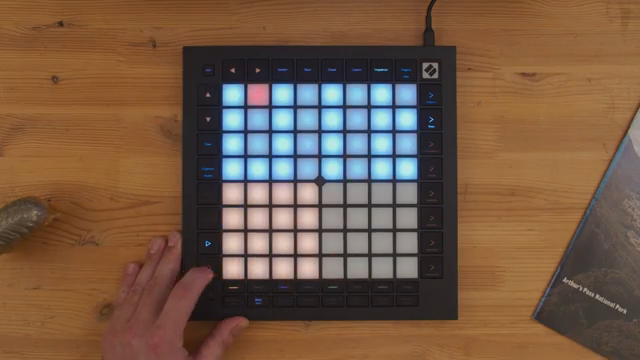
"By working with different samples there I've been really easily able to add dynamic and change to the drum beat just by sequencing different notes."
© Screenshot/Quote: Novationtv (YouTube)
Velocity and Accents: Injecting Subtlety into Drum Sequences
The importance of velocity variation is underscored throughout this segment. Dylan walks through the process of assigning different velocities to drum hits, particularly hi-hats, to avoid the static feel of identical hits. By carefully adjusting the loudness of each step, the groove gains a sense of movement and human touch, with quieter hits acting as ghost notes and louder ones providing rhythmic accents.
This technique is extended to kicks and snares, where accent placement can shift the perceived groove and energy of the pattern. The Launchpad Pro’s interface allows for quick, step-by-step velocity editing, making it practical to experiment with subtle changes and find the right balance for each groove.
Scene chaining is revisited as a method for introducing larger-scale rhythmic variation. By creating multiple patterns with different velocity and accent structures, then chaining them into a sequence, users can build arrangements that evolve naturally—mirroring the dynamics of a live drummer.
From Robotic to Expressive: Launchpad Pro in the Modern Studio
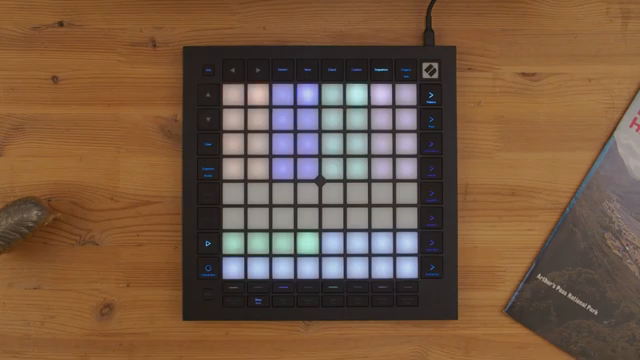
"It seems counter-intuitive that taking stuff away adds energy but because we've emptied out the end of that phrase it lets the bass and the melodic sample ring out then when the patterns start again it just really feels like the energy is kicking back in."
© Screenshot/Quote: Novationtv (YouTube)
The final section positions the Launchpad Pro as an essential tool for producers seeking expressive, evolving drum sequences. By combining subtractive arrangement techniques—such as removing hits to create space—with the previously demonstrated layering, velocity, and swing features, the device enables grooves that breathe and build energy over time.
Novation’s video makes a clear case for the Launchpad Pro as a workflow accelerator: it’s not just about programming beats, but about sculpting dynamic, humanized patterns that can anchor complex electronic arrangements. The hands-on architecture and performance tools are designed to keep producers in the creative flow, whether in the studio or on stage.
This article is also available in German. Read it here: https://synthmagazin.at/novation-launchpad-pro-drum-beats-mit-digitaler-praezision-vermenschlichen/
Watch on YouTube:
Latest articles
Watch on YouTube:
Visit the channel:
https://www.youtube.com/NovationTV
https://www.youtube.com/NovationTV
Links from NovationTV:
website: https://novationmusic.com
instagram: https://instagram.com/wearenovation
twitter: https://twitter.com/WeAreNovation
facebook: https://facebook.com/NovationMusic
Sponsored links:
If you purchase via these links, we may earn a small commission – at no extra cost to you. The link opens an Amazon keyword search, and results may vary depending on availability.
Novation Launchpad Pro
🔗 Check price on Amazon
🔗 Check price on Amazon