Novation’s Launchkey series has always promised more than just basic MIDI control, and in this official walkthrough, the focus is squarely on its arpeggiator as a creative engine. Dylan from NovationTV demonstrates how the Launchkey’s built-in arp isn’t just for cascading synth lines—it’s a hands-on tool for generating rhythmic basses, melodic textures, and even inventive drum patterns. The video is a practical, artist-focused exploration of how arpeggiator settings, rhythm controls, and octave spreads can build a track from the ground up. For anyone curious about workflow-centric MIDI controllers and their integration with Ableton Live, this is a revealing look at the Launchkey’s creative DNA.
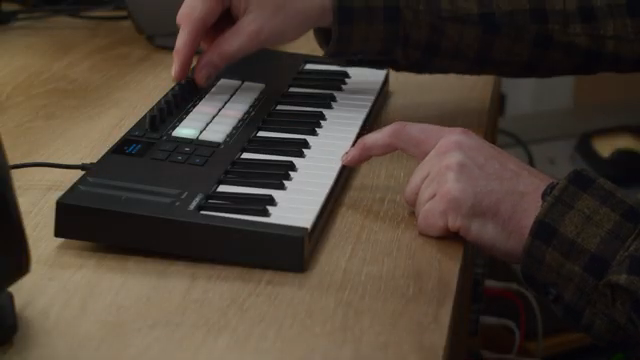
24. October 2025
LYRA
Novation Launchkey’s Arpeggiator: From Basslines to Glitch—A Workflow Deep Dive
Launchkey’s Arpeggiator: Idea Generator at the Core
Novation positions the Launchkey as more than a standard MIDI keyboard—it’s a platform for sparking musical ideas, with the arpeggiator front and center. The video opens with a clear mission: use the arp not just for ornamentation, but as a primary tool for composition and track development. The presenter sets up a session in Ableton Live, emphasizing that the Launchkey’s creative features are designed to help users move quickly from inspiration to arrangement. This isn’t about deep menu diving or technical setup; it’s about hands-on, immediate results. The arpeggiator is introduced as a flexible engine, ready to drive everything from bass lines to melodic and percussive elements.
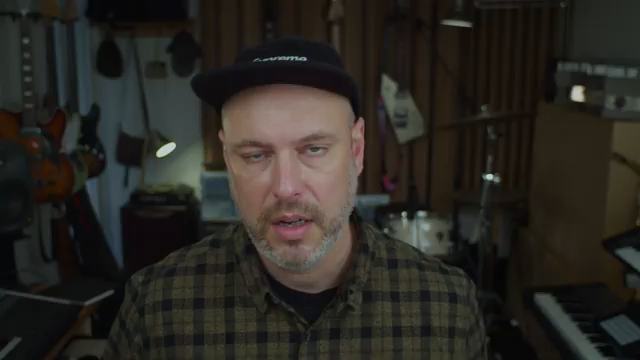
"I'm going to show you how to use the arpeggiator in creative ways to develop musical ideas."
© Screenshot/Quote: Novationtv (YouTube)
Crafting Basslines and Melodic Arps: Rate, Octave, and Type in Action
"I'm going to change the arpeggiator type. I quite like this up and down too. It kind of pendulums backwards and forwards and plays each note twice like this."
© Screenshot/Quote: Novationtv (YouTube)
The first practical demonstration zeroes in on building a bass line using the Launchkey’s arpeggiator. With a simple drum loop as the foundation, the presenter activates the arp and tweaks the rate to 16th notes, instantly injecting rhythmic drive. Adjusting the octave range to two allows the bass to step across a wider register, while changing the arp type to ‘up and down two’ creates a pendulum-like motion, doubling each note for added movement. This hands-on approach highlights how a few parameter changes can transform a static idea into a dynamic sequence.
Moving to melodic content, the workflow shifts to layering a higher arpeggio. Here, the rhythm control comes into play, breaking away from strict metronomic patterns and introducing more complex, varied timing. Increasing the octave spread to three further expands the melodic range, resulting in a part that feels both intricate and expansive. The video makes it clear: the Launchkey’s arp isn’t just a one-trick pony—it’s a versatile tool for shaping both foundational and decorative elements in a track.
Percussion and Glitch: Arpeggiator as a Drum Machine and FX Engine
The creative use cases escalate as the arpeggiator is repurposed for percussion. By setting the rhythm back to straight and limiting the octave to one, the arp becomes a rapid-fire trigger for drum hits. Changing the arp type to ‘up’ ensures a consistent, repeatable pattern—ideal for generating drum grooves that might be difficult to program manually. The presenter demonstrates how holding multiple notes cycles through them, opening up new rhythmic possibilities for percussion tracks.
The video then dives into more experimental territory, using the arp to create glitchy fills and IDM-style sequences. Recording longer takes while tweaking parameters in real time, the workflow encourages capturing wild, unpredictable moments. The key insight is to record freely, then sift through the material to find the most compelling fragments—turning chaos into structure. This section underscores the Launchkey’s potential as a performance and sound design tool, not just a conventional MIDI controller.
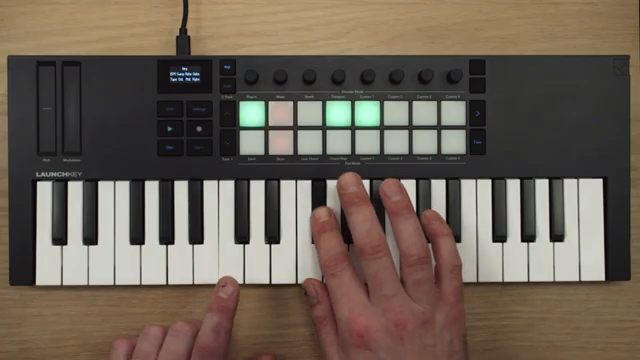
"What's cool about this is if you hold one note, it just repeats it, but if you hold multiple notes, it cycles through them."
© Screenshot/Quote: Novationtv (YouTube)
Building a Track: Layering, Experimentation, and Dynamic Development
The final segment ties the workflow together, recapping how each arpeggiator-driven layer contributes to a complete track. Starting from a basic drum loop, the process builds with a metronomic bass, expands with melodic arps that traverse octaves, and incorporates both straightforward and mutated percussion. The emphasis is on experimentation—using the rhythm knob, mutate function, and timing adjustments to generate material that can be refined and arranged. The video’s approach is pragmatic: capture ideas quickly, then edit and structure them into a cohesive piece. For users interested in rapid, hands-on track building, the Launchkey’s arpeggiator-centric workflow offers a compelling template.
This article is also available in German. Read it here: https://synthmagazin.at/novation-launchkey-arpeggiator-von-basslines-zu-glitch-ein-workflow-deep-dive/
Watch on YouTube:
Latest articles
Watch on YouTube:
Visit the channel:
https://www.youtube.com/NovationTV
https://www.youtube.com/NovationTV
Links from NovationTV:
website: https://novationmusic.com
instagram: https://instagram.com/wearenovation
twitter: https://twitter.com/WeAreNovation
facebook: https://facebook.com/NovationMusic
Sponsored links:
If you purchase via these links, we may earn a small commission – at no extra cost to you. The link opens an Amazon keyword search, and results may vary depending on availability.
Novation Launchkey
🔗 Check price on Amazon
🔗 Check price on Amazon