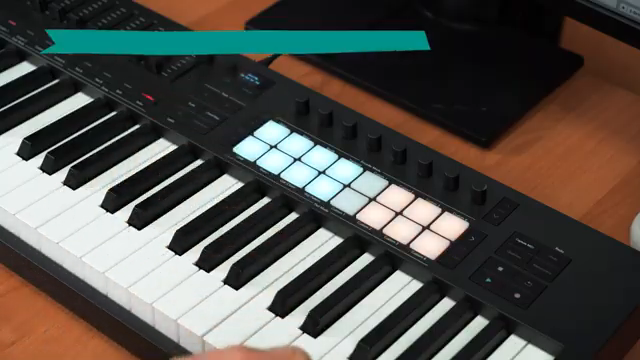
Novation’s Launchkey MK4 steps into the spotlight as a MIDI controller designed for both production and performance, tightly integrated with Ableton Live Lite. In this official walkthrough, Rob demonstrates how the Launchkey’s creative features—Scale Mode, Chord Map, onboard Sequencer, and more—streamline the process of building a full track from the ground up. The video is a practical, hands-on journey through chord creation, bass and lead programming, drum sequencing, and live performance tricks, all using stock Ableton devices. For anyone curious about how digital workflow tools translate into real-world music making, this is a revealing look at Launchkey’s architecture and its role in a hybrid studio or stage setup.
21. November 2025
LYRA
Novation Launchkey MK4: Building Tracks and Workflows from Scratch
Launchkey MK4: The Production-Performance Bridge
Novation positions the Launchkey MK4 as more than just a MIDI keyboard—it’s a creative hub designed to accelerate both music production and live performance, especially within Ableton Live Lite. The video opens with Rob outlining the goal: to build a complete track using only Launchkey’s built-in features and the bundled Live 12 Lite software, emphasizing a workflow that’s both fast and musically inspiring.
Right from the start, the tight integration between Launchkey and Ableton is evident. Setting the project’s scale in Live instantly syncs with the hardware, locking the keyboard to the chosen mode and making it easy to play in key. This immediate feedback loop between software and controller is a core architectural strength, allowing users to focus on creativity rather than technical setup. Novation’s usual artist-centric approach is clear—this is about getting ideas down quickly and intuitively.
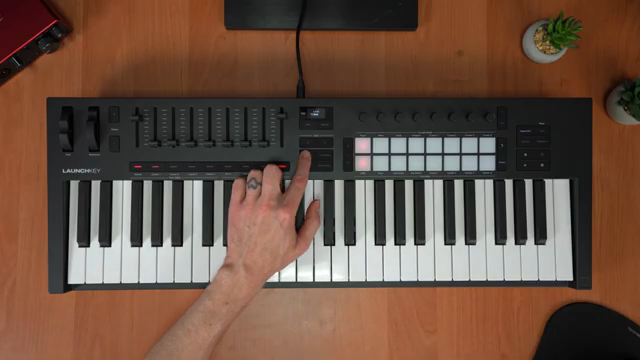
"When I hit the scale button, the keyboard is now locked to that scale too."
© Screenshot/Quote: Novationtv (YouTube)
Scale Mode and Chord Map: Harmonic Shortcuts
"Chord Map mode has 40 unique progressions for every scale."
© Screenshot/Quote: Novationtv (YouTube)
The walkthrough dives into Launchkey’s advanced harmonic tools, starting with Scale Mode. By locking the keyboard to F Dorian, Rob demonstrates how even beginners can confidently play diatonic triads and melodies without hitting a wrong note. The Easy Scale option further simplifies things, mapping the scale to just the white keys for effortless navigation.
Chord Map mode is where things get truly interesting. With 40 unique progressions per scale and an Adventure setting that controls harmonic complexity, users can instantly audition everything from straightforward diatonic sequences to more experimental, dissonant voicings. Rob showcases how quickly these tools can generate lush, unconventional chord progressions, which become the backbone of the track. The process is fast, musical, and requires minimal menu-diving—a clear win for workflow.
Sequencer and Arpeggiator: Melodic and Rhythmic Engines
Moving beyond chords and bass, Launchkey’s onboard Sequencer and Arpeggiator take center stage. For drums, switching to Drum Mode maps 16 pads to a full drum rack, and the Sequencer’s DAW mode enables step programming directly from the hardware. Rob demonstrates building up a beat by layering kick, hat, and snare, leveraging the ability to customize drum samples and tweak parameters like volume, drive, and envelope—all from the encoders.
The Arpeggiator is equally flexible, offering hands-on control over octave range, rhythm, and note selection. Latch mode frees up both hands for more complex patterns, while the Mutate function introduces melodic variation on the fly. The workflow encourages experimentation: users can quickly capture jams, adjust patterns, and record results straight into Ableton clips, making melodic development as immediate as beatmaking.
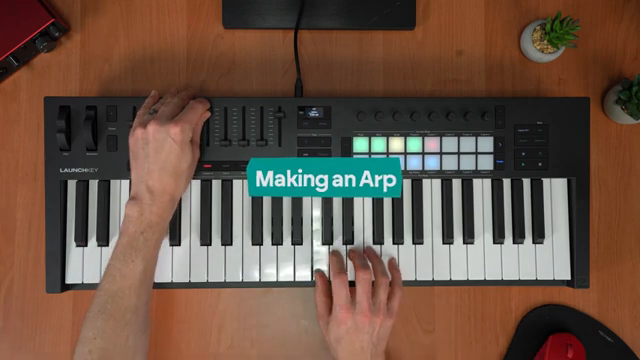
"You can just turn on ARP mode and then hold down notes on the keyboard in Scale mode."
© Screenshot/Quote: Novationtv (YouTube)
Performance Modifiers and Live Jamming: Creative Integration
Rob highlights Launchkey’s performance modifiers, such as Fixed Chord mode, which lets users trigger full triads or sevenths with a single finger—ideal for live or studio improvisation. The interplay between Scale, Arp, and Fixed Chord modes allows for inventive harmonic and melodic textures, with Snap to Scale introducing subtle note shifts that keep things fresh.
A key workflow tip is the ability to switch encoder assignments on the fly by holding the Mode button, enabling seamless transitions between controlling plugins, transport, or track levels. This flexibility is crucial for maintaining creative momentum during both production and live jamming.
The video’s approach is resolutely hands-on: Rob demonstrates how to automate parameters like filters and reverb directly from the hardware, shaping evolving sounds in real time. The message is clear—Launchkey is designed to be played, not just programmed, and its architecture supports spontaneous, dynamic music making.
Encoders and Faders: Real-Time Control in Performance
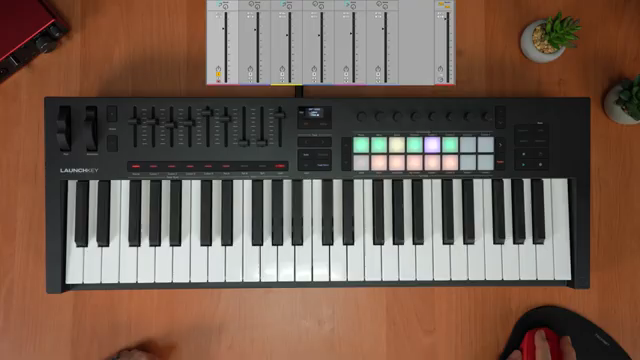
"One technique to compensate for that extra headroom is to use utility on each track's device chain to turn levels down."
© Screenshot/Quote: Novationtv (YouTube)
The final section zeroes in on practical performance advice. Rob explains how to use Launchkey’s faders to mix tracks live, noting that their full-range output can be tamed by inserting Ableton’s Utility device on each channel for precise level control. This ensures that performers can confidently push faders to the max without clipping.
Scene launching and effect tweaking are also demonstrated, with pads and encoders used to trigger sections and manipulate master effects in real time. The workflow is tactile and immediate, reinforcing Launchkey’s role as a performance instrument as much as a studio tool. The video wraps up with a quick tip for turning off the keyboard’s lights—useful for dark stages or focused sessions—before encouraging viewers to explore further and subscribe for more Novation insights.
This article is also available in German. Read it here: https://synthmagazin.at/novation-launchkey-mk4-tracks-und-workflows-von-grund-auf-bauen/
Watch on YouTube:
Latest articles
Watch on YouTube:
Visit the channel:
https://www.youtube.com/NovationTV
https://www.youtube.com/NovationTV
Links from NovationTV:
website: https://novationmusic.com
instagram: https://instagram.com/wearenovation
twitter: https://twitter.com/WeAreNovation
facebook: https://facebook.com/NovationMusic
Sponsored links:
If you purchase via these links, we may earn a small commission – at no extra cost to you. The link opens an Amazon keyword search, and results may vary depending on availability.
Novation Launchkey MK4
🔗 Check price on Amazon
🔗 Check price on Amazon