In a world where studio real estate is at a premium, Novation steps up with its Launchkey range—compact MIDI controllers designed to punch above their weight. On their official NovationTV channel, the team dives into a suite of performance modes and clever software integrations that transform a two-octave keyboard into a surprisingly expansive musical tool. This video isn’t just a feature parade; it’s a workflow-focused exploration of how scale modes, chord memory, and custom pad layouts can make a mini controller feel like a much larger instrument. For digital and hybrid musicians, the Launchkey’s architecture offers a compelling case for rethinking what’s possible in a small footprint.
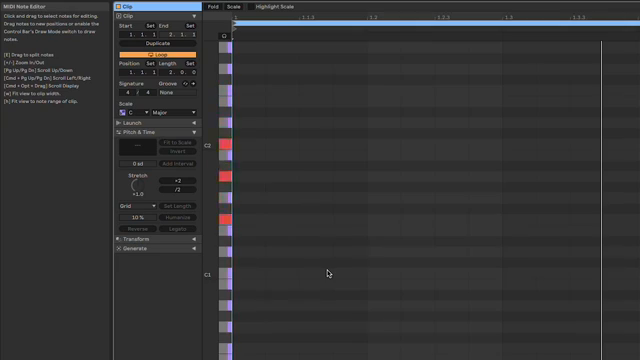
25. May 2024
LYRA
Novation Launchkey: Making Mini MIDI Keyboards Monumental
Small Desk, Big Ambitions: The Launchkey Philosophy
Novation’s Launchkey range is purpose-built for musicians who find themselves working in tight spaces—think bedroom studios and makeshift home setups. The video opens by acknowledging the reality: most producers don’t have the luxury of sprawling workspaces, but still crave the expressive range of a full-sized keyboard. The Launchkey 25 and Launchkey Mini are positioned as practical solutions, offering essential MIDI control in a compact form factor that fits on almost any desk.
Despite their size, these controllers are designed to deliver more than just basic note input. The presenter highlights the challenge of limited octaves and the awkwardness of constantly shifting octaves mid-performance. Novation’s approach is to embed a suite of features that let users sidestep these physical constraints, aiming for a playing experience that feels natural and musically expressive—even on a two-octave keyboard.
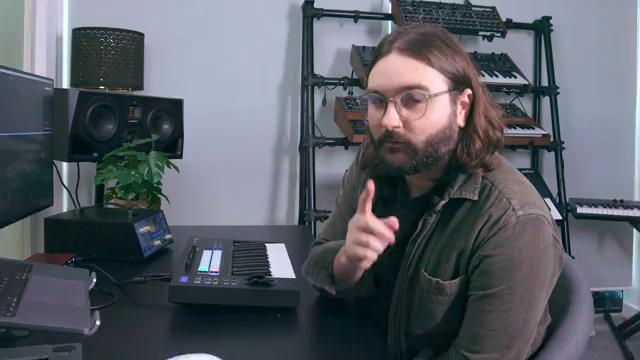
"You do not need a big keyboard to sound like you have a big keyboard."
© Screenshot/Quote: Novationtv (YouTube)
Scale, User, and Fixed Chord Modes: Expanding the Palette
"When I play these chords you'll actually see on the DAW that the notes are coming up separately as if they are being played separately."
© Screenshot/Quote: Novationtv (YouTube)
The core of the Launchkey’s octave-stretching magic lies in its chord and scale modes. Scale Chord Mode allows users to trigger a variety of predetermined chords—triads, sevenths, ninths, and sixth/ninths—directly from the pads, all mapped to the current scale and root note. This is more than a shortcut: it’s a deliberate design for fast harmonic exploration, with the ability to shift pad octaves independently from the keys for flexible left/right hand splits. The DAW integration is tight, with each chord registering as separate MIDI notes for easy post-performance editing.
For those who prefer to define their own harmonic vocabulary, User Chord Mode lets players program up to sixteen custom chords, each with up to six notes. These chords persist across power cycles, making them reliable for both home and mobile setups. The video also touches on the ability to route pads and keys to separate MIDI destinations, allowing for creative splits between external synths or DAW instruments—a thoughtful touch for hybrid and live rigs.
Arpeggiator Alchemy: Beyond the Keyboard’s Edge
Fixed Chord Mode is introduced as a one-chord-at-a-time tool, but its real power emerges when paired with the Launchkey’s arpeggiator. By programming a chord that spans multiple octaves and engaging the arpeggiator, users can generate sweeping patterns that far exceed the physical range of the keys. This approach is especially effective for creating evolving textures and complex rhythmic sequences with minimal fingerwork.
The video demonstrates how combining Fixed Chord Mode, scale mode, and the arpeggiator allows for intricate, scale-conforming arpeggios and chord progressions. All generated notes are transmitted as discrete MIDI events, ensuring full editability in the DAW. While this method doesn’t offer the same left/right hand independence as the pad chord modes, it excels at producing wide-ranging, dynamic parts from a minimal interface.
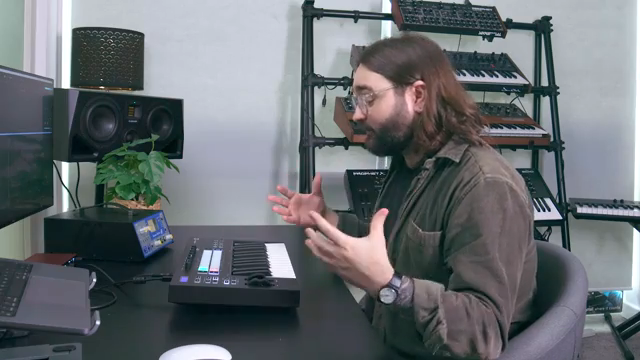
"It basically means you can make arpeggios that span beyond the keys available to you right in front of you with just the press of one key."
© Screenshot/Quote: Novationtv (YouTube)
Custom Modes and Novation Components: Deepening the Toolbox
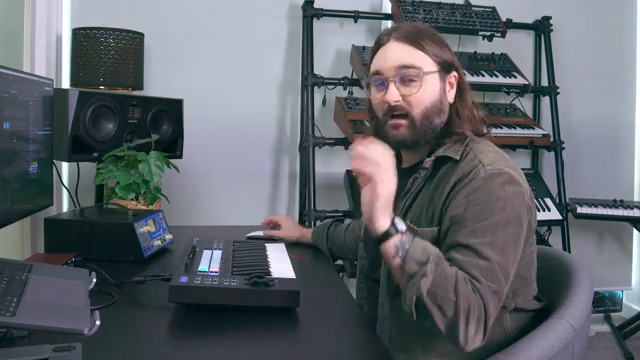
"If you own anything like a Launchkey or any other Novation product and you're not using Components I highly, highly recommend you try using it because it adds so much to your product."
© Screenshot/Quote: Novationtv (YouTube)
The Launchkey’s integration with Novation Components software opens up a new layer of customization. Users can create up to four custom modes, each programmable with specific MIDI notes, colors, and functions. The video walks through building a chromatic pad layout—essentially adding an extra octave to the controller—mirroring the pad keyboard found on Novation’s Circuit devices. This setup is saved locally and can be transferred between units, making it a portable solution for users with multiple Launchkeys.
Custom modes aren’t just for extra notes; they’re a gateway to advanced MIDI routing, keystroke combinations, and personalized workflows. The presenter emphasizes how this flexibility can bridge the gap between compact hardware and expansive musical ideas, especially for those comfortable diving into software-based configuration. The result is a controller that adapts to the user, rather than the other way around.
From Mini to Mighty: Wrapping Up the Launchkey Workflow
The video closes by reinforcing the Launchkey’s value proposition: small keyboards don’t have to mean small ambitions. With features like chord modes, arpeggiator tricks, and custom pad layouts, musicians can extract surprising depth and range from a compact device. The Launchkey 25 and Mini are highlighted as ideal choices for those with limited space or a preference for portable setups.
Novation’s approach, as demonstrated here, is to empower users to get more out of their gear—whether that’s through DAW integration, MIDI routing, or creative performance tools. While the video is focused on the Launchkey’s own features, it’s clear that the architecture is designed for flexibility and growth, inviting further exploration through both hardware and software avenues.
This article is also available in German. Read it here: https://synthmagazin.at/novation-launchkey-kleine-midi-keyboards-ganz-gross-mit-novation/
Watch on YouTube:
Latest articles
Watch on YouTube:
Visit the channel:
https://www.youtube.com/NovationTV
https://www.youtube.com/NovationTV
Links from NovationTV:
website: https://novationmusic.com
instagram: https://instagram.com/wearenovation
twitter: https://twitter.com/WeAreNovation
facebook: https://facebook.com/NovationMusic
Sponsored links:
If you purchase via these links, we may earn a small commission – at no extra cost to you. The link opens an Amazon keyword search, and results may vary depending on availability.
Novation Launchkey 25
🔗 Check price on Amazon
🔗 Check price on Amazon
Novation Launchkey Mini
🔗 Check price on Amazon
🔗 Check price on Amazon