Novation’s Circuit Rhythm takes center stage in this official walkthrough, where slicing, repitching, and sample manipulation are shown as core creative tools. The video, hosted by Dylan, demonstrates how the groovebox’s slice mode turns raw samples—be they personal recordings or classic breakbeats—into playable, tweakable musical elements. True to Novation’s practical, artist-focused ethos, the session moves briskly from sample selection to a finished, effect-laden beat, highlighting both the immediacy and flexibility of the Circuit Rhythm. For anyone interested in DAWless workflows or hands-on sample chopping, this is a revealing look at how digital architecture and performance design intersect in Novation’s ecosystem.
20. March 2025
LYRA
Novation Circuit Rhythm: Slicing, Chopping, and Crafting Beats with Digital Precision
Slice and Dice: Circuit Rhythm as a Sampling Powerhouse
The video opens with Dylan introducing the Circuit Rhythm as a tool for extracting melodies and rhythms from longer samples, immediately setting a hands-on, exploratory tone. Novation’s approach here is all about empowering users to find musical ideas within their own recordings or curated sample packs, emphasizing the device’s role as a creative partner rather than just a playback machine.
With a few button presses, samples are loaded onto the pads, and the workflow pivots from auditioning to selection. The process is direct: listen, choose, and prepare for further manipulation. This immediacy is a hallmark of Novation’s design philosophy, making the Circuit Rhythm accessible for spontaneous beatmaking sessions or more deliberate studio explorations.
Slice Mode Unpacked: From Repitch to Micro-Editing
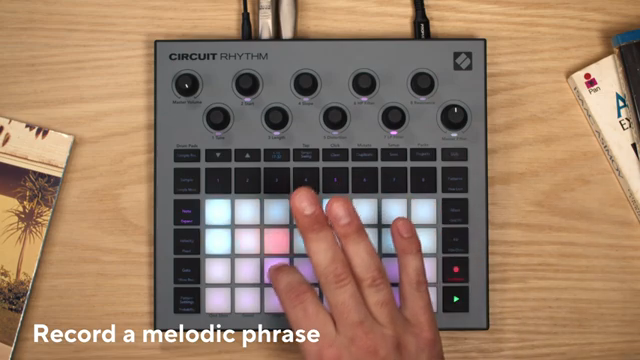
Dylan transitions into demonstrating the slice mode, a central feature for anyone interested in granular sample manipulation. By toggling from keyboard mode to slice mode, each pad on the Circuit Rhythm becomes a trigger for a distinct snippet of the loaded sample, offering a grid of instant access to different sonic fragments.
The video showcases the flexibility of this mode—not only can users repitch samples in keyboard mode, but slice mode allows for precise adjustment of start points and fine-tuning via shift-modified controls. This granular editing capability is essential for crafting dynamic, evolving patterns, and it’s presented as both intuitive and powerful within the Circuit Rhythm’s interface.
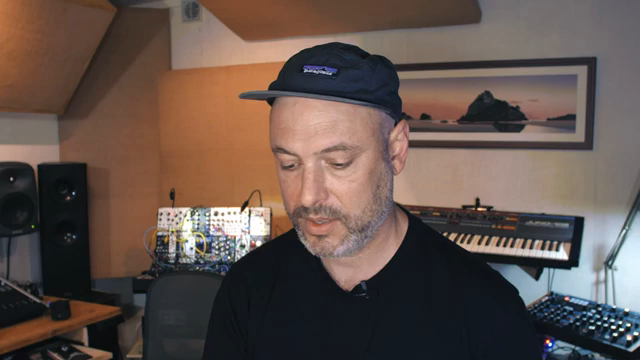
"Each of those pads plays a little different snippet of the sample like this."
© Screenshot/Quote: Novationtv (YouTube)
Building Beats: Integrating Slices, Kicks, and Snares
"I've just kind of made a melody out of that sample."
© Screenshot/Quote: Novationtv (YouTube)
With the sliced sample prepared, Dylan demonstrates how to establish a musical foundation by tapping in a tempo that fits the sample’s implied groove. The workflow then expands: a kick drum is selected and sequenced on the first track, followed by a snare on the second, quickly constructing a classic backbeat to anchor the sliced melodic material.
Switching between tracks and modes, Dylan shows how the Circuit Rhythm’s pattern chaining enables longer phrases, moving from single-bar loops to four-bar melodic sequences. This flexibility is crucial for building more complex arrangements without leaving the hands-on, pad-based environment.
Throughout, the focus remains on creative flow—sequencing, recording, and layering are presented as seamless processes, with the device’s architecture supporting both experimentation and structured composition. Novation’s groovebox ethos is on full display: everything is designed to keep you in the zone, not lost in menus.
Polish and Cohesion: Effects and Mixing in the Groovebox
Once the melodic and rhythmic core is established, Dylan moves to the mixer and effects sections to refine the sound. Adjusting levels ensures that samples sit well together, while adding reverb helps glue the elements into a cohesive whole. The process is quick and tactile, reinforcing the Circuit Rhythm’s suitability for both live tweaking and studio polish.
The ability to apply effects directly within the groovebox, without external processing, is a significant advantage for DAWless and hybrid setups. Here, reverb is used not just as an embellishment but as a tool for sonic integration, demonstrating how onboard effects can shape the overall character of a track.
Advanced Sample Manipulation: Slicing Breakbeats and Sidechaining
The final segment highlights Circuit Rhythm’s deeper sample manipulation capabilities. Dylan loads a breakbeat, uses beat matching to sync it with the project tempo, and slices it for further creative rearrangement. The workflow remains consistent: select, slice, and sequence, with the device handling time-stretching and repitching duties in the background.
Sidechain effects are introduced as a way to add movement and professional polish, ducking melodic and breakbeat tracks against the kick for rhythmic clarity. Further tweaks—distortion, filtering, and grid FX—are applied to individual samples, demonstrating how Circuit Rhythm’s digital architecture supports both subtle refinement and bold, performance-oriented sound design. The result is a track that feels both organic and meticulously crafted, all within the confines of a compact groovebox.
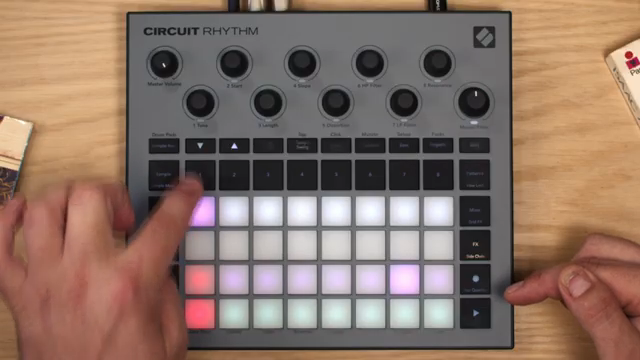
"I want both of those things to be side chained by the kick."
© Screenshot/Quote: Novationtv (YouTube)
This article is also available in German. Read it here: https://synthmagazin.at/novation-circuit-rhythm-slicing-chopping-und-beat-bau-mit-digitaler-praezision/
Watch on YouTube:
Latest articles
Watch on YouTube:
Visit the channel:
https://www.youtube.com/NovationTV
https://www.youtube.com/NovationTV
Links from NovationTV:
website: https://novationmusic.com
instagram: https://instagram.com/wearenovation
twitter: https://twitter.com/WeAreNovation
facebook: https://facebook.com/NovationMusic
Sponsored links:
If you purchase via these links, we may earn a small commission – at no extra cost to you. The link opens an Amazon keyword search, and results may vary depending on availability.
Novation Circuit Rhythm
🔗 Check price on Amazon
🔗 Check price on Amazon