Ready to turn your static tracks into a swirling, stereo rave bunker? MusicRadar Tech teams up with Ableton Certified Trainer Tom Glendinning to put Live’s built-in modulation effects through their paces. Forget third-party plugins—Tom shows how chorus, ensemble, phaser and flanger can inject serious movement and width straight from Ableton’s own arsenal. If you’re after gritty bass, lush chords, or drums that actually move, this is your street-level guide. Don’t just read about it—some of these tricks need to be heard to be believed. Let’s dive in before your next track flatlines.
2. April 2026
SPARKY
MusicRadar Tech’s Modulation Mayhem: Ableton’s Chorus, Phaser & Flanger Get the Rave Treatment
Mod Squad: Ableton’s Built-In Weapons
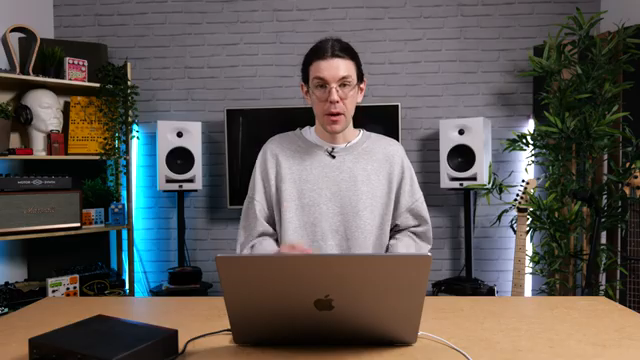
MusicRadar Tech drops us straight into the deep end with Tom Glendinning, who wastes no time showing off Ableton Live’s modulation effects. No endless plugin menus here—just the raw, built-in stuff that’s ready to twist your sounds into new shapes. Even if you’re running the most basic version of Live, you’ve got enough modulation firepower to make your tracks wobble, shimmer, and swirl.
Tom’s focus is tight: chorus, ensemble, phaser, and flanger. These aren’t just for show—they’re the secret sauce for taking static sounds and injecting movement. If your mix is feeling flat, these are the tools to pull it out of the grave. And yes, you can leave your third-party VSTs at home for this one.
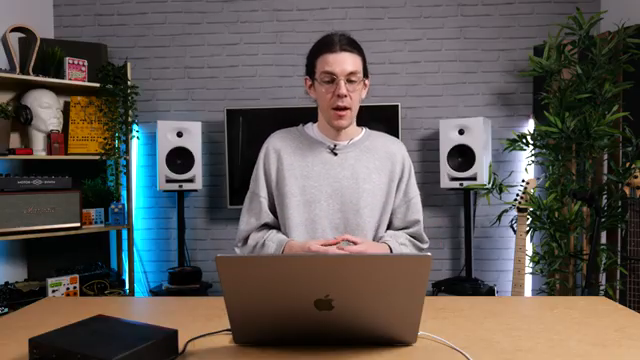
"You never really even need to dive into third-party VST plugins."
© Screenshot/Quote: Musicradartech (YouTube)
Chorus, Phaser, Flanger: The Sonic Street Gang
"What chorus does is it's really useful for adding width to sound."
© Screenshot/Quote: Musicradartech (YouTube)
Tom gets hands-on, slapping chorus-ensemble onto a subby bass and instantly widening it without losing the low-end punch. The classic mode is subtle, but if you want that drunken-horse wobble, crank the feedback and rate—just don’t blame us if your speakers start spinning. The ensemble mode dials up the lushness, perfect for fattening chords or thickening up vocals until they sound like a choir in a tube station.
Phaser-flanger steps in for the next round, adding movement and stereo swirl to otherwise boring chords. Tom’s not here to bore you with parameter-by-parameter breakdowns; he just tweaks, listens, and lets the sound do the talking. Want subtle width or full-on spacey weirdness? It’s all a twist away. The warmth control adds a hint of stompbox grit, making these digital effects feel a bit more analog and alive.
Bass, Drums & the Art of Movement
The real fun starts when Tom shows off practical uses: chorus on bass for width without mud, flanger on drums for instant groove, and even a bit of modulation on vinyl crackle for that extra texture. This isn’t just about making things sound weird—it’s about making them sound better, fuller, and more interesting. If your drums are stuck in a loop, a splash of flanger can turn them into a moving target.
He also demonstrates layering techniques, like adding flanger to a texture layer beneath your drums. It’s subtle, but it’s the kind of detail that separates a bedroom jam from a club banger. The stereo tricks with phase offset and spin mode are best experienced with headphones—trust me, the text can’t do justice to the swirling, head-spinning movement you’ll hear in the video.
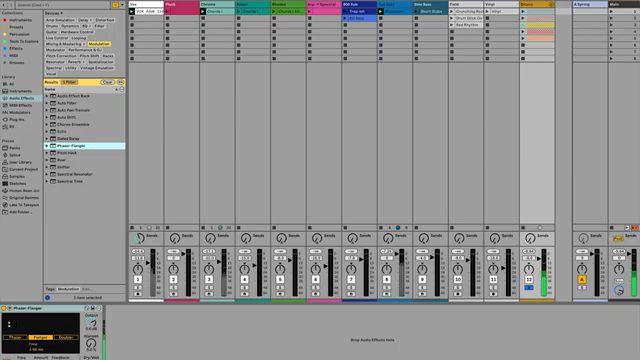
"And already right there, that makes a whole world of difference to me."
© Screenshot/Quote: Musicradartech (YouTube)
Keep Your Bass Safe: Low-End Survival Tactics
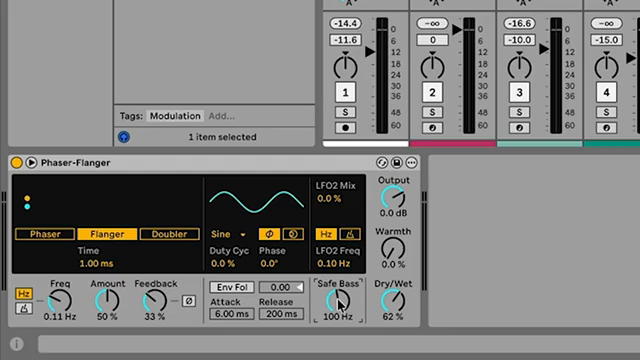
"We just want it to affect like the cymbals. It's really subtle sitting on the top frequencies."
© Screenshot/Quote: Musicradartech (YouTube)
Tom’s no fool—he knows modulation can wreck your low end if you’re not careful. Enter the bass safe controls on both chorus and phaser-flanger. These let you keep the sub frequencies clean and centred, while the top end gets all the stereo fun. It’s essential if you want your bass to punch through the mix instead of turning into a phasey mess.
Whether you’re modulating chords, drums, or weird textures, always check your bass safe settings. It’s the difference between a track that thumps and one that collapses into stereo soup. Tom’s advice is clear: keep the movement up top, and your low end will stay rock solid.
Echoes of Chaos: DIY Modulation with Ableton Echo
For the synth nerds who want to go off-script, Tom dives into the Echo device to build custom flanger and chorus effects. By abusing short delay times and modulating them with LFOs, you can cook up your own chorus or flanger from scratch. Want ping-pong flanging, reverb in the feedback path, or pitch wobble for extra filth? Echo’s got you covered.
This is where Ableton’s modular spirit shines. Tom tweaks delay times, feedback, and modulation to show just how far you can push these effects. If you’re after unique textures or want to break out of the preset prison, this section is your playground. But let’s be real—some of these sounds have to be heard to be believed, so don’t skip the video if you want the full rave bunker experience.
This article is also available in German. Read it here: https://synthmagazin.de/musicradar-techs-modulationswahnsinn-abletons-chorus-phaser-flanger-im-rave-test/
Watch on YouTube:
Latest articles
Watch on YouTube:
Visit the channel:
https://www.youtube.com/MusicRadarTech
https://www.youtube.com/MusicRadarTech
Links from MusicRadarTech:
website: https://www.musicradar.com
instagram: https://www.instagram.com/musicradartech
Sponsored links:
If you purchase via these links, we may earn a small commission – at no extra cost to you. The link opens an Amazon keyword search, and results may vary depending on availability.
Ableton Live
🔗 Check price on Amazon
🔗 Check price on Amazon
Chorus-Ensemble
🔗 Check price on Amazon
🔗 Check price on Amazon
Echo
🔗 Check price on Amazon
🔗 Check price on Amazon
Phaser-Flanger
🔗 Check price on Amazon
🔗 Check price on Amazon