Distortion isn’t just about turning your mix into a fried breakfast – it’s a secret weapon for everything from punchy subs to lo-fi nostalgia. In this hands-on masterclass, MusicRadar Tech’s Tom Glendinning dives into Ableton Live’s built-in distortion arsenal, showing off tricks that’ll make your 808s scream and your chords sizzle. Expect gritty tips, clever hacks, and a few curveballs that’ll have you rethinking those stock effects. If you think you know Saturator, Redux, and Erosion, think again – this video is a rave bunker of sound design ideas. Grab your headphones, because the real magic is best experienced with your ears wide open.
2. March 2026
SPARKY
MusicRadar Tech Gets Dirty: Ableton Distortion Devices Unleashed
Ableton Live, Cabinet, Dynamic Tube, Erosion, Overdrive, Pedal, Redux, Saturator
Distortion: Not Just for the Sonic Sledgehammer
Let’s get one thing straight: distortion isn’t just about making things louder and nastier. Tom Glendinning opens the session by reminding us that it’s a multi-tool for the modern producer. Beyond obvious grit, distortion and saturation can add harmonics, compress, limit, and even mimic vintage gear – all without a single third-party plugin in sight.
Ableton Live’s built-in effects are the unsung heroes here. Whether you’re a Suite snob or rocking the basic version, there’s a pile of creative options lurking in your Audio Effects folder. Tom’s approach is refreshingly practical, cutting through the menu-diving and getting straight to the point: use what you’ve got, and squeeze every drop of character out of it.

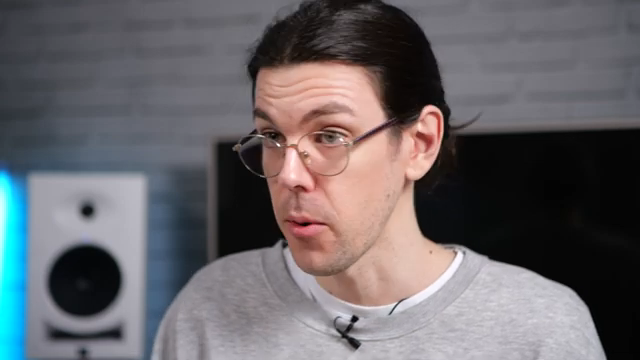
"You don't actually need to get a whole bunch of sort of VST plugins or third party effects to use. You can just use the tools that come built within Ableton to do a whole bunch of really interesting sort of sound design and creative tasks."
© Screenshot/Quote: Musicradartech (YouTube)
Saturator & Erosion: Character for Days
"So you can use the Saturator like a clipper as well. So it's a really versatile kind of distortion device."
© Screenshot/Quote: Musicradartech (YouTube)
First up, Saturator gets the spotlight – and it’s not just for beefing up your 808 subs. Tom demonstrates how this device can sculpt bass to cut through tiny speakers by adding upper harmonics, all while keeping the low end clean with clever EQ controls. The different distortion modes and the mysterious bass shaper are covered, showing how versatile this thing really is.
Then it’s Erosion’s turn. If you’ve ever wondered what that oddball device actually does, Tom’s got you. Erosion brings subtle grit and a bitcrushed edge to chords and drums, with just enough weirdness to keep things interesting. The takeaway? Don’t sleep on these stock effects – they’re more than capable of turning bland sounds into street weapons.
Redux & Creative Chaos: Vintage Flavour in a Box
Redux is Ableton’s answer to the classic bit crusher, and Tom wastes no time showing off its old-school sampler vibes. By dialing in lower bit and sample rates, you can channel the spirit of the SP-1200 or MPC-60, gluing drums together or turning a vanilla sine bass into a lo-fi monster. The Jitter and Shape controls add even more chaos, letting you smear and mangle sounds just enough to keep things unpredictable.
What’s great here is the focus on subtlety as well as destruction. Redux isn’t just for making things sound like a toaster-fight – it can add glue and character in small doses, too. Tom’s creative patches are a reminder that sometimes the best tricks are the ones you barely notice until they’re gone.
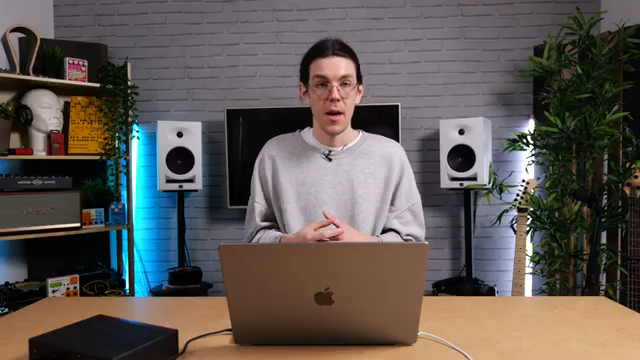
"If you think of like old school samplers like the SP-1200 or the MPC-60, these all actually worked at, they were digital samplers, but they worked at lower sample and bit rates than what we are used to in our kind of modern digital era."
© Screenshot/Quote: Musicradartech (YouTube)
Overdrive, Pedal & Dynamic Tube: Practical Tricks for Punch
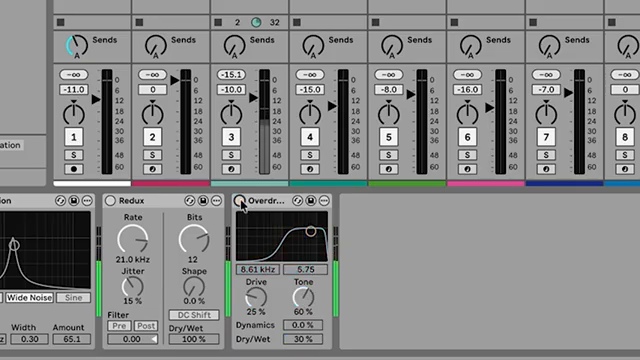
"And you can hear that just really brings out some clarity in those drums."
© Screenshot/Quote: Musicradartech (YouTube)
Overdrive might look like a relic, but Tom flips the script by using it as an exciter. Instead of just smashing drums, he targets high frequencies to pull clarity and brightness out of muddy samples – a move that EQ alone can’t match. The filter and tone controls let you surgically add sparkle without blowing up your mix.
Pedal and Dynamic Tube get their moment, too. Pedal is a stompbox beast for 808s and vocals, with modes ranging from polite overdrive to full-on fuzz carnage. The sub button and built-in EQ keep your low end intact while you dial in the filth. Dynamic Tube, on the other hand, is all about nuance – its bias and envelope controls let you add warmth and movement, especially on vocals and drums. These aren’t just effects; they’re secret sauce for making tracks hit harder and sound more alive.
Experimentation: The Only Rule That Matters
Tom wraps up by urging viewers to get their hands dirty. Ableton’s distortion devices aren’t just for one-trick ponies – they’re a playground for sound design. Whether you’re after phone speaker transitions with Cabinet or subtle vinyl fuzz, the only way to find your sound is to dive in and twist some knobs.
Honestly, you’ll never get the full impact of these tricks from an article – you need to hear them in action. So watch the video, crank your monitors, and let the chaos begin.
This article is also available in German. Read it here: https://synthmagazin.at/musicradar-tech-packt-aus-abletons-distortion-devices-im-haertetest/
Watch on YouTube:
Latest articles
Watch on YouTube:
Visit the channel:
https://www.youtube.com/MusicRadarTech
https://www.youtube.com/MusicRadarTech
Links from MusicRadarTech:
website: https://www.musicradar.com
instagram: https://www.instagram.com/musicradartech
Sponsored links:
If you purchase via these links, we may earn a small commission – at no extra cost to you. The link opens an Amazon keyword search, and results may vary depending on availability.
Ableton Live
🔗 Check price on Amazon
🔗 Check price on Amazon
Cabinet
🔗 Check price on Amazon
🔗 Check price on Amazon
Dynamic Tube
🔗 Check price on Amazon
🔗 Check price on Amazon
Erosion
🔗 Check price on Amazon
🔗 Check price on Amazon
Overdrive
🔗 Check price on Amazon
🔗 Check price on Amazon
Pedal
🔗 Check price on Amazon
🔗 Check price on Amazon
Redux
🔗 Check price on Amazon
🔗 Check price on Amazon
Saturator
🔗 Check price on Amazon
🔗 Check price on Amazon