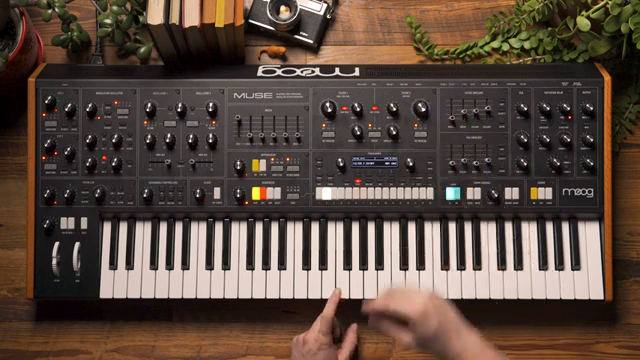
Moog Music’s Muse steps into the spotlight with a dual filter section that’s anything but ordinary. In this official walkthrough, Moog demonstrates how the Muse’s pair of 24 dB ladder filters—one boasting state-variable flexibility—can be sculpted for nuanced, modular-style sound design. From classic serial and parallel routing to stereo sweeps and overload-driven grit, the video is a patch-lover’s guide to extracting character and movement from the Muse. If you’re curious about how filter topology and routing can transform a synth’s voice, this is a deep dive worth your voltage.
Two Filters, Infinite Possibilities
The Muse’s filter section is built around two independent 24 dB Moog ladder filters, a nod to the classic 904A topology found in the revered 5U modular systems. This dual configuration immediately sets the stage for a wide range of tonal sculpting, with each filter offering a distinct voice in the signal chain. While both filters share the same core design, filter 1 stands apart thanks to its state-variable architecture and a dedicated high pass switch, opening up additional sonic territory.
Moog’s approach here is unmistakably modular: the filters can be used in isolation or in tandem, and their interaction is at the heart of the Muse’s sound-shaping capabilities. The video wastes no time in highlighting how these filters can be swept, linked, and modulated to carve out everything from classic Moog warmth to more experimental textures. For those who grew up patching modulars, the flexibility on display feels both familiar and refreshingly immediate.
Cutoff, Resonance, and Modulation: The Sculptor’s Toolkit
Each Muse filter is equipped with its own cutoff and resonance controls, giving users hands-on access to the signature Moog sweep. The inclusion of envelope amount attenuverters for both filters means modulation can be applied positively or negatively, allowing for nuanced dynamic movement in the filter response. This is a welcome nod to classic modular workflows, where envelope polarity and depth are crucial for expressive sound design.
Keyboard tracking is independently selectable at 50% or 100% for each filter, with further customisation possible via the mod map. This level of control ensures that the filters can track pitch in musically relevant ways, or be decoupled for more experimental results. The video demonstrates how these options combine to create a filter section that’s not just powerful, but also deeply playable and responsive to a wide range of patching approaches.
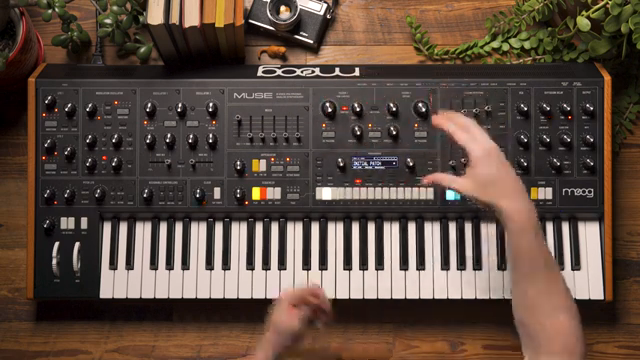
"We have a link filters button which allows us to link the cutoff sweeps of both filters."
© Screenshot/Quote: Moogsynthesizers (YouTube)
From Band-Pass to Notch: Practical Filter Magic
"You can notice that as I open up the low pass filter the high pass filter is simultaneously removing low end and when I close the high pass filter to let low end back in the low pass filter is removing the upper harmonics giving us a band pass response."
© Screenshot/Quote: Moogsynthesizers (YouTube)
Moog doesn’t just talk theory—they dive straight into practical examples that showcase the Muse’s filter versatility. Starting with serial routing and filter 1 in high pass mode, we hear how sweeping both filters yields a classic band-pass response. The link filters function allows for simultaneous cutoff control, while the spacing parameter introduces differential movement between the two filters, letting users fine-tune the overlap and carve out their preferred frequency window.
Switching to parallel mode, the video demonstrates how mixing the outputs of both filters—again with filter 1 in high pass—creates a pronounced notch effect reminiscent of phaser tones. Adjusting the spacing control alters the width and character of the notch, offering a different flavour compared to the serial band-pass setup. This approach is classic modular thinking: patching the same building blocks in new configurations to unlock fresh sonic results.
Finally, the stereo mode is explored by panning filter 1 left and filter 2 right, both set to low pass. With careful adjustment of spacing and resonance, the Muse delivers sweeping stereo motion that adds depth and movement to the sound. The result is a filter section that can morph from surgical to immersive, all with a few well-placed tweaks.
Serial, Parallel, Stereo: Routing for the Adventurous
The Muse’s filter routing options are a modular enthusiast’s playground. The order switch toggles between serial and parallel configurations, fundamentally altering how the filters interact. In serial mode, filter 1’s output is fed into filter 2, enabling complex responses like band-pass filtering when combining high pass and low pass stages. This is the kind of patching flexibility that modular users crave, and it’s delivered here with a single switch.
Parallel mode, on the other hand, mixes the outputs of both filters before the VCA, making it possible to create notch effects and blend different filter characters. The addition of a stereo mode, with hard panning of each filter, pushes the creative envelope further, allowing for wide, animated sweeps that can bring a patch to life in a mix. Moog’s implementation here is both classic and forward-thinking, giving users the tools to shape their sound in ways that go beyond the typical fixed routing of many synths.
Overload: Adding Grit and Movement
Beyond the filter topology and routing, the Muse includes an overload control in the mixer section, letting users drive the filters for added harmonic richness and bite. As demonstrated in the video, increasing the overload introduces drive and subtle clipping, pushing the filters into more aggressive territory without sacrificing musicality. This is a classic Moog trick, and it’s as effective here as ever.
Envelope modulation can be applied independently to each filter, opening up possibilities for evolving, stereo-filtered textures. By assigning envelopes to open one filter while closing the other, the Muse can generate complex, animated movement across the stereo field. It’s a reminder that, while the Muse’s filter section is rooted in tradition, it’s designed for modern, exploratory sound design workflows.

"You can hear a little bit more drive and clipping occurring."
© Screenshot/Quote: Moogsynthesizers (YouTube)
This article is also available in German. Read it here: https://synthmagazin.at/moog-music-muse-dual-filter-alchemie-im-einsatz/
Watch on YouTube:
Latest articles
Watch on YouTube:
Visit the channel:
https://www.youtube.com/MoogSynthesizers
https://www.youtube.com/MoogSynthesizers
Links from MoogSynthesizers:
website: https://moogmusic.com
instagram: https://instagram.com/moogsynthesizers
facebook: https://www.facebook.com/moogmusicinc
twitter: https://twitter.com/moogmusicinc
Sponsored links:
If you purchase via these links, we may earn a small commission – at no extra cost to you. The link opens an Amazon keyword search, and results may vary depending on availability.
Moog Muse
🔗 Check price on Amazon
🔗 Check price on Amazon