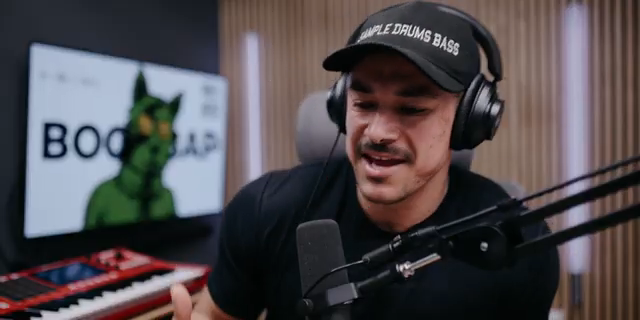
If you think the MPC XL is just another shiny box for studio nerds, think again. MALO BEATS dives into the new 3.0 workflow, showing off how the clip matrix and track mute automation can turn your beat game from basic to bonkers. This isn’t some dry manual—MALO’s got that real-world, sample-based hustle, and he’s not afraid to keep it messy, honest, and fun. Whether you’re just getting your fingers dirty or looking for tricks to spice up your next live set, this video is a goldmine of workflow hacks and street-level wisdom. Trust me, you’ll want to see how these features slap in action.
6. February 2026
RILEY
MALO BEATS Flips the MPC XL: Clip Matrix & Track Mute Automation for Streetwise Beatmakers
Clip Matrix: The New Playground
MALO BEATS jumps right in, breaking down how the MPC XL’s clip matrix and track mute automation bring a fresh flavor to beat-making. He keeps it real—this isn’t just for the XL, but any MPC running 3.0, so nobody’s left out in the cold. Clips and track mutes are new territory for him, but he’s already cooking up ideas, treating clips like a stack of half-finished mixtapes—some make the cut, some don’t, but it’s all about the freedom to experiment.
The vibe here is all about exploration, not perfection. MALO’s approach is loose and creative, letting ideas flow without stressing over which ones will end up in the final track. If you’re tired of rigid sequences and want a workflow that feels more like jamming with your crew than filling out tax forms, this is your stop. The clip matrix isn’t just a feature—it’s a playground for beatmakers who want to keep things moving and never get stuck in a rut.
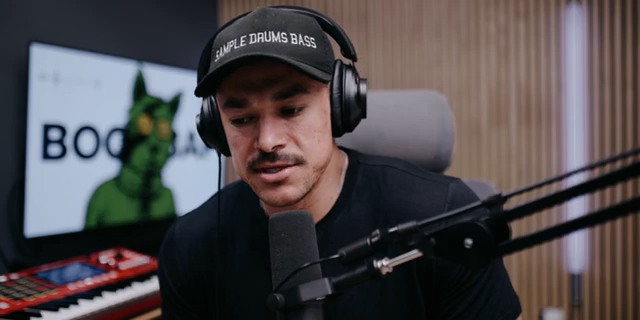
"Clips, the way I look at them is just ideas, different ideas that I get to explore."
© Screenshot/Quote: Malobeats (YouTube)
Start Small, Flip Big: Sample-Based Workflows
"When I feel this connection with any sample to me, this is like dopamine and this is why I enjoy what I do because it feels so good."
© Screenshot/Quote: Malobeats (YouTube)
Instead of jumping into eight-bar epics, MALO starts with two-bar loops—tight, simple, and totally unpretentious. He’s all about not overwhelming himself, building beats piece by piece and letting the vibe lead the way. The clip-based workflow means you can try out ideas, swap out sample chops, and keep your process as chill or as wild as you want. No pressure to make every clip a masterpiece—just stack your ideas and see what sticks.
He drops gems about using the arranger as the final canvas, but keeping all the messy, creative work down in the clips. It’s like keeping your best verses in the notebook until you’re ready to record. The real magic? You can have different clip lengths for each track—drums, bass, leads—so your beats don’t have to march in lockstep. This is the kind of workflow that lets you flip samples, EQ harsh highs, sidechain for that bounce, and layer up until you hit that dopamine rush. If you want to see how a real sample-based workflow goes down, MALO’s session is a masterclass in keeping it loose and letting the groove guide you.
Track Mute Automation: Drops, Breaks, and Live Sauce
Here’s where things get spicy. MALO shows how automating track mutes can inject serious movement into your beats—think drops, breaks, and those little moments that make a live set pop. He’s honest about the quirks: real-time mute performances don’t always record the way you want, but the XL lets you automate those moves after the fact. Just flip from ‘read’ to ‘write’ mode, and every mute, unmute, and fader move gets locked in.
It’s not just about muting drums or leads for the sake of it—it’s about creating dynamic changes that keep your track from sounding like a looped voicemail. MALO even experiments with fading out the master, showing that automation isn’t just for the pros. If you want your beats to breathe and surprise, this section’s got the hacks you need. But trust, the real sauce is in watching him perform these moves live—words can’t do justice to the vibe when the drops hit.
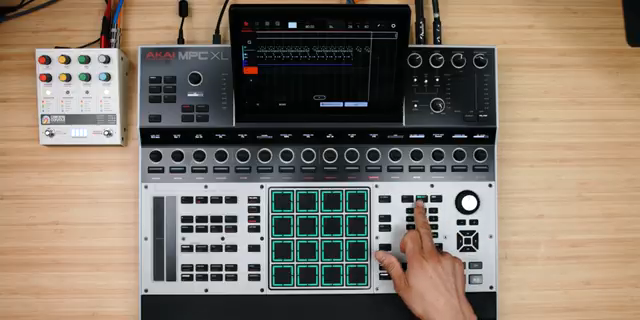
"Be careful if you're on write, whatever changes anything you press is going to record."
© Screenshot/Quote: Malobeats (YouTube)
Find Your Groove: Workflow Wisdom for Beginners
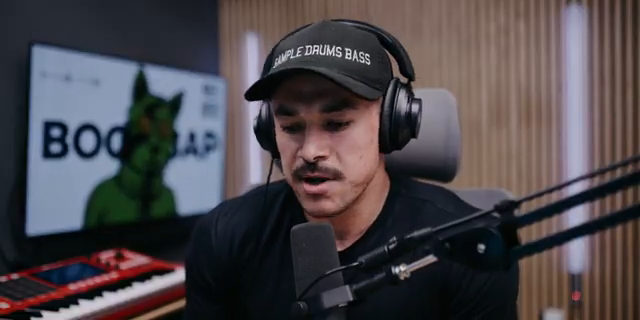
"My biggest advice or recommendation is learn how to sample onto your MPC and learn how to load samples onto your pads."
© Screenshot/Quote: Malobeats (YouTube)
MALO keeps it 100 about the learning curve—there’s a lot going on in the MPC, and it’s easy to get lost in the sauce. His advice? Don’t stress about mastering every feature. Focus on learning how to sample and load sounds onto your pads. That’s the real bread and butter. Your first beats might sound like a broken subwoofer, but that’s just part of building muscle memory and getting familiar with your instrument.
He’s big on developing your own workflow over time. Copy his moves if you want, but the end goal is to find what makes sense for you. The MPC is an instrument, not a puzzle, and the more you mess with it, the more second nature it becomes. MALO’s style is all about sharing the love—he points out the strength of the MPC community and encourages everyone to dig into YouTube, courses, or whatever helps you get better. No gatekeeping, just real talk.
Clip-Based Creativity: See It, Hear It, Flip It
If you want to see creative sampling in action, this is where MALO puts it all together. Watching him flip between clips, stack variations, and lay down automation is way more inspiring than any written guide. The clip-based approach isn’t just theory—it’s a living, breathing workflow that you need to witness to fully appreciate. Don’t just read about it—go watch the video and catch the vibe for yourself.
This article is also available in German. Read it here: https://synthmagazin.at/malo-beats-dreht-auf-clip-matrix-track-mute-automation-fuer-strassen-beatmaker-auf-dem-mpc-xl/
Watch on YouTube:
Latest articles
Watch on YouTube:
Visit the channel:
https://www.youtube.com/malobeats
https://www.youtube.com/malobeats
Links from malobeats:
Extras on Patreon: https://patreon.com/malobeats
Instagram: https://instagram.com/malo_beats/
Sponsored links:
If you purchase via these links, we may earn a small commission – at no extra cost to you. The link opens an Amazon keyword search, and results may vary depending on availability.
Akai MPC XL
🔗 Check price on Amazon
🔗 Check price on Amazon