Make Noise, the Asheville-based modular mavericks, dive into a cross-generational experiment by pairing their MultiWAVE module with Laurie Spiegel’s reissued Music Mouse software from Eventide. This video is less about algorithmic wizardry and more about real-time, hands-on interaction—using the mouse as a musical instrument to drive modular synthesis. The Make Noise team demonstrates how this digital-meets-analog workflow opens up new creative territories, layering MIDI-driven melodies and patterns with the sonic depth of MultiWAVE. If you’re curious about integrating classic software interfaces with modern Eurorack, this is a workflow exploration you’ll want to see.
26. February 2026
LYRA
MAKEN0ISE Connects MultiWAVE and Music Mouse: Digital Control, Modular Sound
Bridging Eras: MultiWAVE Meets Music Mouse
The video opens with a personal reflection on the musical influences that shaped Make Noise’s ethos, highlighting Laurie Spiegel’s pioneering work with computer-based sequencing and analog synthesis. This sets the stage for the main event: connecting the newly reissued Music Mouse software by Eventide to the Make Noise MultiWAVE module. The MultiWAVE is positioned as a flexible interface, capable of receiving MIDI note data generated in real time from Music Mouse, effectively turning mouse gestures into modular sound.
The workflow here is refreshingly direct—no labyrinthine setup or deep menu diving required. With the MultiWAVE’s MIDI input, the team demonstrates how easily the software and hardware can communicate, making it possible to harness the expressive, gestural control of Music Mouse within a modular context. This integration is presented as both accessible and inspiring, especially for those interested in blending digital control with analog sound design.

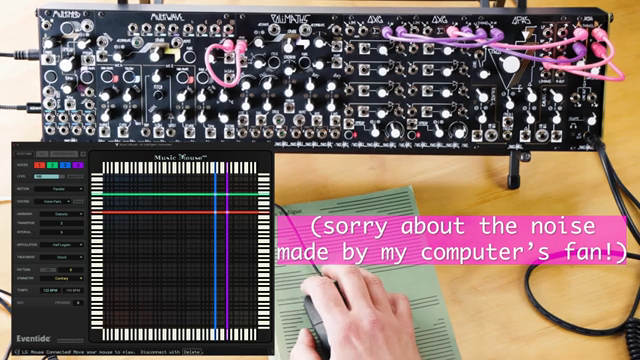
"She does not consider Music Mouse an algorithmic or compositional tool, but just an instrument interface for real time play using the movement of the computer mouse to select and generate MIDI note data."
© Screenshot/Quote: Maken0Isemusic (YouTube)
Hands-On Control: The Music Mouse Interface
"I'm no expert on this program, but I found it easy to use anyway."
© Screenshot/Quote: Maken0Isemusic (YouTube)
Music Mouse’s interface is a study in minimalism and immediacy. The video shows how simple mouse movements translate directly into musical gestures: vertical movement shifts horizontal lines, while horizontal movement shifts vertical lines. This means that melodic and harmonic content can be shaped intuitively, without the need for traditional keyboard skills or complex programming.
A standout feature is the ability to hold the mouse button to move the cursor without triggering notes, providing nuanced control over performance. The interface also includes keyboard shortcuts for quick access to options, though the presenter admits to not having memorized them yet. This design encourages exploration and improvisation, making the software feel more like a live instrument than a static sequencer.
Exploring Chords, Patterns, and Performance Features
The demonstration moves into the musical capabilities of Music Mouse, focusing on features like chord melody and pattern generation. Selecting ‘chord melody’ allows a single horizontal line to control multiple notes, while the ‘treatment’ parameter determines the playback order of these notes, enabling both traditional and experimental voicings. The presenter expresses a preference for the ‘chord and line’ mode, which seems to offer a satisfying blend of harmonic and melodic control.
Patterns in Music Mouse function similarly to sequences but remain responsive to the user’s real-time input and the rules set within the software. While the video doesn’t delve into custom pattern or scale programming, it highlights how even the default palette, when paired with MultiWAVE’s patch programmability, can yield complex and evolving musical structures. The focus remains on immediacy and playability rather than deep menu editing.
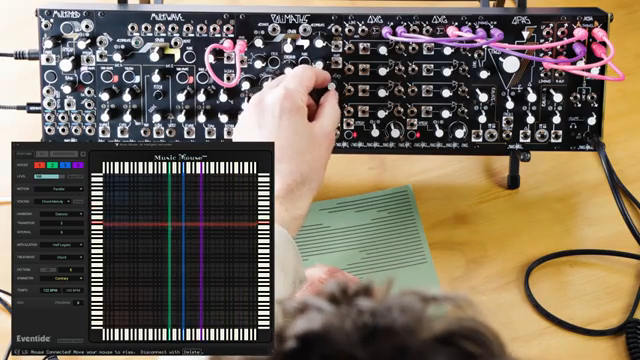
"Chord melody means one horizontal line and treatment decides what order the different lines play in, or the different notes play in."
© Screenshot/Quote: Maken0Isemusic (YouTube)
Creative Synergy: Layering and Structure with MultiWAVE and Music Mouse
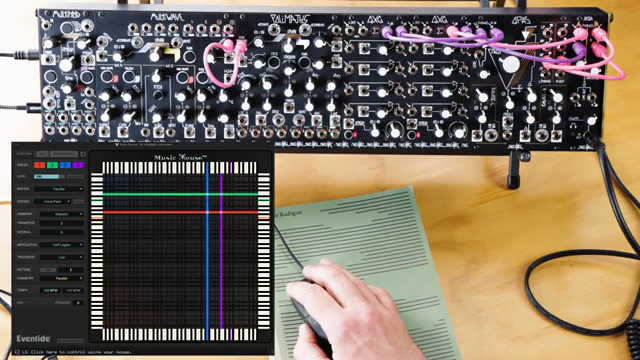
"Even with the limited palette here, combine it with patch programmability of multi-wave, and I think that's a good way to do it."
© Screenshot/Quote: Maken0Isemusic (YouTube)
The final section explores the creative potential unlocked by combining Music Mouse’s generative MIDI output with the MultiWAVE’s sonic capabilities. By layering the intuitive, mouse-driven melodies and patterns from Music Mouse with MultiWAVE’s patchable architecture, users can build intricate textures and evolving structures that would be cumbersome to program manually.
While the workflow may not appeal to purists seeking a purely modular approach, the video makes a compelling case for hybrid setups that embrace both digital and analog strengths. The integration is shown to be straightforward and musically rewarding, opening doors for live improvisation, studio experimentation, and DAWless performance. The result is a system that encourages exploration without sacrificing depth—a testament to Make Noise’s commitment to creative modular workflows.
This article is also available in German. Read it here: https://synthmagazin.at/maken0ise-verbindet-multiwave-und-music-mouse-digitale-kontrolle-trifft-modularsound/
Watch on YouTube:
Latest articles
Watch on YouTube:
Visit the channel:
https://www.youtube.com/MAKEN0ISEMUSIC
https://www.youtube.com/MAKEN0ISEMUSIC
Links from MAKEN0ISEMUSIC:
website: https://www.makenoisemusic.com
instagram: https://www.instagram.com/makenoisemusic
twitter: https://twitter.com/makenoisemusic
facebook: https://www.facebook.com/makenoiseco
Sponsored links:
If you purchase via these links, we may earn a small commission – at no extra cost to you. The link opens an Amazon keyword search, and results may vary depending on availability.
Eventide Music Mouse
🔗 Check price on Amazon
🔗 Check price on Amazon
Make Noise MultiWAVE
🔗 Check price on Amazon
🔗 Check price on Amazon