Forget the endless tangle of cables and synths gathering dust in the corner—Lodewijk Vos (LØ) has rebuilt his desk into a streamlined, inspiration-fuelled command centre. In this video, LØ slices through the fluff and shows how a smart setup can supercharge both music production and content creation. Expect a hands-on tour of desktop synths, a dual-computer rig that laughs in the face of CPU overload, and enough workflow hacks to make your DAW blush. If you’re tired of setups that kill your vibe, this is the antidote. Get ready for a desk that works as hard as you do.
23. February 2026
SPARKY
Lodewijk Vos (LØ): The Desk Setup That Turns Workflow Into a Weapon
Arturia AudioFuse 16Rig, Arturia MicroFreak, Behringer Model D, Bird Echo analog delay, Elektron Model:Samples, Error Instruments LOOPMAN, Make Noise Strega, Melbourne Instruments Roto-Control, Oxi One, Philips 272E Monitor, Wavlink Thunderbolt 5 Docking Station, WAVLINK Video Capture Card
Inspiration Engine: Desk as Muse
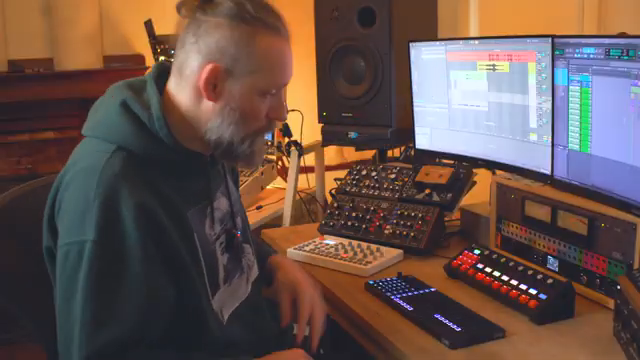
LØ kicks things off by declaring war on uninspiring workspaces. His mission? Build a desk setup that doesn’t just look good, but actively drags you into the creative zone. No more wandering around a synth graveyard—everything is within arm’s reach, and every piece of gear is chosen for maximum musical spark. The focus is on desktop synths, not just for their sound, but for the way they keep you locked in the sweet spot between your monitors and your ideas.
It’s not about hoarding gear for the sake of it. LØ’s approach is ruthless: only what inspires, nothing that slows you down. Hardware wins over endless preset scrolling, and the setup is designed so you can move from beat to bass to weird noise without breaking your flow. The result? A workspace that’s less like an office and more like a rave bunker for your brain.
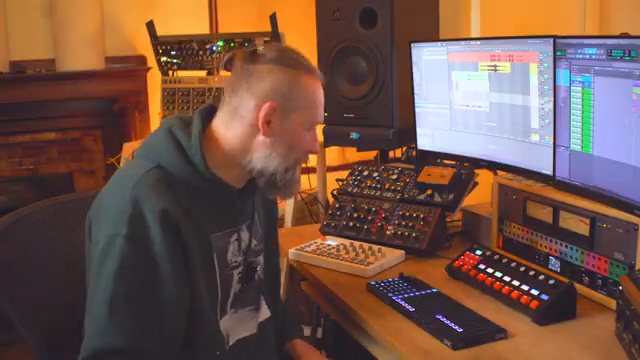
"I can dial in one, two, three, four, five, six synths right in front of me without even moving around or getting out of the perfect zone for my speakers."
© Screenshot/Quote: Lodewijkvos (YouTube)
Double Trouble: Dual-Computer Domination
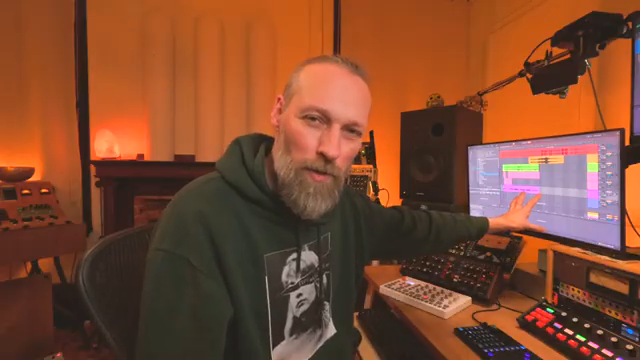
"I am actually recording at all times anything I do on this screen."
© Screenshot/Quote: Lodewijkvos (YouTube)
Here’s where things get spicy. LØ doesn’t just rely on one computer—he’s running a dual-computer setup that splits music production and content creation right down the middle. The main machine handles the heavy lifting for music, while a second laptop, powered by a Thunderbolt 5 docking station and a stack of 4K capture cards, takes care of video, livestreams, and screen recording. No more choking your CPU when you want to capture a killer jam.
The magic is in the wiring: one Thunderbolt cable brings everything together, from multiple cameras to audio interfaces. This means LØ can record, stream, and switch camera angles on the fly, all without his main production rig breaking a sweat. It’s a setup that’s ready to catch inspiration the moment it strikes—and to broadcast it to the world without lag or hassle.
Hardware Heroes: Synths and Sonic Street Weapons
Let’s talk gear. LØ’s desk is a who’s-who of desktop synths and creative tools: Elektron Model:Samples for beats, Behringer Model D for bass and leads, Make Noise Strega for pure chaos, Error Instruments LOOPMAN for tape weirdness, OXI One for sequencing, and the Arturia MicroFreak in a custom wooden case. Each piece is there for a reason—no filler, just killer.
There’s also a nod to workflow hacks: cheap laptop stands keep everything at the right angle, and the Arturia AudioFuse 16Rig brings 16 inputs to the party so nothing gets left unplugged. VU meters, patchbays, and a Bird Echo analog delay add flavour and flexibility. LØ’s approach is all about speed, hands-on control, and never letting a good idea slip away because you’re stuck re-patching or menu-diving.
Clients in the Room: Remote Sessions, Zero Latency
Remote sessions don’t have to feel like shouting into the void. With this setup, LØ brings clients right into the heart of the studio—even if they’re halfway across the planet. Multiple camera angles, instant screen sharing, and high-fidelity audio mean clients get the full experience: they can see the gear, hear the music, and follow every tweak in real time.
The real kicker? Zero latency. LØ can play piano live over Zoom without the usual three-second delay, making sessions feel natural and collaborative. It’s a far cry from the days of endless permission requests and glitchy audio. This isn’t just a technical upgrade—it’s a way to bring back the vibe of in-person collaboration, even when everyone’s remote.
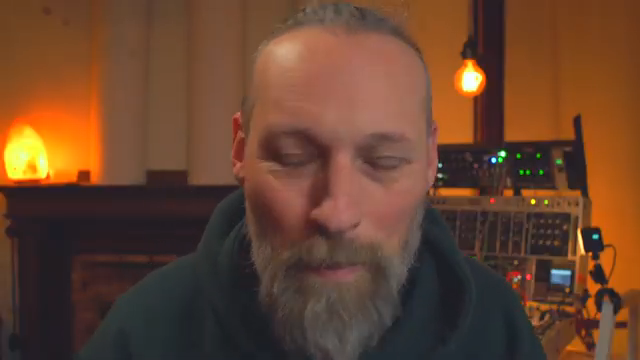
"It makes them feel like they're in the room with me."
© Screenshot/Quote: Lodewijkvos (YouTube)
Watch the Video: The Full Setup Unleashed
There’s only so much I can cram into an article before your eyes glaze over—LØ’s video is packed with detailed gear walkthroughs, workflow tips, and real-world demos that you need to see (and hear) for yourself. If you want the nitty-gritty on his setup, or just fancy some desk envy, hit play and dive in. Trust me, your next studio upgrade starts here.
This article is also available in German. Read it here: https://synthmagazin.at/lodewijk-vos-lo-das-desk-setup-als-workflow-waffe/
Watch on YouTube:
Latest articles
Watch on YouTube:
Visit the channel:
https://www.youtube.com/lodewijkvos
https://www.youtube.com/lodewijkvos
Links from lodewijkvos:
website: https://lodewijkvos.com
facebook: https://www.facebook.com/lodewijkv
instagram: https://www.instagram.com/lodewijkv/
Sponsored links:
If you purchase via these links, we may earn a small commission – at no extra cost to you. The link opens an Amazon keyword search, and results may vary depending on availability.
Arturia AudioFuse 16Rig
🔗 Check price on Amazon
🔗 Check price on Amazon
Arturia MicroFreak
🔗 Check price on Amazon
🔗 Check price on Amazon
Behringer Model D
🔗 Check price on Amazon
🔗 Check price on Amazon
Bird Echo analog delay
🔗 Check price on Amazon
🔗 Check price on Amazon
Elektron Model:Samples
🔗 Check price on Amazon
🔗 Check price on Amazon
Error Instruments LOOPMAN
🔗 Check price on Amazon
🔗 Check price on Amazon
Make Noise Strega
🔗 Check price on Amazon
🔗 Check price on Amazon
Melbourne Instruments Roto-Control
🔗 Check price on Amazon
🔗 Check price on Amazon
Oxi One
🔗 Check price on Amazon
🔗 Check price on Amazon
Philips 272E Monitor
🔗 Check price on Amazon
🔗 Check price on Amazon
Wavlink Thunderbolt 5 Docking Station
🔗 Check price on Amazon
🔗 Check price on Amazon
WAVLINK Video Capture Card
🔗 Check price on Amazon
🔗 Check price on Amazon