Ever wanted to mutate your tracks without nuking the original? Free Beat dives into the KOII’s commit function and finds out it’s not just a button—it’s a full-on rave bunker for scene variations. This isn’t a dry manual; it’s a caffeine-fuelled, hands-on session where chaos is embraced and every outro gets its own flavour. If you like your workflow fast, flexible, and a bit unpredictable, you’ll want to see how KOII’s commit turns song mode into a playground. Free Beat’s practical, drummer-brain approach keeps things moving, and by the end, you’ll be itching to clone, tweak, and smash your own patterns. Don’t expect a bedtime story—this is groovebox warfare.
7. January 2026
SPARKY
Free Beat’s KOII Commit: Clone Wars in the Groove Trench
Commit: The Secret Sauce for Scene Mutants
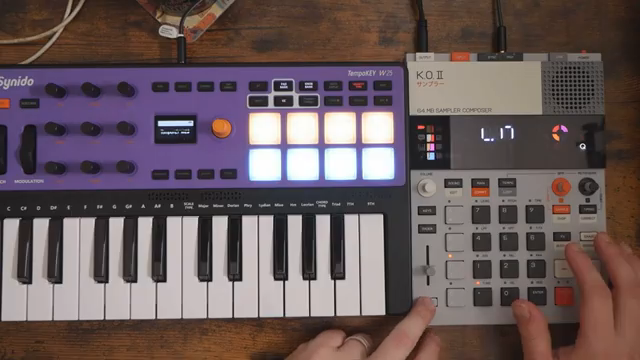
Right out of the gate, Free Beat calls the KOII commit function “awesome”—and for once, that’s not just YouTuber hype. Commit isn’t just a save button; it’s a full-on scene cloning device, letting you duplicate any section and then butcher it to your heart’s content. Think of it as the KOII’s answer to the Dirtywave M8’s variation cloning, but with its own flavour.
The beauty here is flexibility. You can take an existing scene, commit it, and suddenly you’ve got a blank canvas with all your patterns copied over, ready for you to mangle. No more worrying about wrecking your original groove—just commit, tweak, and keep the chaos under control. If you’re the type who likes to build tracks that evolve and surprise, this function is your new best mate.
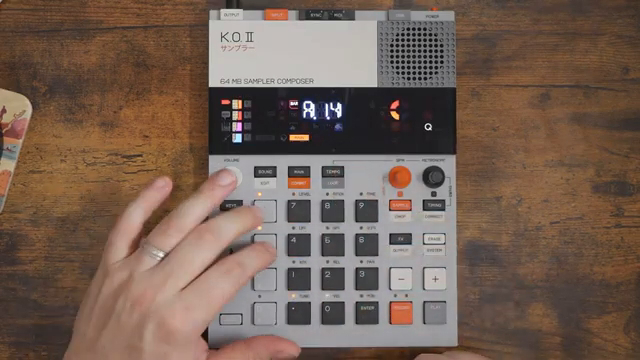
"Commit is essentially like the create a clone variation function of the Dirtywave M8."
© Screenshot/Quote: Freebeat (YouTube)
Commit in Action: Real-Time Track Mayhem
Free Beat doesn’t just talk about commit—he shows it in the wild. Building an outro, he stacks up four sections, each one a little different. The first is left alone, but the rest get the commit treatment: drums wiped, patterns rewritten, and a double-time feel thrown in for good measure. It’s a masterclass in how to keep a track interesting without losing your mind to menu-diving.
The workflow is fast: jump to song mode, hit main, commit, and you’re off. Want a new drum ramp-up? Done. Need to overlay hi-hats or add a melodic twist? Easy. The KOII’s structure means you can bounce between sections, commit variations, and keep the energy moving. No more static loops—every section can be its own beast.
If you want to see the real magic, you’ve got to watch the video. The way Free Beat flips between patterns and drops in new elements is something you need to hear, not just read about. The KOII’s commit is basically a live remix machine, and this section proves it.
From Confusion to KOII Commander
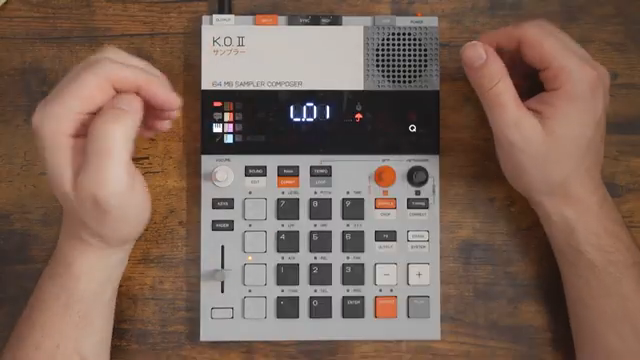
"Now that I understand commit and just the overall like structure of how things work I see it. I get it."
© Screenshot/Quote: Freebeat (YouTube)
Free Beat keeps it honest: at first, the KOII was a bit of a puzzle. The structure felt weird, and the commit function was a head-scratcher. But after a few rounds in the groove bunker, it all clicks. The learning curve is real, but once you get the logic, the KOII opens up like a Swiss Army knife for pattern maniacs.
Now, Free Beat’s not just using commit—he’s abusing it, and loving every minute. The device goes from confusing to addictive, and you can feel the excitement as he talks about cranking out more KOII content. It’s a reminder that sometimes, the best gear is the one that fights back a little before it lets you in.
Sound Design and Arrangement: KOII’s Playground
There’s more to this video than button mashing. Free Beat drops plenty of arrangement tricks: layering melodic elements, using controlled chaos, and making every outro section unique. He’s not afraid to clear drums, overlay hi-hats, or throw in a harmonised melody with a MIDI controller. The KOII’s structure makes these moves fast and fun.
If you’re after sound design tips, pay attention to how he tweaks envelopes, balances levels, and uses sidechain for punch. The KOII’s versatility shines when you see how quickly you can move from idea to execution. And let’s be real: some of these details are best experienced with your ears, not your eyes—so don’t skip the video if you want to catch the full sonic mayhem.
"You can commit from song mode? That's even cooler!"
© Screenshot/Quote: Freebeat (YouTube)
Track Complete: KOII’s Commit Pays Off
The grand finale: a finished track that shows off everything the KOII commit can do. Free Beat runs through the song, each section morphing thanks to those committed variations. The result isn’t just a loop with a new hat—it’s a living, breathing arrangement that keeps you guessing.
He admits the track isn’t perfect—levels could be tweaked, and you could commit variations forever if you wanted. But that’s the point: the KOII makes it easy to experiment, iterate, and keep things fresh. For 299 bucks, this box punches way above its weight. If you want to see what commit can really do, the finished track is all the proof you need.
This article is also available in German. Read it here: https://synthmagazin.at/free-beat-und-das-koii-commit-klonkriege-im-groove-schuetzengraben/
Watch on YouTube:
Latest articles
Watch on YouTube:
Visit the channel:
https://www.youtube.com/FreeBeat
https://www.youtube.com/FreeBeat
Links from FreeBeat:
Support the Channel: https://patreon.com/freebeat
Instagram: https://instagram.com/freethebeatwithin
Sponsored links:
If you purchase via these links, we may earn a small commission – at no extra cost to you. The link opens an Amazon keyword search, and results may vary depending on availability.
Behringer UMC1820
🔗 Check price on Amazon
🔗 Check price on Amazon
Teenage Engineering KOII
🔗 Check price on Amazon
🔗 Check price on Amazon