If you’ve ever tried to pull off a seamless song transition on hardware and ended up with a trainwreck, you’re not alone. EZBOT, the hardware head with a taste for raw, unpolished groove, dives deep into the Elektron Octatrack MK2’s bag of tricks for live transitions that don’t sound like a car crash. Forget the CDJ safety net—this is about gritty, hands-on performance, where the Octatrack becomes your secret weapon. Expect real-world hacks, not fluffy theory, and a few sharp reminders that the Octatrack’s quirks are what make it a street-level legend. If you want your next set to flow like butter and hit like a sledgehammer, this one’s for you.
14. February 2026
SPARKY
EZBOT’s Octatrack Transition Tactics: From Garage Chaos to Pro-Level Flow
Octatrack: The Transition Assassin
EZBOT kicks things off by making it clear: transitioning between songs on hardware isn’t for the faint-hearted. Unlike the polished world of CDJs, where everything is designed for buttery transitions and flawless effects, hardware setups like the Octatrack MK2 are raw, unpredictable, and all the better for it. If you’re after that garage grit and don’t mind getting your hands dirty, this is your playground.
The Octatrack gets singled out as a top-tier tool for the job. EZBOT doesn’t waste time with fluff—he’s all about what works, and the Octatrack’s ability to handle live transitions is front and centre. Other loopers get a nod, but if you want to move between tracks without sounding like you’ve tripped over your own cables, this box is the one to beat.
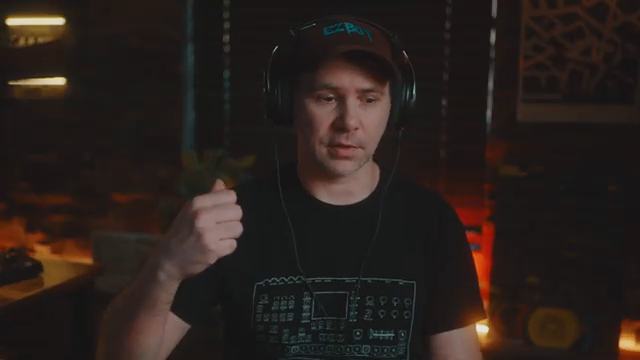
"The Octatrack does it extremely well."
© Screenshot/Quote: Ezbot (YouTube)
Live Transitioning: BPMs, Faders, and No Harmonic Clashes
"It's really just avoiding this harmonic content clashing with each other."
© Screenshot/Quote: Ezbot (YouTube)
Moving from one track to another isn’t just about slamming the next pattern and hoping for the best. EZBOT lays down the law: match your BPMs, fade out your melodies, and avoid harmonic trainwrecks at all costs. He demonstrates how shifting from drums to melody—or vice versa—keeps things smooth, and why clashing keys are your enemy.
The real trick? Using the Octatrack’s mixer section to fade out melodic content and isolate your drums before grabbing a live loop. EZBOT’s approach is direct: get rid of anything that’ll muddy the transition, then lock in your new tempo with intent. It’s not about being subtle—it’s about being effective. If you want the full flavour of these transitions, you’ll need to see (and hear) the video in action.
Loop Like a Pro: Real-World Transition Magic
EZBOT doesn’t just talk theory—he shows you how to record live loops right in the heat of a transition. By capturing a drum loop at the new BPM, you get a gritty, time-stretched effect that’s more feature than flaw. This isn’t about sterile perfection; it’s about using the Octatrack’s quirks as creative ammo.
The process is hands-on: nudge your tempo, grab your loop, and slam into the next song with the fader. The best part? You’re not locked into a rigid timeline—EZBOT shows how you can take your time and fade into the new track, keeping the energy up and the crowd guessing. For the full sonic punch, you’ll want to catch the live demo in the video.
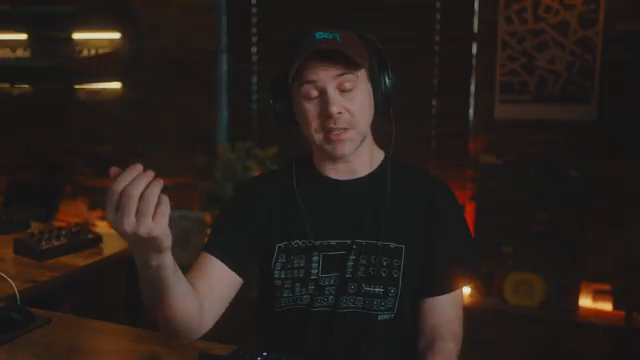
"The grit of time stretch is an effect."
© Screenshot/Quote: Ezbot (YouTube)
Octatrack as Performance Mixer: Why Slave is King
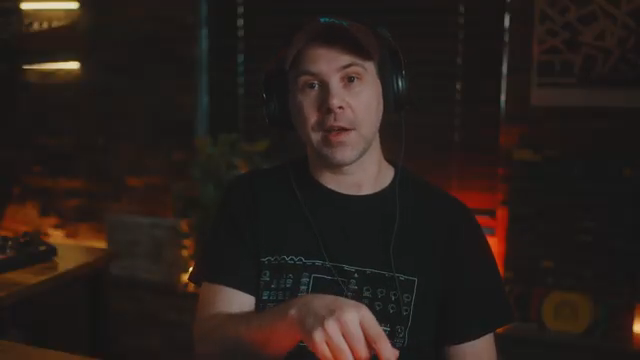
"It just works so much better."
© Screenshot/Quote: Ezbot (YouTube)
Here’s a hot take: don’t make your Octatrack the master clock. EZBOT argues it’s best used as a performance mixer, slaved to your main tempo source. That way, you can loop, tweak, and change patterns on your other gear while the Octatrack keeps everything glued together. It’s a workflow that lets you stay on one pattern, live-loop segments, and keep your set flexible—exactly what you want when chaos is the norm.
Templates, Tutorials, and Taking It Further
EZBOT wraps things up with a nudge to level up your own rig. He points viewers to his custom performance templates—available on Patreon and Ko-fi—as a shortcut to mastering these transition tricks. But he’s not just selling templates; he encourages learning the process from scratch, using templates as reference points to build your own style. If you want to go deeper, the video description links to a full livestream where you can see the whole process in gritty, unfiltered detail.
This article is also available in German. Read it here: https://synthmagazin.at/ezbots-octatrack-uebergangstricks-vom-garagen-chaos-zum-profi-flow/
Watch on YouTube:
Latest articles
Watch on YouTube:
Visit the channel:
https://www.youtube.com/EZBOT_
https://www.youtube.com/EZBOT_
Links from EZBOT_:
EZBOT Official: https://ezbot.live
Patreon: https://patreon.com/ezbot
Ko-Fi: https://ko-fi.com/ezbot
Instagram: https://instagram.com/ezbotmusic/
Sponsored links:
If you purchase via these links, we may earn a small commission – at no extra cost to you. The link opens an Amazon keyword search, and results may vary depending on availability.
Elektron Octatrack Mk2
🔗 Check price on Amazon
🔗 Check price on Amazon