SON WU is back in the rave bunker, pitting Teenage Engineering’s EP-40 RIDDIM against the KOII in a no-holds-barred feature fight. If you’re after the real dirt on which pocket-sized beast deserves your cash, this is the showdown you need. Expect sharp insights, hands-on jams, and a few curveballs—SON WU’s signature style is all over this one. Don’t blink: the verdict comes fast, and the details are juicier than a warehouse party at 4am.
4. February 2026
SPARKY
EP-40 RIDDIM vs KOII: SON WU Throws Down the Pocket Operator Gauntlet
Teenage Engineering EP-133 KOII, Teenage Engineering EP-40 Riddim
Feature Face-Off: RIDDIM vs KOII
SON WU doesn’t waste time—straight out the gate, he declares the EP-40 RIDDIM the better buy over the KOII. Why? It’s all about features that KOII just can’t match, no matter if you’ve got the old 64MB or the new 128MB version. The hardware might be similar under the hood, but the RIDDIM’s firmware is a different animal.
He’s clear: unless KOII gets a miracle update, RIDDIM is the pocket operator to beat. SON WU’s approach is refreshingly direct, skipping the usual YouTube suspense and getting right to the meat. If you want to know what actually matters in a groovebox, this is your kind of comparison.
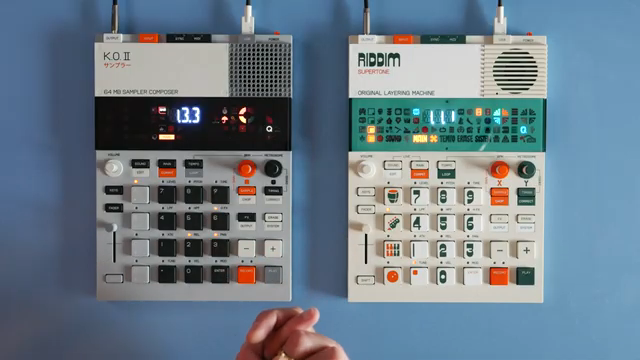
"I would definitely buy the Rhythm, because it just has features that aren't available in the KO2."
© Screenshot/Quote: Sonwu (YouTube)
Loop Like a Pro: RIDDIM’s Secret Weapon
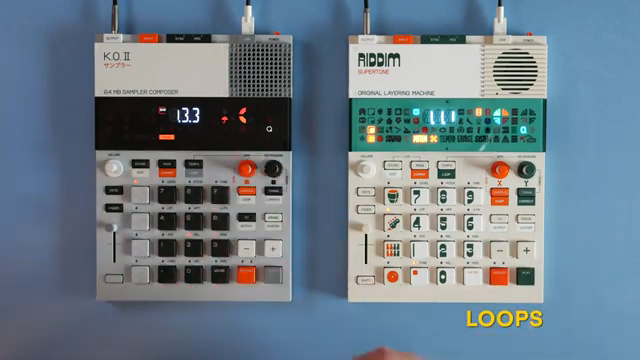
"The first and most important new feature, in my opinion, is the ability to set samples to be loops that keep running in the background."
© Screenshot/Quote: Sonwu (YouTube)
Here’s where the RIDDIM starts flexing. SON WU dives into the new loop feature, letting you set samples to run in the background like a looper pedal. This isn’t your average one-shot sample trick—these loops keep rolling, ready to drop in and out of your set without missing a beat.
The workflow is slick: record a loop, assign it to a pad, and you can mute or unmute it on the fly. Perfect for live performance chaos or layering up textures without worrying about triggering things on time. SON WU shows how you can save loop states per pattern, making it dead easy to switch up which loops are active as you jam. It’s a game-changer for anyone who likes their sets unpredictable and alive.
Synth Engines: More Than Just a Sampler
RIDDIM isn’t content with just samples—it’s packing some basic synth engines too. SON WU walks through how you can assign synth sounds to pads, play them chromatically, and tweak two parameters per engine. We’re not talking deep modular territory, but for a pocket device, it’s a tasty bonus.
Some engines offer classic controls like filter cutoff and resonance, while others go for effects or weirdness. The last few engines are pure chaos—think alarms and FX rather than playable leads. Still, it’s more sound design ammo than KOII ever brought to the toaster-fight. If you want to get hands-on, the video’s got all the knob-twiddling action you crave.
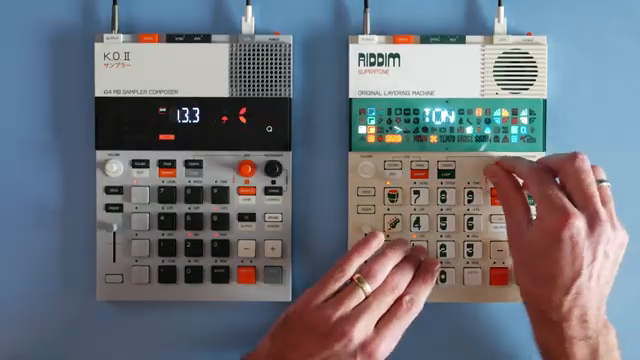
"I will admit are not the most advanced synth engines but they are there and it's not bad to have them I think."
© Screenshot/Quote: Sonwu (YouTube)
FX Frenzy: Phaser and Punch-Ins
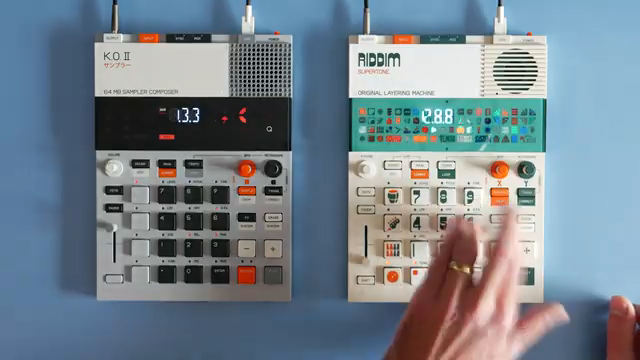
"So this effect is neither found on the KO2 nor the medieval one and it's nice to have."
© Screenshot/Quote: Sonwu (YouTube)
RIDDIM’s FX section gets a boost with a new phaser, complete with speed, depth, and feedback controls. SON WU sends a beat through it and the results range from subtle shimmer to full-on headspin. KOII and Medieval owners, eat your hearts out—this effect is RIDDIM-only for now.
Punch-in FX are also compared, and while they’re mostly the same as KOII, there are some subtle differences in aggression and pitch behaviour. SON WU’s not shy about pointing out what’s actually different and what’s just marketing fluff. For the full sonic carnage, you’ll want to catch the video—words don’t do the phaser justice.
Showdown in Sound: Demos and Real-World Use
The real test? SON WU puts both machines through their paces with practical demos. He explores quick pattern select, live state safety nets, and how tempo changes can pitch-shift your whole set like a dodgy turntable. These are the features that matter when you’re sweating through a live set and can’t afford a trainwreck.
SON WU’s style is all about showing, not just telling. If you want to hear the difference, see the workflow, and get a feel for which box slaps harder, you need to watch the video. Some things—like the live state menu and the full punch-in FX—just have to be experienced in action. Trust us, you’ll want to see it for yourself.
This article is also available in German. Read it here: https://synthmagazin.at/ep-40-riddim-vs-koii-son-wu-laesst-die-pocket-operatoren-gegeneinander-antreten/
Watch on YouTube:
Latest articles
Watch on YouTube:
Visit the channel:
https://www.youtube.com/SONWU
https://www.youtube.com/SONWU
Links from SONWU:
Samples & Lessons in my Shop: https://ko-fi.com/sonwu
Instagram: https://www.instagram.com/sonwu.music/
Sponsored links:
If you purchase via these links, we may earn a small commission – at no extra cost to you. The link opens an Amazon keyword search, and results may vary depending on availability.
Teenage Engineering EP-133 KOII
🔗 Check price on Amazon
🔗 Check price on Amazon
Teenage Engineering EP-40 Riddim
🔗 Check price on Amazon
🔗 Check price on Amazon