Elektron’s Digitone II just received a substantial OS 1.10 update, and the official Elektron channel walks us through the headline features in their signature, workflow-driven style. This isn’t just a bugfix drop—expect new chord modes, smarter arpeggiator tricks, and a host of performance enhancements that make the Digitone II even more of a digital powerhouse. As always, Elektron’s focus is on real-world playability and creative sequencing, so we get a look at how these new tools slot into both live and studio contexts. Let’s break down what’s actually new, how it’s demonstrated, and where the update fits into the Digitone II’s evolving architecture.
21. March 2025
LYRA
Elektron Digitone II OS 1.10: Chord Modes, Kit Previews, and Workflow Upgrades
Digitone II OS 1.10: A Digital Synth Evolves
Elektron introduces the Digitone II OS 1.10 update as a major leap forward for their digital FM synth, emphasizing a suite of new creative features. The video opens with a rapid-fire overview: chord modes, kit previews, arpeggiator enhancements, and more, all designed to expand the instrument’s sonic and workflow horizons.
True to Elektron’s reputation, the focus is less on surface-level tweaks and more on deep, performance-oriented upgrades. The update is framed as a toolkit for both live improvisation and studio composition, with new options that encourage hands-on exploration and fast, musical results.
Chord Modes and Arpeggiator: Harmonic Playground
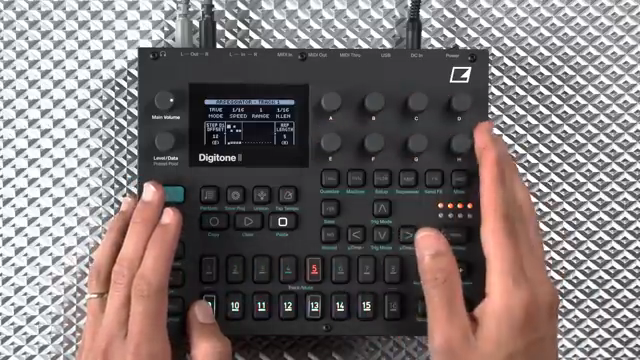
The headline feature of OS 1.10 is the expanded chord mode system, which now offers multiple ways to input, shape, and perform chords. Users can select from Normal, Folded, Chord Root, Chord Center, Chord Spread, and Chord Memory modes—each providing a distinct approach to harmonic play. For example, Chord Root lets you define root note, scale, and chord type, while Chord Center introduces a center position for inversions, mimicking how musicians keep voicings close together.
Chord Spread takes this further by transposing every other note up an octave, creating wider voicings ideal for lush textures. Chord Memory is a particularly flexible addition: up to 16 custom chords can be stored and triggered, including those played from an external MIDI keyboard. The workflow for saving and recalling these chords is quick, relying on familiar Elektron key combinations.
Integration with the arpeggiator is seamless. The arpeggiator now features more speed options and improved rhythmic value displays, plus the ability to rotate sequences for evolving patterns. All chord modes interact with the arp, enabling dynamic, harmonically rich sequences that go well beyond static FM plucks.
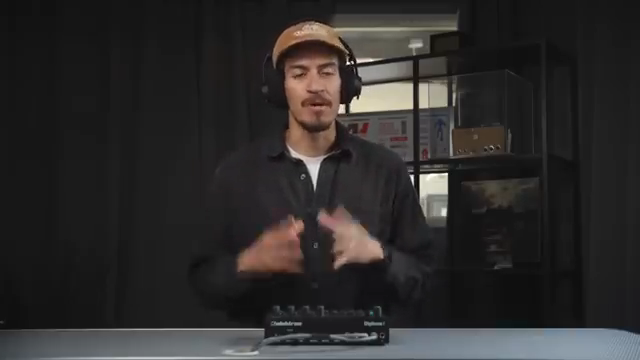
"The chord modes provide many ways of entering in chords, exploring them, and also playing live in a fun way."
© Screenshot/Quote: Weareelektron (YouTube)
Performance Upgrades: Kit Preview and Overdub
"Kit preview on Digitone 2 lets you highlight a kit and press the trig to preview what the sounds in that kit will be before you even commit to that kit."
© Screenshot/Quote: Weareelektron (YouTube)
OS 1.10 brings thoughtful workflow enhancements aimed squarely at performers and fast-moving creators. Kit Preview allows users to audition sounds from a kit before committing, streamlining the process of finding the right palette for a track. This is a small but significant improvement for anyone who juggles multiple kits in a session.
Another standout is the new overdub option for live recording. Instead of overwriting existing trigs, users can now layer new notes on top of sequences in real time. This opens up more fluid, improvisational recording—ideal for building up complex patterns or adding melodic lines over evolving chord progressions.
Track Swap and Parameter Locking: Organize and Tweak
Track Swap is a workflow game-changer, letting users instantly exchange two tracks—including all their settings, presets, and sequencer data. This makes it far easier to reorganize a project mid-session, whether for live performance prep or just keeping things tidy during sound design.
The update also introduces a shortcut for parameter locking across all active trigs on a track, either by page or for the entire track. This accelerates the process of applying modulation or tweaks across a sequence, reinforcing Elektron’s commitment to hands-on, macro-level control.
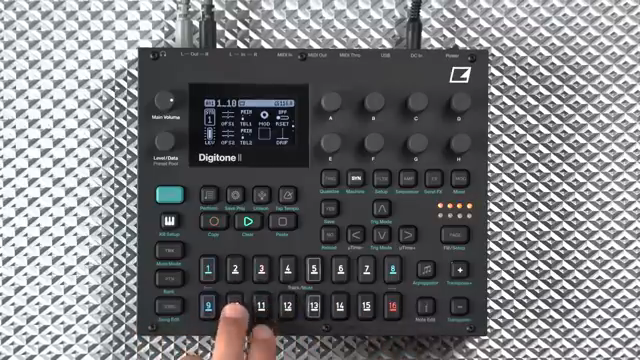
"Another big feature that's a favorite of mine is track swap."
© Screenshot/Quote: Weareelektron (YouTube)
A Deepening Ecosystem
The video wraps up by emphasizing the breadth of the OS 1.10 update, which slots naturally into the Digitone II’s already robust architecture. Elektron highlights that there’s much more to explore beyond what’s covered here, pointing users to their website for the full feature list. The message is clear: this update is about deepening creative possibilities and making the Digitone II an even more flexible, performance-ready instrument.
This article is also available in German. Read it here: https://synthmagazin.at/elektron-digitone-ii-os-1-10-chord-modi-kit-previews-und-workflow-verbesserungen/
Watch on YouTube:
Latest articles
Watch on YouTube:
Visit the channel:
https://www.youtube.com/WeAreElektron
https://www.youtube.com/WeAreElektron
Links from WeAreElektron:
website: https://www.elektron.se
twitter: https://twitter.com/WeAreElektron
facebook: https://www.facebook.com/WeAreElektron
instagram: https://instagram.com/weareelektron
Sponsored links:
If you purchase via these links, we may earn a small commission – at no extra cost to you. The link opens an Amazon keyword search, and results may vary depending on availability.
Digitone II
🔗 Check price on Amazon
🔗 Check price on Amazon