Behringer’s WING digital mixing console steps out of the live sound spotlight and into the studio, promising a flexible, high-channel-count hub for recording, mixing, and DAW integration. In this detailed walkthrough, the official Behringer channel explores how WING’s architecture—Midas Pro preamps, 48-channel USB interface, and deep routing—translates to real-world studio workflows. From multitrack recording to DAW control, the video focuses on practical setups and hands-on tips for engineers seeking a hybrid digital backbone. We break down the core features, routing logic, and performance tools that make WING a contender for modern studios, while noting where the video’s focus leaves open questions for deeper exploration.
28. November 2024
LYRA
Behringer WING in the Studio: Digital Console Muscle for Modern Workflows
Beyond the Stage: WING’s Studio Ambitions
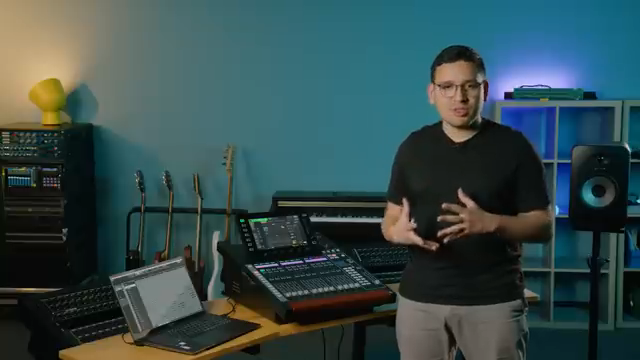
The Behringer WING is introduced as more than just a live mixing powerhouse—it’s positioned as a versatile digital console ready to anchor a variety of studio environments. The video’s host is quick to emphasize that WING’s capabilities extend well beyond front-of-house duties, highlighting its analog I/O, USB interface, and DAW control features as key assets for studio engineers. This sets the tone for a deep dive into how WING’s hardware and software can be leveraged in recording, mixing, and production scenarios.
Behringer’s presentation style is, as always, focused on accessibility and practical application. The video promises a comprehensive look at studio workflows, making it clear that WING is intended for users who demand both flexibility and high channel counts. The approach is hands-on, with the host outlining what viewers can expect to learn about integrating WING into their own studio setups.
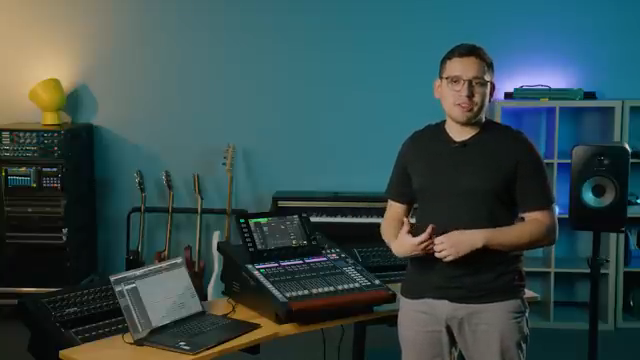
"By the end of this video you'll know how to make the most out of the Wing not just live but also in studio applications."
© Screenshot/Quote: Behringer (YouTube)
Core Hardware: Midas Pro Preamps and 48-Channel USB Interface
"You're going to get a really transparent and true to the source recording."
© Screenshot/Quote: Behringer (YouTube)
A central selling point for all WING models is the inclusion of Midas Pro preamps and converters, ensuring transparent and accurate audio capture. The video is careful to note that regardless of which WING variant you choose—Black, Compact, or Rack—you’re getting the same high-quality analog front end and digital conversion. This consistency across models means that users can select based on workflow needs rather than sonic compromise.
The WING Black offers eight preamps and the largest control surface, making it suitable for studios with moderate input requirements and a preference for tactile control. The Compact and Rack versions step up the preamp count to 24, with the Compact retaining faders for DAW control and the Rack focusing on space-saving installation. The 48-channel USB audio interface is highlighted as a major advantage for multitrack recording, providing seamless integration with DAWs and eliminating the need for external audio interfaces.
Behringer’s emphasis on practical connectivity is evident in the discussion of digital stage boxes and simple Ethernet cabling between live and control rooms. The video makes a strong case for WING as a central hub in both traditional and hybrid studio environments, with flexible routing and robust I/O underpinning its appeal.
Recording and Mixing Workflows: Multitrack, Summing, and Hybrid Approaches
The video moves into hands-on territory, demonstrating how WING can be configured for a range of recording and mixing scenarios. For multitrack recording, the workflow starts with assigning analog inputs to USB channels, allowing signals to be sent to the DAW pre-processing. This preserves the raw capture while enabling processed monitoring mixes for performers—reverb, EQ, and other effects can be applied for comfort without being printed to disk.
A notable feature is the ability to create user signals and patches, letting engineers record both dry and processed versions of a source (such as a snare drum with and without console EQ/compression). The routing system is shown to be flexible, supporting complex setups like recording a drum kit with multiple mics or capturing processed stems alongside clean tracks. The video also demonstrates summing strategies: users can mix within the console and bounce a stereo mix or stems back to the DAW, or use WING’s processing as hardware inserts for specific DAW channels.
Hybrid mixing is addressed with examples of routing DAW outputs to the console for analog-style processing, then returning the results to the DAW. The host walks through both single-channel insert workflows and full-stem processing, highlighting the ability to maintain independent control over levels and processing at each stage. While the video is rich in practical tips, it focuses primarily on routing and signal flow, leaving deeper questions about latency, automation, and large-session management for further exploration.
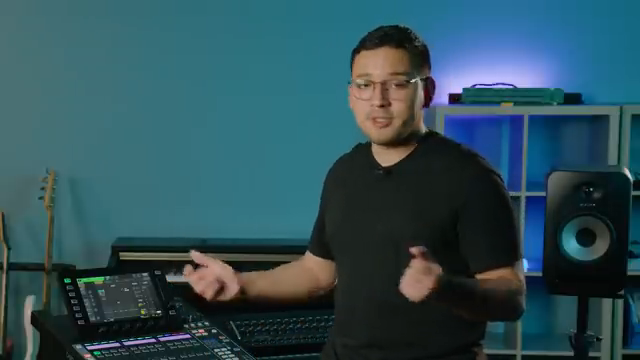
"For example you can apply a reverb or EQ or whatever and that will not be recorded."
© Screenshot/Quote: Behringer (YouTube)
Monitoring and Routing: Precision Tools for the Studio
WING’s dedicated monitoring section is presented as a key advantage for studio work. Each model provides independent control over headphone and speaker mixes, with tools like EQ for room or headphone correction, dim, mute, mono, left/right swap, and even headphone limiting. These features allow engineers to tailor monitoring environments for both themselves and performers, enhancing accuracy and comfort during sessions.
The talkback system is also highlighted, with dual talkback groups routable to different buses—a practical feature for managing communication in multi-room setups. The video’s focus on these monitoring and routing tools underscores WING’s suitability as a studio centerpiece, offering nuanced control that goes beyond basic mixing duties.
DAW Control: Integrating WING into Modern Studio Setups
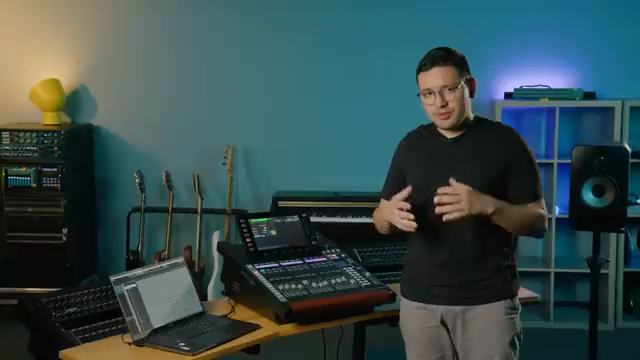
"There are specific instructions on how to set up the midi controller on your DAW."
© Screenshot/Quote: Behringer (YouTube)
The final section delves into WING’s DAW control capabilities, which are designed to streamline integration with popular recording software. The console supports both MCU and HUI protocols, enabling transport and fader control in DAWs like Cubase, Ableton, Logic, Reaper, and Pro Tools. The video walks through setup steps, including enabling DAW mode, assigning MIDI input/output, and mapping custom controls for transport and fader layer switching.
This hands-on demonstration shows how WING’s hardware can serve as a tactile extension of the DAW, with user-assignable buttons and fader layers adapting to different workflows. While the video provides a clear overview of basic DAW integration, it leaves open questions about deeper automation, plugin control, and workflow customization—areas that advanced users may want to investigate further.
This article is also available in German. Read it here: https://synthmagazin.at/behringer-wing-im-studio-digitale-konsolenpower-fuer-moderne-workflows/
Watch on YouTube:
Latest articles
Watch on YouTube:
Visit the channel:
https://www.youtube.com/behringer
https://www.youtube.com/behringer
Links from behringer:
website: https://www.behringer.com
facebook: https://www.facebook.com/Behringer
twitter: https://twitter.com/BEHRINGER
instagram: https://instagram.com/Behringer
Sponsored links:
If you purchase via these links, we may earn a small commission – at no extra cost to you. The link opens an Amazon keyword search, and results may vary depending on availability.
Behringer WING
🔗 Check price on Amazon
🔗 Check price on Amazon