Arturia’s PolyBrute 12 isn’t just another flagship polysynth—it’s an instrument designed for those who crave both hands-on control and deep digital flexibility. In this official Arturia tutorial, Matt Paull walks us through the labyrinthine settings menus and the powerful PolyBrute Connect software editor, revealing a workflow that’s as much about sound architecture as it is about performance. From morphing oscillators to bi-directional DAW integration, the focus here is on how advanced features and a tightly integrated editor can streamline sound design and preset management. If you’re curious about how digital brains and analog muscle can coexist in a modern synth, this video is a must-watch.
29. June 2024
LYRA
Arturia PolyBrute 12: Deep Settings and PolyBrute Connect Workflow Demystified
Beyond the Panel: PolyBrute 12’s Settings and Software Ecosystem
The PolyBrute 12 is introduced as a synthesizer that goes far beyond its front panel, offering a wealth of additional features accessible through its settings menus and the dedicated PolyBrute Connect software. Arturia’s approach here is to split the settings into two main categories: preset-specific and global, each tailored to different aspects of sound design and workflow. Preset settings are saved with each patch, allowing users to embed nuanced behaviors and customizations directly into their sounds, while global settings ensure consistent performance across the instrument.
Navigating these options can be done either via shortcut combinations on the hardware or through the main settings menu, providing flexibility for both stage and studio users. The video emphasizes that PolyBrute Connect isn’t just an afterthought—it’s a core part of the workflow, mirroring the hardware’s architecture and enabling comprehensive sound management. This dual approach is clearly designed to appeal to users who demand both tactile immediacy and deep digital control.
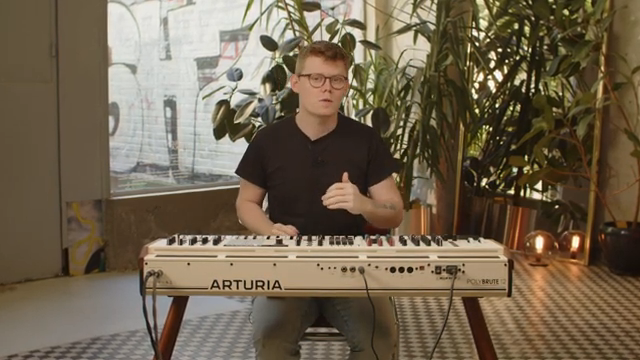
"We're going to explore all of the additional PolyBrute 12 settings that offer additional functions for the existing modules and dive deeper into its software editor, PolyBrute Connect."
© Screenshot/Quote: Arturiaofficial (YouTube)
Modulation Powerhouse: VCOs, Envelopes, LFOs, and Sound-Shaping Tools
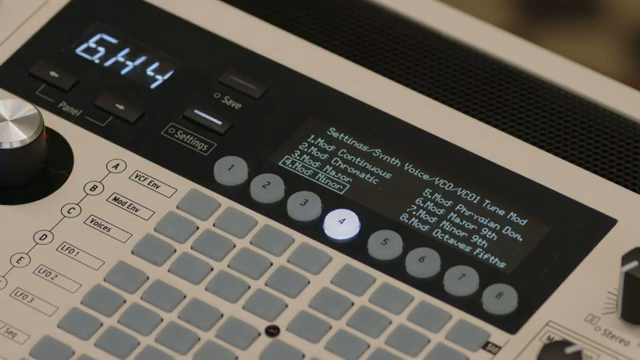
"Quantized VCOs can produce melodic steps from melodic signals, which can be an amazing creative tool."
© Screenshot/Quote: Arturiaofficial (YouTube)
Diving into the modulation architecture, the PolyBrute 12 offers detailed control over its two VCOs, each with flexible tuning ranges and modulation options. Users can set VCO tuning parameters from 1 to 24 semitones, with the ability to switch between continuous and quantized modes—ideal for both subtle detuning and stepped melodic effects. The metallizer and sub-oscillator sections provide further timbral expansion, allowing users to drastically alter the oscillator’s character or add weight to the sound.
Morph pitch quantization is another standout, enabling the synth to snap between A and B morph states or restrict transitions to octave boundaries, which is particularly useful for performance morphing. Glide settings are equally nuanced, offering time, sync, and rate-based glide behaviors, as well as chromatic or smooth transitions. The envelope section is robust, with velocity-controlled looping, independent attack and decay curves, and repeat or loop modes for all three envelopes, giving users percussive or evolving shapes at will.
LFOs are equally flexible, with retriggering, polarity, and sync division options, while the voice allocation menus allow for intricate polyphony and timbrality management. Modes like polycycle, polyreset, polyunison, and polyreassign, along with voice stealing and unison detune settings, provide a toolkit for everything from vintage drift to modern stereo layering. The out section and expression controls round out the feature set, offering post-effects volume, stereo panning, EQ, and assignable pedal and ribbon functions.
Performance Morphing and Preset Management: Hardware Meets Software
Performance on the PolyBrute 12 is all about morphing and expressive control. The instrument’s morph architecture allows users to blend between two distinct sound states, not just in timbre but also in modulation and effect settings. The video demonstrates how morphing can be used to layer sounds, pan voices in stereo, and create evolving textures—all with settings that can be embedded at the preset level.
Preset management is equally advanced, with utilities for resetting, randomizing, and annotating patches directly from the hardware. The global settings menu covers everything from sync sources (internal, USB, MIDI, analog clock) to MIDI configuration, including MPE support for alternative controllers. This level of integration ensures that the PolyBrute 12 can slot into a variety of studio and live setups, with performance tools that are as flexible as the synth engine itself.
PolyBrute Connect: Bi-Directional Editing and DAW Integration
PolyBrute Connect is presented as a true extension of the hardware, offering a near-identical interface and real-time, bi-directional communication. Changes made on the synth are instantly visualized in the software, and vice versa, making it easy to edit, morph, and manage settings for both parts A and B simultaneously. The software also streamlines firmware updates and provides a clear overview of all synth parameters.
Running as either a standalone application or a VST plugin, PolyBrute Connect integrates seamlessly into DAW workflows. Users can automate parameters, recall settings per project, and even run multiple plugin instances, with the hardware following the most recently selected instance. This is a significant workflow enhancement for producers juggling multiple tracks or projects.
The browser section mirrors Arturia’s familiar software instruments, enabling detailed preset filtering, sorting, and project management. Presets can be organized, favorited, and transferred between hardware and software with ease—a boon for touring musicians and studio users alike. The overall message: PolyBrute Connect isn’t just a librarian, but a creative hub for managing and evolving your sound library.
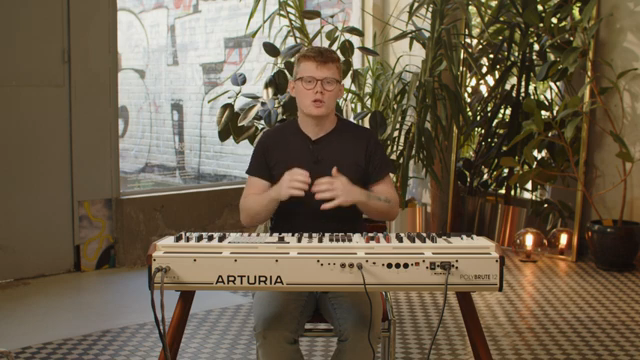
"PolyBrute Connect is also bi-directional visualizing all the changes we make on the hardware on the screen and sending all those changes we make in the software to control the hardware in real time."
© Screenshot/Quote: Arturiaofficial (YouTube)
This article is also available in German. Read it here: https://synthmagazin.at/arturia-polybrute-12-tiefgreifende-einstellungen-und-polybrute-connect-workflow-entschluesselt/
Watch on YouTube:
Latest articles
Watch on YouTube:
Visit the channel:
https://www.youtube.com/ArturiaOfficial
https://www.youtube.com/ArturiaOfficial
Links from ArturiaOfficial:
website: https://www.arturia.com
instagram: https://instagram.com/arturia_official
twitter: https://twitter.com/ArturiaOfficial
soundcloud: https://soundcloud.com/arturia-official/albums
Sponsored links:
If you purchase via these links, we may earn a small commission – at no extra cost to you. The link opens an Amazon keyword search, and results may vary depending on availability.
Arturia Polybrute 12
🔗 Check price on Amazon
🔗 Check price on Amazon
PolyBrute Connect
🔗 Check price on Amazon
🔗 Check price on Amazon