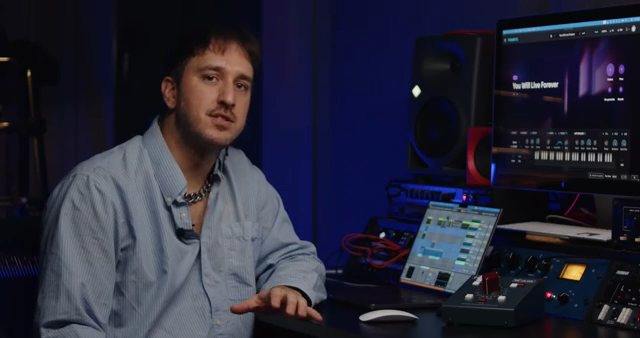
Arturia’s Pigments 7 arrives as a bold statement in the world of software synthesis, blending a visually immersive Play View with deep sound-shaping capabilities. In this official walkthrough, Arturia showcases not just a facelift, but a rethinking of how users interact with presets, macros, and modulation. The headline features—new filters like Rage and Ripple, the gritty Coroda effect, and a built-in tutorial library—are all presented with workflow efficiency in mind. For those who crave both sonic complexity and streamlined control, Pigments 7 aims to deliver a hybrid experience that’s as much about creative exploration as it is about technical refinement.
17. December 2025
LYRA
Arturia Pigments 7: A Digital Flagship Evolves with Expressive Play, Filters, and Workflow Polish
Play View Reinvented: Macro-Centric and Visually Expressive
Pigments 7 opens with a completely redesigned Play View, immediately setting the tone for a more engaging and intuitive user experience. The interface now centers around circular macro controls, making it easier to manipulate the core parameters of each preset without diving into submenus. This macro-centric approach is clearly designed to benefit both studio users and live performers, with larger preset names for quick identification and a layout that prioritizes immediate, hands-on control.
At the heart of the new Play View is a reactive visualizer that responds in real time to both preset type and user input. This isn’t just eye candy: it provides instant feedback on the structure and behavior of a sound, helping users understand timbral changes before even playing a note. Arturia positions this as an ideal entry point for exploring presets and grasping how sounds are constructed, making Pigments 7 more accessible for newcomers while still offering depth for seasoned users.
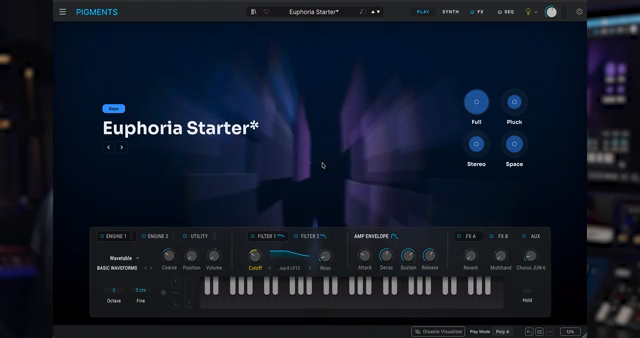
"You'll see a reactive visualizer that changes depending on the preset type, as well as how your preset sounds and responds to your playing."
© Screenshot/Quote: Arturiaofficial (YouTube)
Rage and Ripple: Filters with Attitude and Depth
"Rage integrates distortion directly into its feedback path, letting resonance and drive interact in a wild and reactive way."
© Screenshot/Quote: Arturiaofficial (YouTube)
Pigments 7 introduces two standout filters—Rage and Ripple—that push the boundaries of what digital filtering can achieve. Rage is particularly notable for integrating distortion directly into its feedback path, allowing resonance and drive to interact in unpredictable, harmonically rich ways. Unlike standard distortion, Rage operates polyphonically, so chords and intervals are processed independently, resulting in a depth and complexity that bus effects simply can’t match.
Ripple, on the other hand, leverages multiple all-pass filters to create intricate phase interactions. With three selectable modes—subtle, medium, and hard—users can dial in anything from gentle movement to bold, resonant coloration. Dedicated drive and feedback controls further expand the tonal palette, making Ripple a versatile tool for both classic and experimental sound design. These filters are not just about coloration; they’re about giving users new ways to animate and sculpt their patches.
Coroda Effect: Grit, Modulation, and Dynamic Texture
The Coroda effect arrives as a fresh addition to Pigments 7’s arsenal, designed to inject controlled grit and evolving texture into sounds. What sets Coroda apart is its ability to modulate the input signal using both internal and external sources, ranging from subtle stereo enhancement to aggressive digital erosion. This flexibility makes it a creative playground for those seeking to add movement and edge to their patches.
Coroda’s modulation routing is particularly noteworthy: it can respond to envelopes, LFOs, or even audio inputs, allowing it to become an integral part of musical expression rather than just a static effect. The result is an effect that’s not only reactive but also deeply musical, opening up new dimensions for dynamic sound design within Pigments 7.
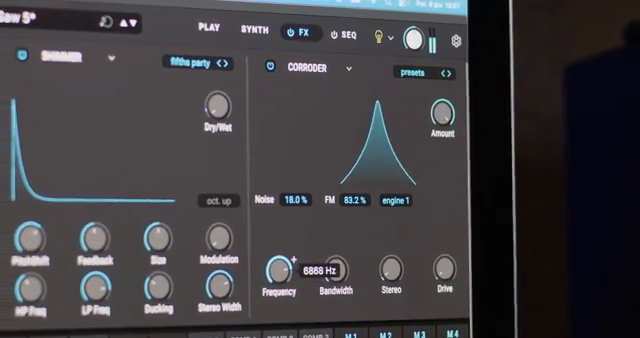
"Coroda modulates the input signal using the internal or external sources, giving you everything from delicate stereo enhancement to intense digital erosion."
© Screenshot/Quote: Arturiaofficial (YouTube)
Integrated Tutorials: Learning by Doing, Not Just Following
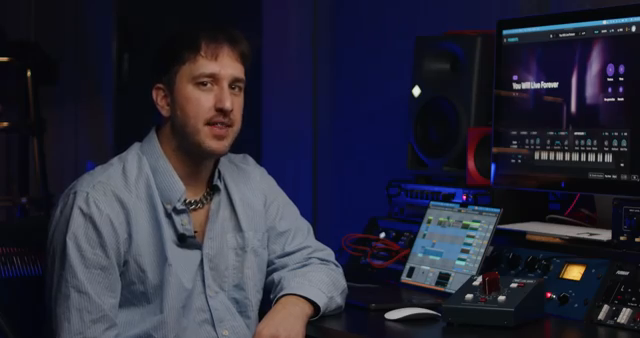
"They're not rigid step by steps, but flexible frameworks that teach core techniques while giving you space to experiment and make the sound your own."
© Screenshot/Quote: Arturiaofficial (YouTube)
Pigments 7 now features an expanded library of sound design tutorials built directly into the instrument, reflecting Arturia’s commitment to user education. These tutorials span a wide range of musical styles and sound types, from vintage synth basics to cinematic modern textures. Importantly, they’re structured as flexible frameworks rather than rigid step-by-step guides, encouraging users to experiment and personalize their learning journey.
This approach makes the tutorials both practical and inspiring, serving as a launchpad for deeper exploration of Pigments’ capabilities. By embedding these resources within the software itself, Arturia lowers the barrier to entry for new users and provides ongoing value for experienced sound designers looking to expand their toolkit.
Workflow and Performance: Efficiency Under the Hood
Beyond the headline features, Pigments 7 delivers a suite of workflow and performance enhancements aimed at making the instrument smoother and more responsive. The Quick Edit function now displays modulation ranges directly on parameters, offering immediate visual feedback on how modulations affect various destinations—an invaluable aid for both programming and live tweaking. Engine and module optimizations have reduced CPU usage and increased polyphony, resulting in more stable playback and greater efficiency, especially in complex patches.
Additional improvements include faster loading times, enhanced stability, and a host of subtle UI tweaks that collectively make Pigments 7 feel more polished. These refinements demonstrate Arturia’s attention to the everyday realities of music production, ensuring that the instrument not only sounds powerful but also integrates seamlessly into demanding studio and performance workflows.
This article is also available in German. Read it here: https://synthmagazin.at/arturia-pigments-7-ein-digitales-flaggschiff-mit-expressivem-play-view-neuen-filtern-und-workflow-feinschliff/
Watch on YouTube:
Latest articles
Watch on YouTube:
Visit the channel:
https://www.youtube.com/ArturiaOfficial
https://www.youtube.com/ArturiaOfficial
Links from ArturiaOfficial:
website: https://www.arturia.com
instagram: https://instagram.com/arturia_official
twitter: https://twitter.com/ArturiaOfficial
soundcloud: https://soundcloud.com/arturia-official/albums
Sponsored links:
If you purchase via these links, we may earn a small commission – at no extra cost to you. The link opens an Amazon keyword search, and results may vary depending on availability.
Pigments 7
🔗 Check price on Amazon
🔗 Check price on Amazon