Arturia’s Pigments 6 steps into the spotlight as Flosstradamus, a pioneer of trap and EDM, demonstrates how this powerhouse synth fits seamlessly into modern electronic production. On the official Arturia channel, we get a studio tour through Pigments 6’s vast preset library, streamlined sound-finding tools, and hybrid synthesis architecture—all tailored to keep creative momentum high. The focus here isn’t just on sound design complexity, but on how Pigments 6’s user interface and workflow features accelerate the process from inspiration to finished track. For anyone curious about how digital synths can bridge classic and contemporary genres, this video offers a revealing look at both the instrument and the artist’s process.
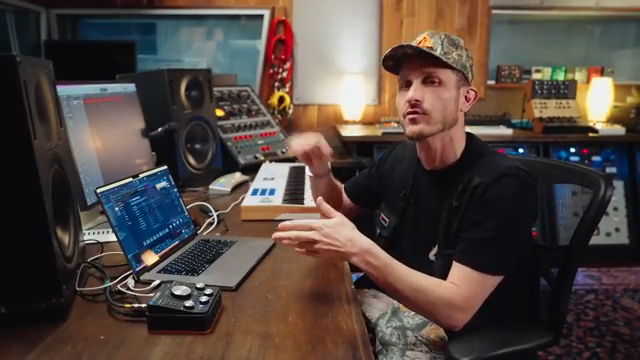
12. February 2025
LYRA
Arturia Pigments 6: Trap Alchemy and Workflow with Flosstradamus
Pigments 6: The Trap Producer’s Playground
Arturia’s Pigments 6 is introduced in the studio with Flosstradamus, who immediately positions it as a go-to tool for trap and electronic music production. The video wastes no time highlighting Pigments 6’s extensive preset library—over a thousand sounds are baked in, offering a broad palette for producers seeking instant inspiration. This isn’t just about quantity; the presets serve as creative springboards, allowing users to quickly find a starting point that matches the vibe in their head.
Flosstradamus emphasizes how Pigments 6 fits into his workflow, bridging the gap between old-school EDM trap and the crunk-infused hip hop of collaborators like Lil Jon. The synth’s versatility is underscored by its ability to provide both polished digital tones and gritty, analog-inspired textures, all within a single interface. For producers who value speed and flexibility, Pigments 6’s architecture is clearly designed to keep the creative process moving.
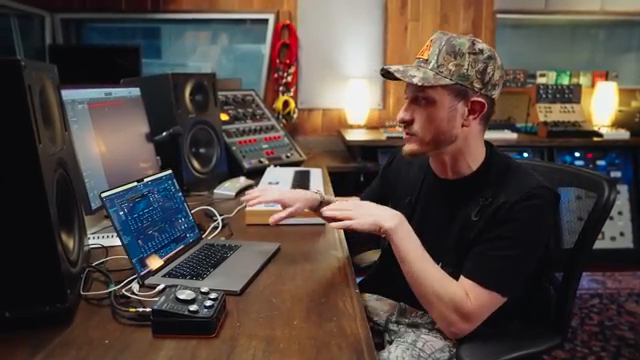
"There's over like a thousand presets baked into here. So there's really good starting points for me to find things."
© Screenshot/Quote: Arturiaofficial (YouTube)
Sound-Finding: From Idea to Execution
"It's actually getting you closer to the sound you're looking for without having to tweak all the knobs and do all of that type of stuff."
© Screenshot/Quote: Arturiaofficial (YouTube)
One of Pigments 6’s standout workflow features, as showcased in the video, is its sound-finding tool. This function allows users to search for similar sounds with a single click, streamlining the process of moving from a rough idea to a usable patch. Instead of endlessly tweaking parameters, producers can browse through related presets that match their tonal goals, keeping the momentum alive.
This approach is particularly valuable for artists who prefer to sculpt existing sounds rather than build patches from scratch. By surfacing presets that are already close to the desired result, Pigments 6 minimizes the friction between inspiration and execution. The result is a workflow that feels more like creative exploration than technical labor, which is exactly what Flosstradamus demonstrates in his session.
Tag-Based Browsing: Precision in Preset Selection
Flosstradamus spotlights another workflow accelerator: Pigments 6’s tag-based preset filtering. When building out a track, he demonstrates how filtering by tags—such as ‘pad’ or specific Pigments versions—lets him zero in on the right sound for each section. This is especially useful during moments like the breakdown, where a specific pad texture is needed to set the mood.
The ability to combine multiple tags mirrors the search paradigms found in DJ software, making the process intuitive for users who think in terms of genres or sonic roles. This system not only speeds up sound selection but also encourages experimentation, as users can quickly audition a range of options without getting bogged down in menu-diving. For producers who value efficiency, this is a clear win.
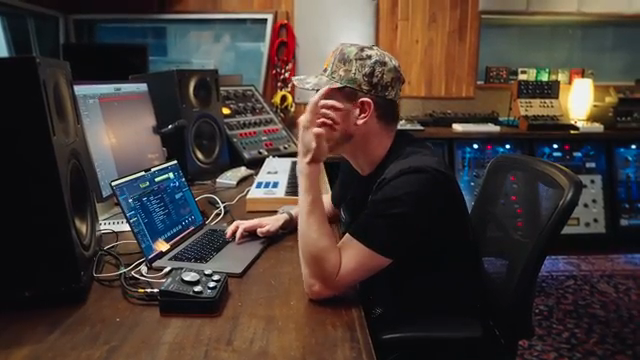
"The cool thing is in the new pigment six, you can actually filter by the preset."
© Screenshot/Quote: Arturiaofficial (YouTube)
Hybrid Synthesis and Effects: All-in-One Sound Design

"And even in pigment six now, you have like the vocoder baked in. So now it's another plugin I don't have to reach for."
© Screenshot/Quote: Arturiaofficial (YouTube)
Pigments 6’s architecture is built for sonic complexity without external dependencies. Flosstradamus points out how the synth integrates multiple synthesis engines—analog, wavetable, sampling—and lets users layer them to create unique hybrids. This eliminates the need to juggle multiple plugins or hardware units, streamlining both sound design and session management.
The video also highlights Pigments 6’s built-in effects, including a vocoder and a disperser-style filter that caters to the neuro bass and EDM crowd. These tools are presented as not just add-ons, but as core components of the instrument’s workflow. For those producing bass-heavy, genre-blending tracks, having these effects on tap inside the synth itself reduces setup time and keeps the focus on creativity.
Genre Hopping and Vintage Vibes: Pigments 6 in Action
The closing section of the video is a practical demonstration of Pigments 6’s genre-spanning capabilities. Flosstradamus shows how the synth can conjure sounds reminiscent of classic rave and drum & bass, then pivot to modern trap textures—all within a single session. This adaptability is reinforced by the ability to expand the preset library via online packs, making Pigments 6 a living instrument that evolves with the user’s needs.
He also reflects on Arturia’s evolution from a synth-focused company to a trusted provider of effects, noting how the integration of studio-grade processing within Pigments 6 further cements its all-in-one appeal. The workflow here is about minimizing barriers: finding, shaping, and deploying sounds without breaking creative flow.
Ultimately, the video positions Pigments 6 as both a time-saver and a creative catalyst. For producers who want to move fluidly between genres, or who need vintage character without vintage hassle, Pigments 6’s architecture and user interface deliver a compelling solution—at least, as demonstrated in this official Arturia session.
This article is also available in German. Read it here: https://synthmagazin.at/arturia-pigments-6-trap-alchemie-und-workflow-mit-flosstradamus/
Watch on YouTube:
Latest articles
Watch on YouTube:
Visit the channel:
https://www.youtube.com/ArturiaOfficial
https://www.youtube.com/ArturiaOfficial
Links from ArturiaOfficial:
website: https://www.arturia.com
instagram: https://instagram.com/arturia_official
twitter: https://twitter.com/ArturiaOfficial
soundcloud: https://soundcloud.com/arturia-official/albums
Sponsored links:
If you purchase via these links, we may earn a small commission – at no extra cost to you. The link opens an Amazon keyword search, and results may vary depending on availability.
Pigments 6
🔗 Check price on Amazon
🔗 Check price on Amazon