Arturia’s KeyLab MK3 isn’t just another MIDI controller—it’s a creativity engine, as this official tutorial demonstrates. In a brisk but detailed walkthrough, Arturia’s Lena showcases how the MK3’s Arpeggiator, Scale, and Chord Modes can transform basic input into harmonically rich, rhythmically intricate patterns. The video focuses on hands-on workflow: how to access, combine, and tweak these features directly from the hardware, without diving into software menus. For anyone interested in performance macros, real-time inspiration, or DAWless jamming, this is a revealing look at how digital architecture meets tactile control.

29. August 2024
LYRA
Arturia KeyLab MK3: Unlocking Creative Workflows with Arp, Scale, and Chord Modes
KeyLab MK3: More Than a MIDI Controller
The KeyLab MK3 is introduced as a versatile studio controller, designed to streamline the creative process for producers and performers alike. Arturia positions this device not just as a keyboard, but as a hub for melodic and harmonic exploration, thanks to its integrated Arpeggiator, Scale, and Chord Modes.
From the outset, the video sets the expectation that these features are tightly woven into the hardware workflow. The focus is on immediate access and real-time manipulation, suggesting that the KeyLab MK3 is engineered to minimize menu-diving and maximize hands-on creativity.
Arpeggiator Deep Dive: Directions, Divisions, and Randomness
The Arpeggiator is front and center, with its activation as simple as pressing the dedicated Arp button. Once engaged, every note or chord played is instantly transformed into an arpeggiated sequence, making it a powerful tool for spontaneous pattern generation.
Digging deeper, users can long-press the Arp button to access a menu of playback options. The video demonstrates direction modes such as up, down, and random, each altering the musical output in distinctive ways. This flexibility is further enhanced by adjustable time divisions—ranging from quarter notes to 32nd notes, including triplets and dotted values—all synced to either the internal or an external clock.
Arturia’s implementation goes beyond the basics with a dedicated Random page. Here, users can randomize not just note order but also divisions, octaves, skips, gates, ratchets, and velocity. The inclusion of a Dice button for instant, full-parameter randomization is a nod to those seeking creative accidents and happy surprises. The video makes clear that these randomization features are designed to keep results musical, even under heavy tweaking.
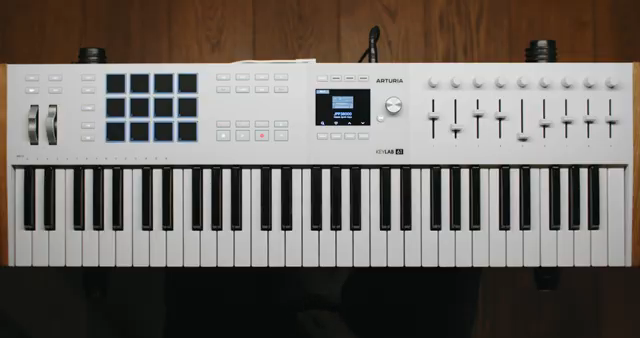
"Now anything that you'll play will be arpeggiated."
© Screenshot/Quote: Arturiaofficial (YouTube)
Scale Mode: Stay in Key, Every Time
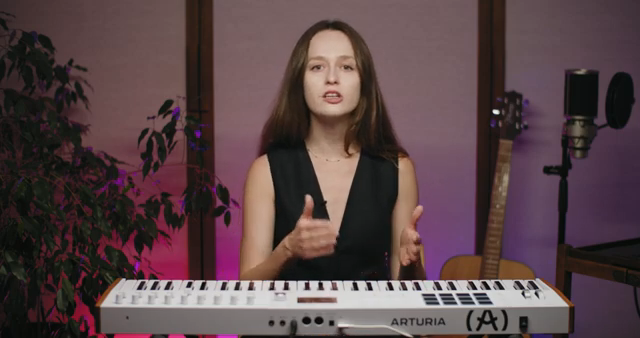
"It allows you to set up scales on the keyboard so that every note is in key."
© Screenshot/Quote: Arturiaofficial (YouTube)
Scale Mode is presented as a safeguard against unwanted dissonance, allowing users to lock the keyboard to a specific scale. With a simple button press, the entire keybed is constrained so that every note played fits the chosen tonality.
The workflow is straightforward: select a root note and scale type using the encoder, or create a custom scale by recording your own set of notes. The video emphasizes that even if you play a wrong note, the KeyLab MK3 will transpose it to fit the scale, ensuring melodic consistency.
Chord Mode: One-Finger Harmonies and Beyond
Chord Mode takes center stage as a tool for instant harmonic complexity. By pressing the Chord button, users can trigger full chords with a single key, streamlining the process of building rich progressions. The creation of custom chords is equally direct: hold the Chord button, play up to 16 notes, and the MK3 stores the voicing for immediate recall.
Beyond static chords, the video highlights creative tools like Strum, Voicing, and Spread. Strumming breaks up the chord for guitar-like articulation, while Voicing extends the chord across the keybed, even reaching three octaves below the played note. Spread allows for up to 16 notes in a chord, with velocity and aftertouch modulating how many notes are triggered—opening up expressive possibilities.
These features are clearly designed for both studio layering and live performance, giving users a palette of harmonic textures without requiring deep theoretical knowledge. The interface visualizes chord creation and selection, reinforcing the hands-on, feedback-rich workflow.
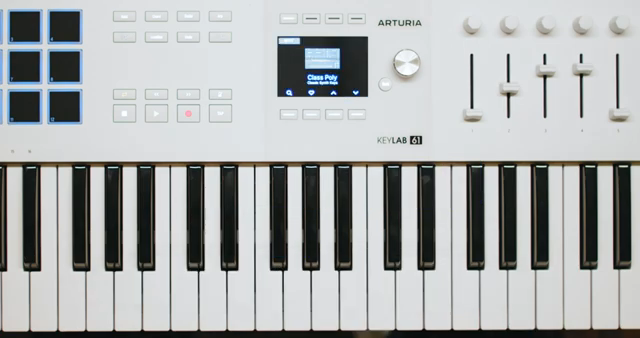
"This function allows you to play chords and multiple notes with just one finger."
© Screenshot/Quote: Arturiaofficial (YouTube)
Synergy in Action: Combining Arp, Scale, and Chord Modes
The real magic, as the video demonstrates, lies in combining these modes. Users can create a custom chord, activate the arpeggiator to break it into rhythmic fragments, and then lock everything to a chosen scale for melodic coherence. This layered approach enables intricate patterns and harmonies to emerge from simple gestures.
With the Hold function engaged, performers can free their hands to tweak arpeggiator parameters or manipulate sound-shaping controls in real time. The workflow is fluid and performance-oriented, highlighting how the KeyLab MK3’s digital architecture is built for both inspiration and control.
This article is also available in German. Read it here: https://synthmagazin.at/arturia-keylab-mk3-kreative-workflows-mit-arp-scale-und-chord-modi-freischalten/
Watch on YouTube:
Latest articles
Watch on YouTube:
Visit the channel:
https://www.youtube.com/ArturiaOfficial
https://www.youtube.com/ArturiaOfficial
Links from ArturiaOfficial:
website: https://www.arturia.com
instagram: https://instagram.com/arturia_official
twitter: https://twitter.com/ArturiaOfficial
soundcloud: https://soundcloud.com/arturia-official/albums
Sponsored links:
If you purchase via these links, we may earn a small commission – at no extra cost to you. The link opens an Amazon keyword search, and results may vary depending on availability.
Arturia KeyLab MK3
🔗 Check price on Amazon
🔗 Check price on Amazon