Akai Professional steps up with the MPC XL, a groovebox that promises to streamline beat creation without sacrificing depth. In this official walkthrough, Malo Beats takes us from a blank slate to a structured track, highlighting how the MPC XL’s digital architecture and tactile controls enable a rapid, creative workflow. The video zeroes in on step sequencing, sample chopping, and hands-on mixing, all while showcasing the device’s arranger and performance features. For producers seeking a hybrid of immediacy and power, this episode of the MPC XL Academy series offers a revealing look at how Akai’s flagship integrates classic MPC sensibilities with modern production demands.
23. January 2026
LYRA
Akai Professional’s MPC XL: Fast-Track Beatmaking and Deep Workflow in Focus
Blank Slate, Big Potential: The MPC XL’s Creative Starting Point
The video opens with Malo Beats introducing the MPC XL Academy and diving straight into a blank session. The workflow begins with a two-bar sequence, a deliberate choice to keep the initial loop manageable and encourage iterative building. This approach reflects a modern beatmaker’s mindset: start small, layer up, and let the groove evolve organically.
Akai Professional positions the MPC XL as a tool that removes barriers between inspiration and execution. The device’s interface is designed for quick access to sounds and patterns, with the browser and expansion packs immediately available. The emphasis here is on getting ideas down fast, leveraging the XL’s architecture to keep the creative flow uninterrupted.
Hands-On Tools: Step Sequencer, Browser, and Live Controls
Central to the MPC XL’s workflow is its step sequencer, which features dedicated buttons, top-mounted encoders, and a clear function layout. Users can jump between automation, note length, and step editing functions with minimal menu-diving. The video demonstrates how these controls facilitate drum sequencing, allowing for precise placement and micro-adjustment of kicks, snares, and hi-hats.
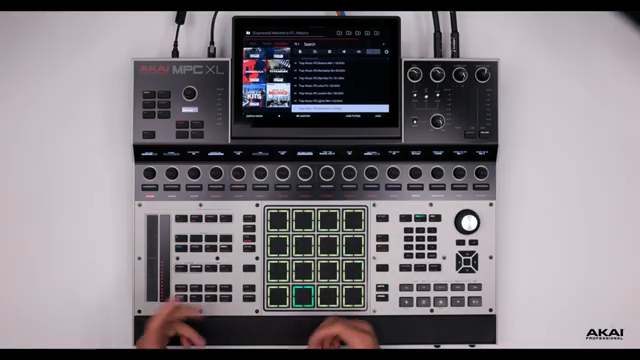
The browser is another highlight, offering rapid auditioning and loading of drum kits and melodic samples. Malo Beats showcases how expansions like Lo-Fi Boom Bap by Marco Polo are integrated, making it easy to find the right sonic palette. The tactile experience extends to the touch strip, which can be assigned to pad levels for immediate volume adjustments—no need to detour into a mixer or channel strip.
Live performance tweaks are front and center: quantization can be toggled on or off for more humanized grooves, and the note repeat function is available for hi-hat programming. These features, combined with the direct access provided by the hardware controls, make the MPC XL feel like an instrument designed for both precision and spontaneity.
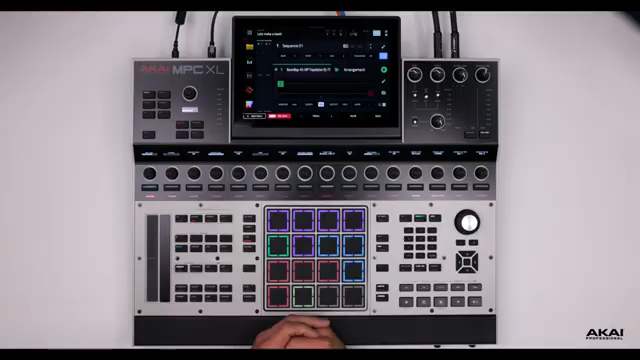
"If we see up here, we have our step sequencer. This comes with the MPC XL, dedicated buttons, and at the top, we have the encoders."
© Screenshot/Quote: Akai Pro (YouTube)
Arranging Beats: Drum Programming and Melodic Chopping in Action
"If you select chop, this is gonna throw us right into manual chop mode, which makes it very fast to start chopping up any sample you bring into your MPC."
© Screenshot/Quote: Akai Pro (YouTube)
The video moves into the heart of beat construction, demonstrating how the MPC XL’s interface supports both drum sequencing and melodic sampling. Malo Beats loads and chops melodic samples using dedicated hardware buttons, quickly entering manual chop mode and slicing up audio with the encoders. The workflow is streamlined: samples can be loaded to the pool, chopped, and assigned to banks A through F, providing a wide range of playable slices.
Drum programming remains intuitive, with the step sequencer and real-time recording options working in tandem. The ability to nudge hits, adjust start points, and perfect chops without menu-diving highlights the MPC XL’s commitment to hands-on control. The result is a beat that feels both tight and expressive, built up layer by layer with minimal friction.
Levels, Automation, and Sample Conversion: Efficiency in Arrangement
Once the core beat is established, the MPC XL’s workflow shines in arrangement and mixing. Users can manipulate pad and track levels directly from the main page using the touch strip, bypassing the need for deeper mixer navigation. Automation and grid editing are accessible, allowing for quick refinement of sequences and transitions.
Sample chops are easily converted into tracks with a dedicated convert function, streamlining the process of moving from sample slicing to full arrangement. The arranger view, with its zoom and copy functions, enables users to expand short loops into longer song structures, add intros, and experiment with variations. The video demonstrates how plugin instruments can be layered, duplicated, and merged, all within a few button presses—making the MPC XL a hub for efficient, creative arrangement.
MPC XL Academy: Empowering Confident Creation
The MPC XL Academy series, as presented by Akai Professional, is designed to demystify the device’s features and empower users to create with confidence. By breaking down each workflow step and highlighting the interplay between hardware controls and digital architecture, the series positions the MPC XL as both approachable and deep. For producers at any level, the message is clear: with the right guidance, the MPC XL can be a powerful ally in the pursuit of musical ideas.
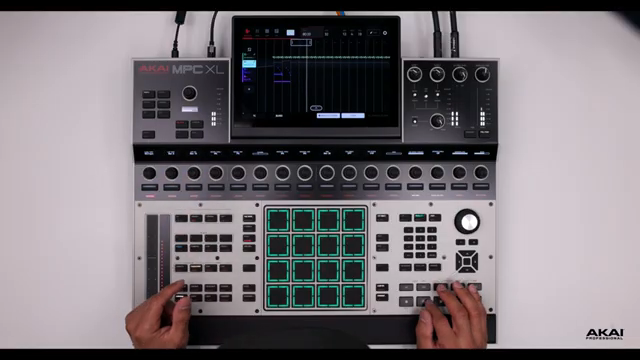
"I hope you enjoyed as we went through and build a beat right here on the MPC Excel."
© Screenshot/Quote: Akai Pro (YouTube)
This article is also available in German. Read it here: https://synthmagazin.at/akai-professional-mpc-xl-beatmaking-im-schnellverfahren-und-workflow-tiefe-im-fokus/
Watch on YouTube:
Latest articles
Watch on YouTube:
Visit the channel:
https://www.youtube.com/Akai_Pro
https://www.youtube.com/Akai_Pro
Links from Akai_Pro:
website: https://akaipro.com
instagram: https://instagram.com/akai_pro
facebook: https://www.facebook.com/AkaiPro
twitter: https://twitter.com/akai_pro
google_plus: https://plus.google.com/107127819149441645522/posts
Sponsored links:
If you purchase via these links, we may earn a small commission – at no extra cost to you. The link opens an Amazon keyword search, and results may vary depending on availability.
MPC XL
🔗 Check price on Amazon
🔗 Check price on Amazon