Akai Professional’s MPC XL is pitched as the ultimate hub for modern music production, and in this MPC Academy episode, we get a hands-on walkthrough of its new PAD FX system. The video, hosted by Tefty, zeroes in on how the MPC XL integrates external synths, DAW connections, and its own internal plugins, all while demonstrating the expressive power of the new MPC E-pads for real-time effect manipulation. With a focus on workflow and performance, Akai’s presentation is both practical and revealing, showing how the MPC XL’s architecture supports complex, dynamic sound design. If you’re interested in how digital grooveboxes can be sculpted for live and studio creativity, this is a must-watch.
6. February 2026
LYRA
Akai Professional’s MPC XL: A Deep Dive into PAD FX and Performance Workflows
MPC XL: The Studio’s Digital Nerve Center
The video opens with the MPC XL positioned as the central command station for a modern studio setup. Akai Professional’s approach is to highlight not just the standalone power of the XL, but its seamless integration with both external synthesizers and DAW environments. The demonstration shows the MPC XL connected via USB-C to Ableton Live, triggering software synths and routing their audio back into the MPC for further processing. This hybrid workflow is presented as the new normal, with the XL acting as both a hardware sequencer and a digital audio hub.
What stands out is the way the MPC XL manages multiple sources: internal drum kits, Akai’s own plugins, and external DAW instruments, all being mixed and processed within the device. The Matrix view reveals a complex patch with Trap Kit, Typhoon, Spectravox, and Ableton’s Wavetable and Meld, all feeding into the XL’s master output. Akai’s producer-focused presentation style makes it clear that the MPC XL isn’t just a beat machine—it’s designed to orchestrate entire projects, whether you’re in the studio or pushing boundaries on stage.
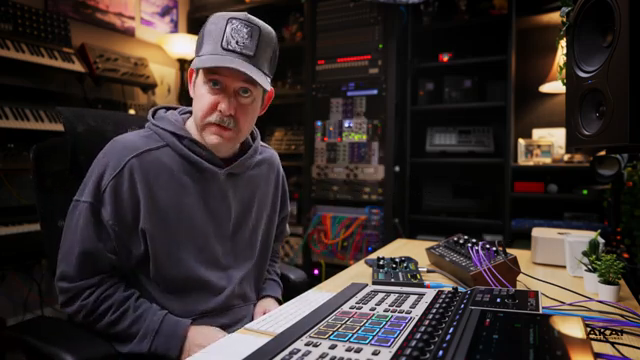
"Setting up your XL as the centerpiece of your studio."
© Screenshot/Quote: Akai Pro (YouTube)
MPC FX: Expressive Sound Manipulation Unleashed
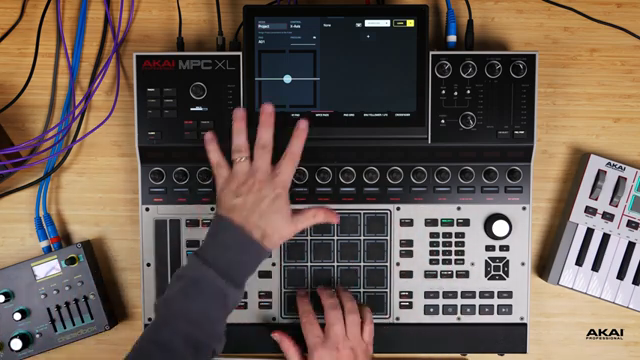
"With this iteration you can't actually select the pad to go jump to the screen, so for now what you have to do is actually pick the pad via the touchscreen interface."
© Screenshot/Quote: Akai Pro (YouTube)
With firmware 3.7, the MPC XL introduces MPC FX, a feature aimed at expanding the creative toolkit for live sound manipulation. The workflow begins by creating a new drum track, which is a prerequisite for using PAD FX. Users can assign effects either to a specific drum program or across the entire project, offering flexibility for both focused and global processing.
Akai’s interface design allows for quick access to the MPC E-pads via Q-Link Edit, where users choose between track or project mode. The demonstration emphasizes that, while the feature is currently limited to drum programs and plugin effects, it’s a significant step toward more tactile, expressive control. The ability to map effects to pads, and to select control axes (x, y, or pressure), sets the stage for dynamic, performance-oriented workflows.
Setting Up MPC E-pads: Real-Time Plugin Control
The heart of the demonstration is the setup and use of MPC E-pads for real-time effect control. The presenter shows how to assign plugin effects—like Flex Beat Player—to specific pads on bank B, keeping the effects track separate for clarity and flexibility. This separation is particularly useful when juggling multiple effects or preparing for more complex performance scenarios.
The learning process is straightforward: select a pad, choose the control axis, and hit the Learn button. The MPC then listens for parameter changes, allowing users to map plugin on/off states or effect parameters to pad gestures. The video highlights the importance of project mode for global effect control, and demonstrates how pressure and axis movements can be used for nuanced manipulation—such as toggling stutter effects or modulating delay sends in real time. This hands-on mapping system is clearly designed for performers who want to inject movement and spontaneity into their sets.
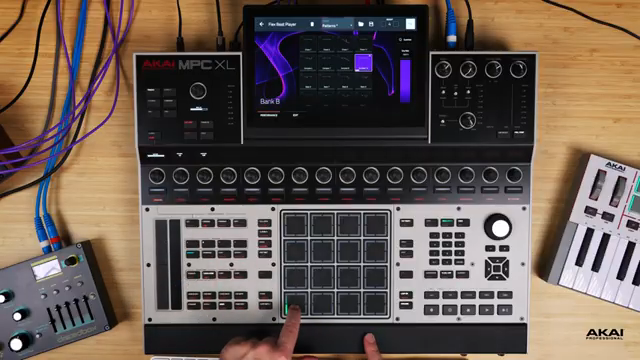
"If I press it and hold it turns on and then as soon as I release it turns off."
© Screenshot/Quote: Akai Pro (YouTube)
Performance Workflows: Layering Effects and Managing Tracks
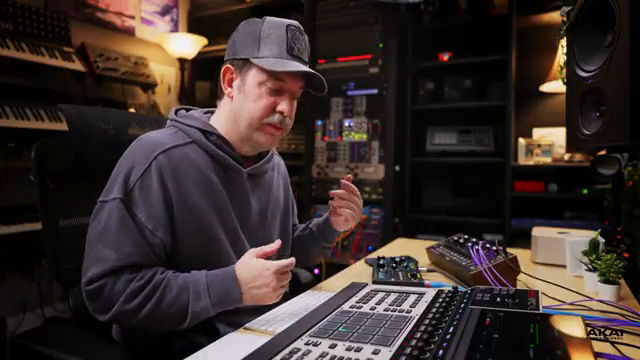
"How do you actually perform an arrangement or mute tracks and all that with this type of setup?"
© Screenshot/Quote: Akai Pro (YouTube)
The workflow possibilities open up as the video dives into layering multiple effects and managing tracks within a project. The presenter demonstrates how to use the E-pads to control filters, resonance, and fatness on both internal and external audio sources, including Ableton Live tracks routed into the MPC. By mapping different parameters to various axes and pads, complex soundscapes can be created and manipulated on the fly.
Track management is also addressed, with a look at how the XL’s sequencer buttons and track mute functions allow for fluid performance arrangements. The ability to mute, unmute, and trigger clips while simultaneously manipulating effects gives performers a high degree of control. The demonstration makes it clear that the MPC XL is built for those who want to blur the line between composition and live improvisation, leveraging its digital architecture for both depth and immediacy.
Mastering the MPC XL: Next Steps and Community
The video closes by reinforcing the ongoing journey of mastering the MPC XL. Viewers are encouraged to engage with the wider Akai community, ask questions, and continue exploring the device’s capabilities. Akai Professional’s educational approach is evident, positioning the MPC Academy series as a resource for both newcomers and experienced users looking to push the XL’s architecture to its limits.
This article is also available in German. Read it here: https://synthmagazin.at/akai-professional-mpc-xl-pad-fx-und-performance-workflows-im-architektur-check/
Watch on YouTube:
Latest articles
Watch on YouTube:
Visit the channel:
https://www.youtube.com/Akai_Pro
https://www.youtube.com/Akai_Pro
Links from Akai_Pro:
website: https://akaipro.com
instagram: https://instagram.com/akai_pro
facebook: https://www.facebook.com/AkaiPro
twitter: https://twitter.com/akai_pro
google_plus: https://plus.google.com/107127819149441645522/posts
Sponsored links:
If you purchase via these links, we may earn a small commission – at no extra cost to you. The link opens an Amazon keyword search, and results may vary depending on availability.
MPC XL
🔗 Check price on Amazon
🔗 Check price on Amazon