Akai Professional’s latest walkthrough puts the MPK Mini IV MIDI controller at the heart of a modern, software-integrated beatmaking rig. In this official Akai Pro video, the focus is squarely on how the MPK Mini IV interacts with Ableton Live Lite and the bundled Studio Instrument Collection, demonstrating a hands-on approach to building, layering, and arranging tracks. The video walks through everything from drum programming and chord modes to automation and real-time effects, all while showcasing the controller’s DAW and plugin integration. If you’re curious about how Akai’s compact controller can drive a full production workflow, this is a deep dive worth your attention.
7. January 2026
LYRA
Akai Professional MPK Mini IV: Workflow-Driven Beatmaking with Ableton Live and Studio Instrument Collection
Ableton Live Lite, MPK Mini IV, Studio Instrument Collection
MPK Mini IV: The Workflow Catalyst
The video opens with Akai Professional’s signature practical approach, positioning the MPK Mini IV as a central tool for music creation in a hybrid software environment. The host immediately sets the stage: this isn’t just a hardware demo, but a real-world exploration of how the MPK Mini IV fits into a modern DAW-based workflow. The focus is on using Ableton Live Lite and the Studio Instrument Collection, both included with the controller, to streamline the process from idea to finished track.
The MPK Mini IV is shown as more than just a set of keys and pads—it’s a workflow accelerator. By integrating tightly with Ableton Live, the controller offers direct access to sounds, patterns, and performance tools. The video promises a hands-on journey through song construction, emphasizing how the MPK Mini IV bridges the gap between tactile control and deep software integration.
Modes, Macros, and Performance Tools
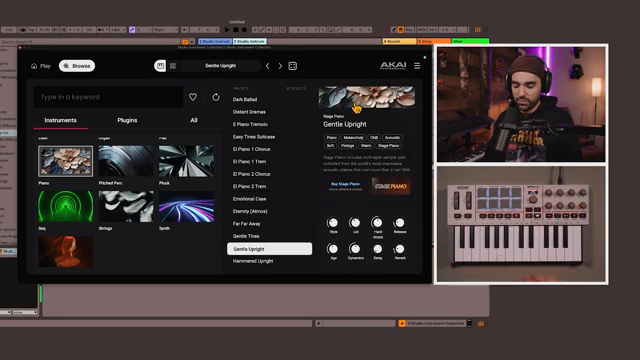
A core strength of the MPK Mini IV, as demonstrated, is its ability to switch between plugin and DAW modes, each unlocking a different layer of control. In plugin mode, users can browse and tweak sounds from the Studio Instrument Collection directly from the controller, making preset selection and macro adjustments immediate and intuitive. The video highlights how this mode enables hands-on manipulation of instrument parameters, such as dialing in reverb or delay for a piano patch, without ever touching the mouse.
Switching to DAW mode, the MPK Mini IV becomes a command center for Ableton Live’s transport and clip launching functions. The host demonstrates setting tempo via tap tempo, turning on the metronome, and using the controller to record and loop drum patterns. The global launch quantization in Ableton is explained, showing how recording and looping are always locked to the downbeat, ensuring tight, musical results. This is particularly useful for building drum foundations and layering additional elements.
Performance tools like note repeat and chord mode are given special attention. Note repeat, synced to Ableton’s clock, allows for rapid-fire hi-hats or other rhythmic effects, while chord mode enables even non-keyboardists to lay down complex harmonies. The video walks through configuring chord types and keys directly from the controller, making it clear that Akai has designed these features for both speed and musicality.
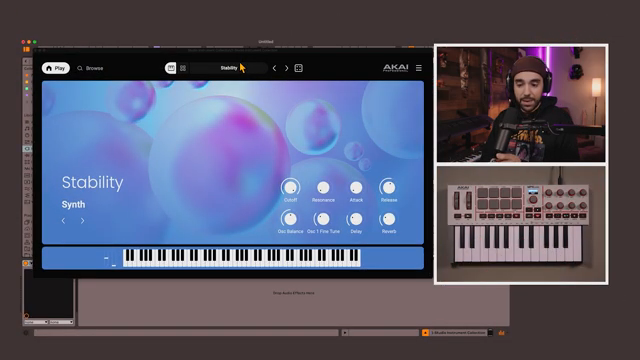
"Let's switch it so that it's in plugin mode which will give us full control over the Studio Instrument Collection."
© Screenshot/Quote: Akai Pro (YouTube)
Layering, Arranging, and Automation: Building the Track
The workflow showcased here is all about building up musical ideas in layers. Starting with drums, the host duplicates clips to create variations, then adds chords using the Studio Instrument Collection’s piano sounds. The process is iterative—duplicate, embellish, and switch between scenes to evolve the arrangement. The MPK Mini IV’s integration with Ableton’s clip launching and scene navigation is central, allowing for quick movement between different song sections and energy levels.
Automation and arrangement are treated as creative tools rather than afterthoughts. The video demonstrates dragging clips from session view into arrangement view, constructing a song structure with intros, builds, and hooks. Automation is introduced as a way to filter in sections or add dynamic effects, with the MPK Mini IV’s encoders mapped to Ableton’s device parameters. This hands-on approach to automation recording brings a performative aspect to the arrangement process, letting users shape transitions and energy in real time.
Hands-On Effects and Dynamic Soundscapes
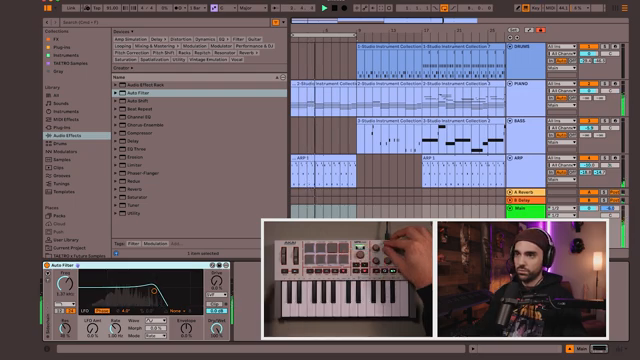
"We can do this kind of classic filtered in intro right but how do we record that?"
© Screenshot/Quote: Akai Pro (YouTube)
The final segment focuses on real-time sound manipulation, a key advantage of the MPK Mini IV’s integration with Ableton Live. By mapping encoders to audio effects like auto filter and bit reduction, users can sculpt their mix on the fly. The video walks through recording automation for filter sweeps and bitcrushing, demonstrating how these gestures are captured and replayed in arrangement view. The ability to switch between devices and reorder effects directly impacts the resulting sound, giving producers a high level of creative control.
This hands-on workflow is not just about static beats and melodies—it’s about crafting evolving, dynamic arrangements. The MPK Mini IV’s controls make it possible to perform and record nuanced changes, from subtle filter movements to dramatic lo-fi transitions. The video closes by emphasizing how these techniques turn simple loops into full-fledged songs, highlighting the controller’s role as both a compositional and performance tool.
This article is also available in German. Read it here: https://synthmagazin.at/akai-professional-mpk-mini-iv-workflow-orientiertes-beatmaking-mit-ableton-live-und-studio-instrument-collection/
Watch on YouTube:
Latest articles
Watch on YouTube:
Visit the channel:
https://www.youtube.com/Akai_Pro
https://www.youtube.com/Akai_Pro
Links from Akai_Pro:
website: https://akaipro.com
instagram: https://instagram.com/akai_pro
facebook: https://www.facebook.com/AkaiPro
twitter: https://twitter.com/akai_pro
google_plus: https://plus.google.com/107127819149441645522/posts
Sponsored links:
If you purchase via these links, we may earn a small commission – at no extra cost to you. The link opens an Amazon keyword search, and results may vary depending on availability.
Ableton Live Lite
🔗 Check price on Amazon
🔗 Check price on Amazon
MPK Mini IV
🔗 Check price on Amazon
🔗 Check price on Amazon
Studio Instrument Collection
🔗 Check price on Amazon
🔗 Check price on Amazon