Akai Professional’s MPC XL is more than just a groovebox—it’s a digital centerpiece designed to bridge hardware and DAW workflows. In this official walkthrough, Akai demonstrates how the MPC XL transforms into a standalone audio interface and MIDI hub via USB-C, enabling seamless communication with Ableton Live and other DAWs. The video dives into setup, routing, and creative possibilities, highlighting how the XL’s multi-channel architecture empowers producers to trigger, sample, and process DAW-based instruments directly within the MPC environment. For anyone seeking to unify their hardware and software worlds, this episode offers a clear, practical roadmap—grounded in real-world workflow, not just specs.
6. February 2026
LYRA
Akai Professional MPC XL: USB-C Integration as Audio Interface and MIDI Hub
MPC XL: The Digital Nerve Center
Akai Professional positions the MPC XL as a versatile hub for modern music production, capable of acting as both a standalone audio interface and a MIDI command center. The video opens with the presenter, Tefty, framing the XL as the heart of a studio setup, emphasizing its ability to seamlessly integrate with various DAWs through its USB-C port.
This approach is not limited to Ableton Live; the same principles apply to other DAWs like Logic Pro. The focus here is on leveraging the XL’s standalone mode and dedicated USB-C connection, which distinguishes it from standard USB-A ports by enabling full audio and MIDI interfacing. Akai’s intent is clear: the MPC XL is designed to unify disparate elements of a studio, streamlining both audio and MIDI workflows.
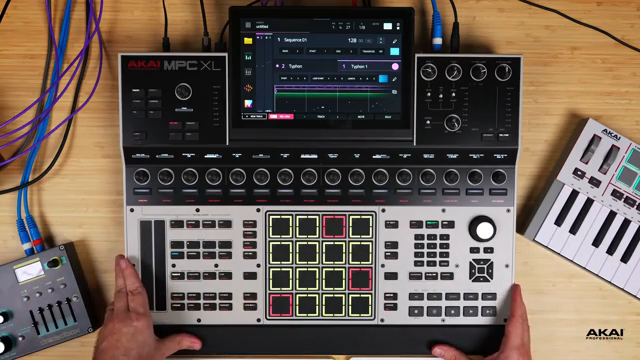
"It allows the MPC to connect as an actual audio interface and USB MIDI hub."
© Screenshot/Quote: Akai Pro (YouTube)
Connecting to Ableton Live: Step-by-Step Integration
The video provides a methodical walkthrough for connecting the MPC XL to Ableton Live using USB-C. After ensuring the correct cable is used, the presenter demonstrates how to configure Ableton’s audio preferences, selecting the MPC XL as both input and output device. This setup is crucial for accessing the full range of the XL’s audio routing capabilities.
A key step involves enabling all available inputs and outputs in Ableton, allowing users to exploit the MPC’s multi-channel architecture. The demonstration continues with the creation of MIDI tracks in Ableton, assigning USB MIDI ports and channels to ensure precise triggering from the MPC pads. The presenter highlights the importance of monitoring and port selection, especially when dealing with multiple tracks and instruments.
Throughout, Akai’s workflow-oriented ethos shines: the process is broken down into actionable steps, with attention paid to both the technical configuration and the practical implications for real-world production.
Deep-Dive: Multi-Channel Audio Routing and Workflow Expansion
"You do have 24 inputs, so technically 12 stereo inputs that you could use for this."
© Screenshot/Quote: Akai Pro (YouTube)
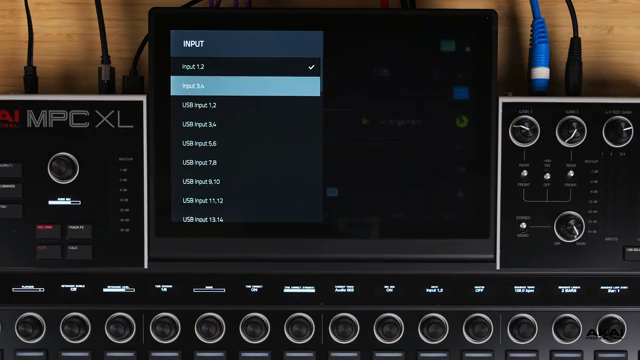
One of the MPC XL’s standout features is its ability to utilize all available audio inputs and outputs for complex routing scenarios. The presenter demonstrates how to assign specific USB input channels—such as 9/10 or 11/12—for audio coming from Ableton’s virtual instruments. This flexibility allows producers to route multiple instruments independently, opening up advanced layering and processing possibilities.
By selecting and monitoring these inputs within the MPC XL, users can visualize and control the flow of audio from the DAW into the hardware environment. This architecture not only enhances workflow efficiency but also supports intricate sound design and hybrid production techniques, where DAW-based sources are treated as integral parts of the MPC’s sonic palette.
Real-Time MIDI Triggering and Audio Processing: The Hybrid Workflow in Action
The integration between the MPC XL and Ableton Live extends beyond simple audio routing. The video showcases how MIDI data from the MPC can trigger virtual instruments within the DAW in real time, with the resulting audio routed back into the MPC for further manipulation. This bidirectional flow enables a hybrid workflow where hardware and software instruments interact seamlessly.
Once audio is captured in the MPC, users can apply onboard effects such as Air Tape Double Track, Air Flavor Pro, and the MotherDucker sidechain processor. The presenter demonstrates how these tools can be used to sculpt and enhance sounds originating from the DAW, illustrating the creative potential of processing external audio within the MPC’s environment.
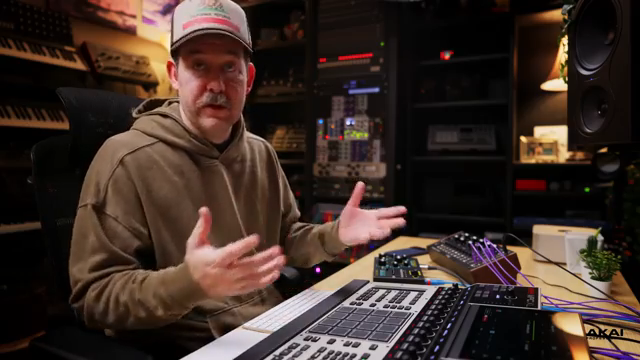
"If you're using MotherDucker, obviously you can only use MotherDucker inside the MPC."
© Screenshot/Quote: Akai Pro (YouTube)
Creative Sampling and Audio Manipulation: Capturing the DAW Inside the MPC XL
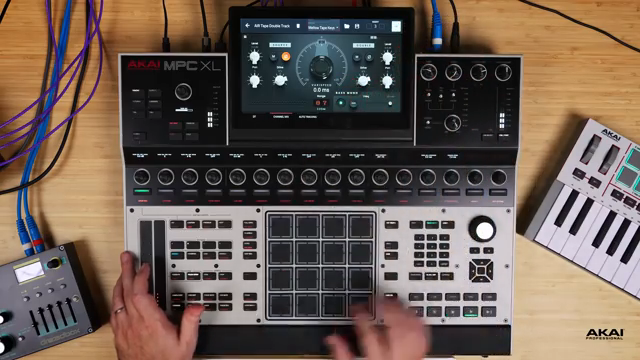
"You have access to any audio instrument that is inside your DAW and can easily trigger it from your MPC."
© Screenshot/Quote: Akai Pro (YouTube)
A major emphasis of the video is on the creative workflows unlocked by this integration. The presenter records MIDI-triggered performances from Ableton’s instruments, then captures and processes the resulting audio within the MPC XL. This approach allows for sampling, tracking, and arranging DAW-based sounds as if they were native to the MPC.
Whether it’s layering effects, sidechaining with MotherDucker, or simply capturing a vibe, the workflow encourages experimentation and fluid movement between software and hardware realms. The ability to sample, capture, and process DAW audio directly inside the MPC XL transforms it from a traditional groovebox into a true hybrid production powerhouse.
This article is also available in German. Read it here: https://synthmagazin.at/akai-professional-mpc-xl-usb-c-integration-als-audio-interface-und-midi-hub/
Watch on YouTube:
Latest articles
Watch on YouTube:
Visit the channel:
https://www.youtube.com/Akai_Pro
https://www.youtube.com/Akai_Pro
Links from Akai_Pro:
website: https://akaipro.com
instagram: https://instagram.com/akai_pro
facebook: https://www.facebook.com/AkaiPro
twitter: https://twitter.com/akai_pro
google_plus: https://plus.google.com/107127819149441645522/posts
Sponsored links:
If you purchase via these links, we may earn a small commission – at no extra cost to you. The link opens an Amazon keyword search, and results may vary depending on availability.
Akai Professional MPC XL
🔗 Check price on Amazon
🔗 Check price on Amazon